

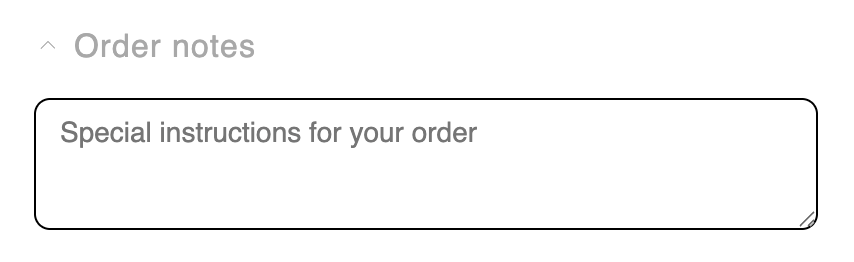
The Notes block is a collapsible field where shoppers can add order notes or special instructions (gift messages, delivery instructions, and so on) without leaving the cart. The note is saved to the cart and carried through to the order.
Behavior
- The field is a collapsible disclosure, collapsed by default. Collapsing is visual only — a saved note still applies. When collapsed with a note saved, a check mark shows so the shopper knows their note is stored.
- The note saves when the shopper clicks away (on blur), with saving / saved / error status feedback.
- If the cart note changes elsewhere — the
/cartpage or another tab — the field syncs to it, unless the shopper has already started typing, so their in-progress note is never overwritten.
Settings
Placement and limits
- Region: body or bottom.
- Maximum: 1 per cart state.
- State: filled cart only.
- Not added by default. Not locked — you can remove or hide it.
Custom template
Supports a custom template from its Code tab, which replaces this block’s built-in markup with your JSX. These are the props it receives.Design
Style this block with its Design section in the settings panel. These are per-block overrides that layer on top of your global design and fall back to it when blank.Text
The Text section in Design lets you control the typography of two elements. Use the Text element picker to switch between them. Title — the section heading above the note field. Bold is set in the Rich Text Editor above (in the Settings tab). Text color is set in the Toggle section of Design.
Note field — the text inside the textarea where shoppers type their note.
What are design settings? Learn more here: Design settings.