

Post-purchase offers
Post-purchase offers have no display-format option of their own. The format follows the Discount type you pick when setting the discount:
The second option is labelled with your store’s currency, and the value field you type into is prefixed with the same currency code —
USD, not $.
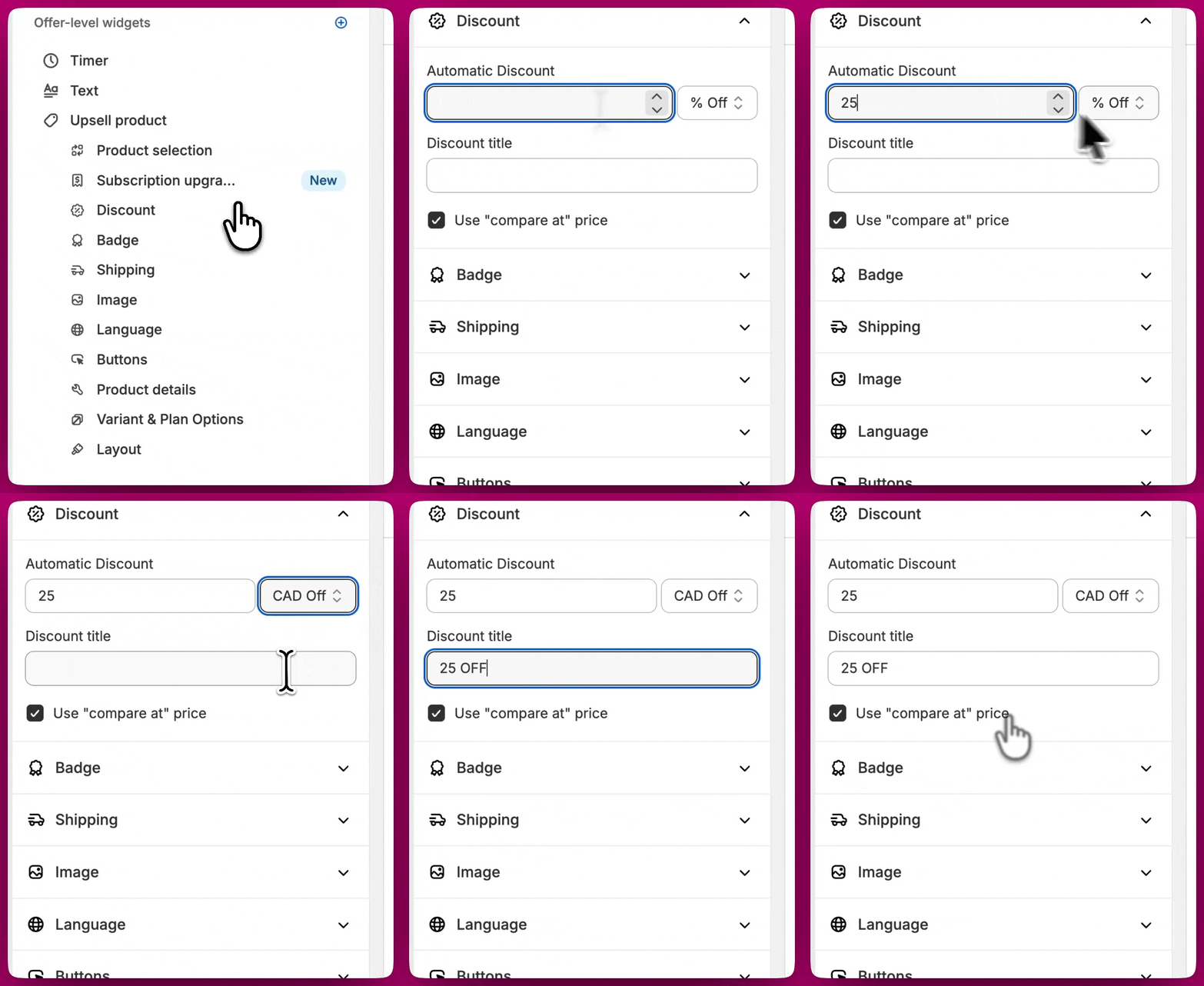
A post-purchase offer shows either a monetary saving or a percentage saving, never both at once.
Thank You Page
The product recommendation widget on the Thank You Page has its own Discount display format setting, independent of the discount type:- Amount off — for example “US$120 OFF”
- Percentage off — for example “20% OFF”
Checkout Upsells
Checkout Upsells append the saving next to the product title automatically. To turn that text off, open the upsell’s content settings and tick Hide discount amount text. With it enabled, the “(20% OFF)” / ”($6 OFF)” suffix disappears while the discounted price still shows in the widget — so the shopper still sees what they pay, just not the saving spelled out. The setting is always available, and it hides every source of that suffix — an Aftersell discount, a compare-at price, or a subscription discount alike.Rounding Rules for Discount Percentages
When displaying a percentage discount, Aftersell rounds the saving to the nearest whole percent. Decimals below .5 round down, and decimals of .5 or higher round up. For example:- A discount of 39.4% will display as 39%
- A discount of 39.5% will display as 40%
- A discount of 39.56% will display as 40%
Frequently Asked Questions
Can I display both monetary and percentage discounts at the same time?
Can I display both monetary and percentage discounts at the same time?
No. A single offer shows either a monetary saving or a percentage saving, not both. Choose the format that best fits your marketing strategy.
Can I hide the percentage label in Checkout Upsells?
Can I hide the percentage label in Checkout Upsells?
Yes. Tick Hide discount amount text in the upsell’s content settings. The savings suffix next to the product title is removed and the discounted price still appears.
Can I show a percentage discount as a dollar amount?
Can I show a percentage discount as a dollar amount?
On the Thank You Page, yes — Discount display format is independent of the discount type. On post-purchase offers, no: the format follows the discount type you chose.
How are discount percentages calculated?
How are discount percentages calculated?
Discount percentages are calculated based on the difference between the original price and the discounted price. The rounding rules above are then applied to determine the final displayed percentage.
Want to go further?
- Post-Purchase Best Practices - tips to improve conversion across all your offers
- How to Configure Post-Purchase Offers - set up your full post-purchase funnel