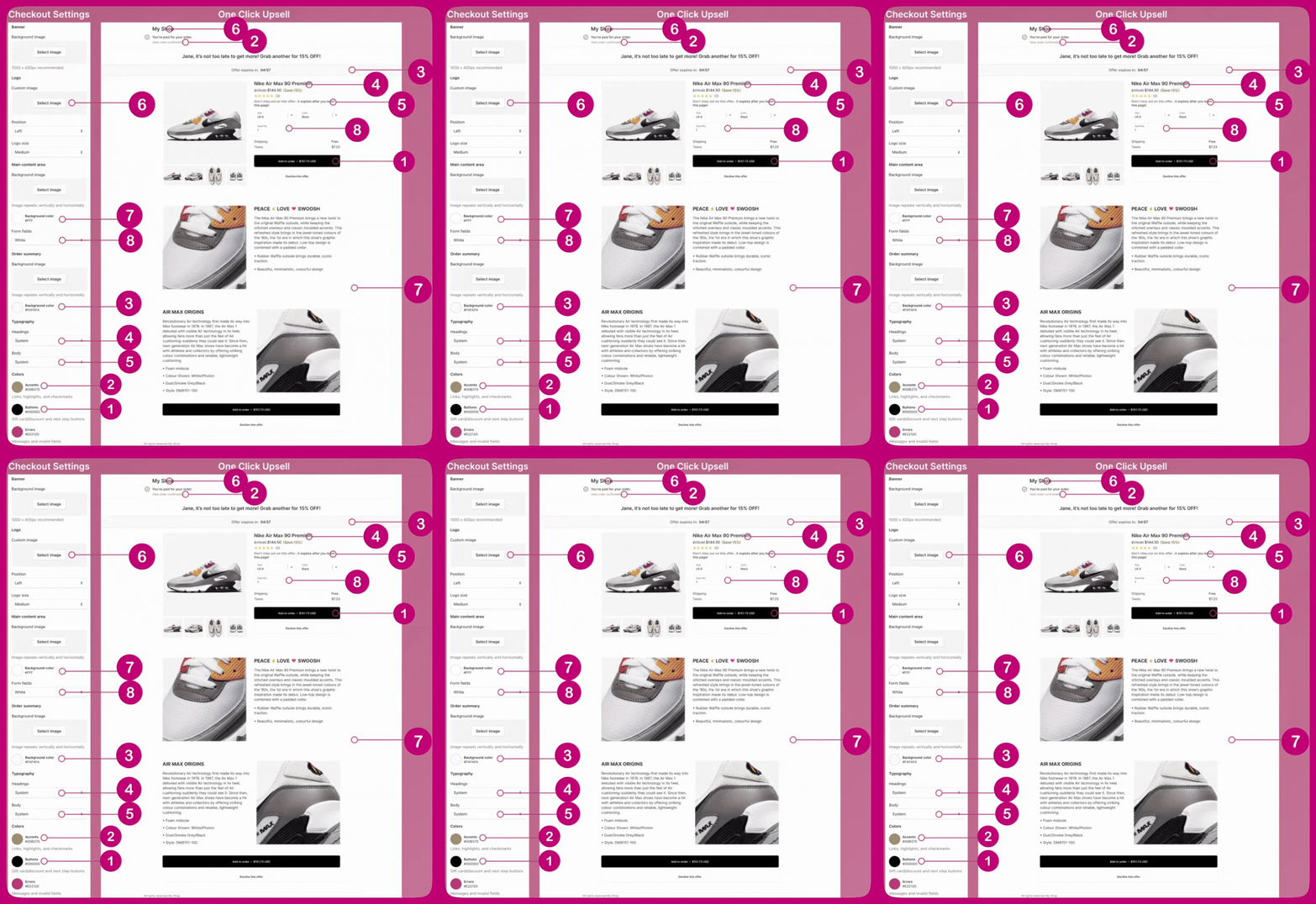
If your store is not on a Shopify Plus plan, the preview in the Aftersell editor will not match your live page. Shopify does not let apps read your branding on those plans, so the preview will fall back to the default Shopify settingsThis affects the preview only; your live post-purchase page still uses your real branding. To confirm, place a test order and check the post-purchase page.The checkout editor does not show a post-purchase page, so there is nothing to preview there. Your branding still applies to it behind the scenes
If you are not on Shopify Plus (also works for Shopify plus)
Shopify only lets apps read and write checkout branding on Plus plans, so Aftersell cannot show or change your branding. Make your changes in the Shopify checkout editor instead. To open it, go to Settings → Checkout in your Shopify admin and click Customize: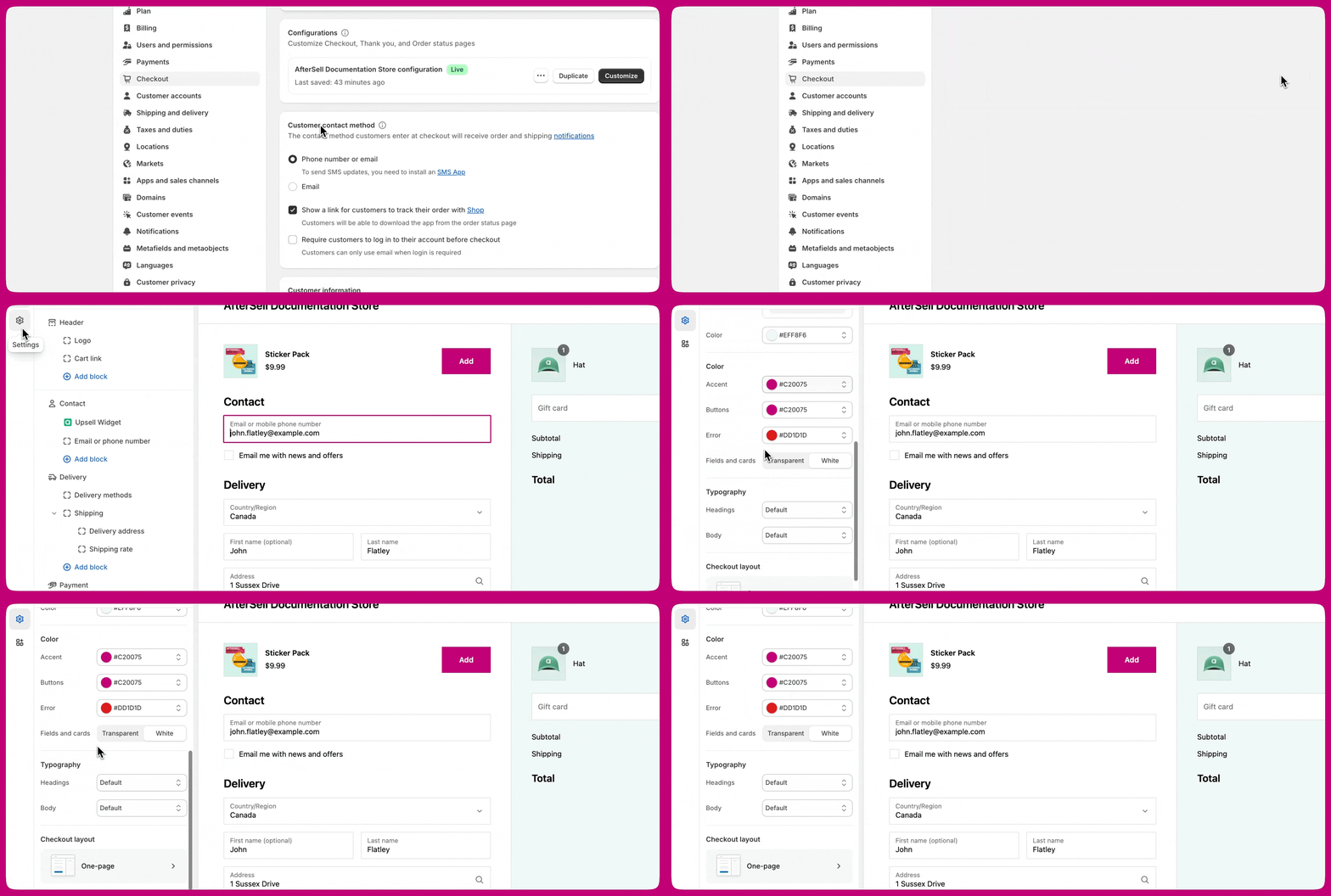
If you are on Shopify Plus
Edit your branding directly in Aftersell, under Settings → Checkout branding. Your changes are written straight to your Shopify checkout branding, so they apply to your checkout, post-purchase, thank-you, and order status pages. Also see Checkout Branding Settings On these plans the Aftersell editor preview also shows your real branding, so you can see your styling without placing an order. You can use the Shopify checkout editor instead if you prefer. Both write to the same settings, so you only need one.Many of the fields in the Shopify checkout editor are linked to Aftersell’s post-purchase page. The mapping below shows which Shopify checkout setting controls which element on the post-purchase upsell page:
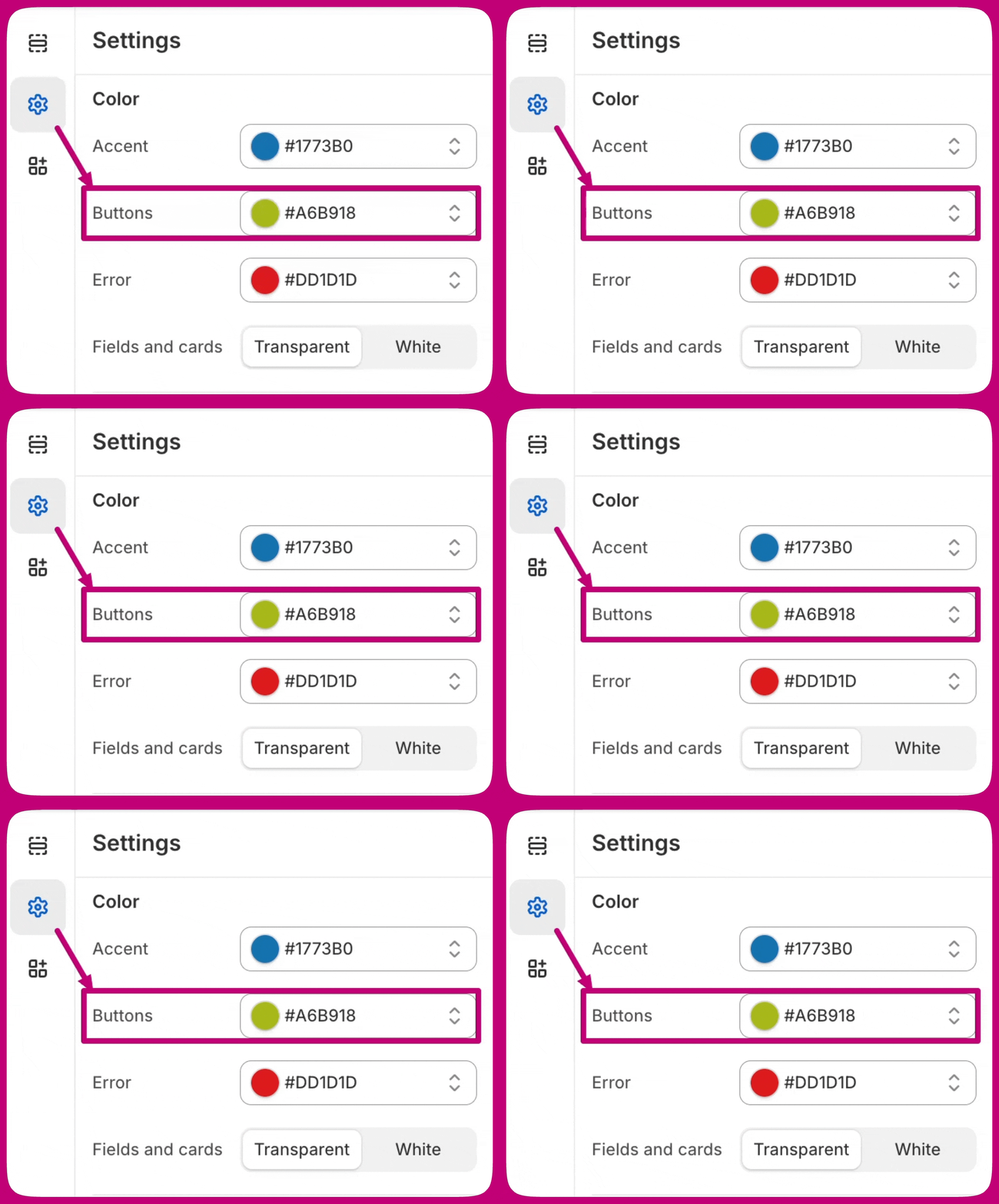
For instance, the button color in the Shopify checkout is directly reflected in the button color on the post-purchase page: