Many features in Aftersell utilize collections, such as funnel triggers and exclusions for automatic upsells. To improve targeting and provide greater control for these features, you can create unpublished automated collections. Automated collections allow you to select products based on specific criteria, including price, weight, tags, and more. An unpublished collection is not visible on any of your sales channels, meaning it will not be displayed to customers anywhere; it is intended for internal use only.Documentation Index
Fetch the complete documentation index at: https://docs.aftersell.com/llms.txt
Use this file to discover all available pages before exploring further.
How to create an unpublished automated collection
-
Navigate to your Shopify admin, then go to
Products > Collections, and click on “Create New Collection.” -
Select Conditions
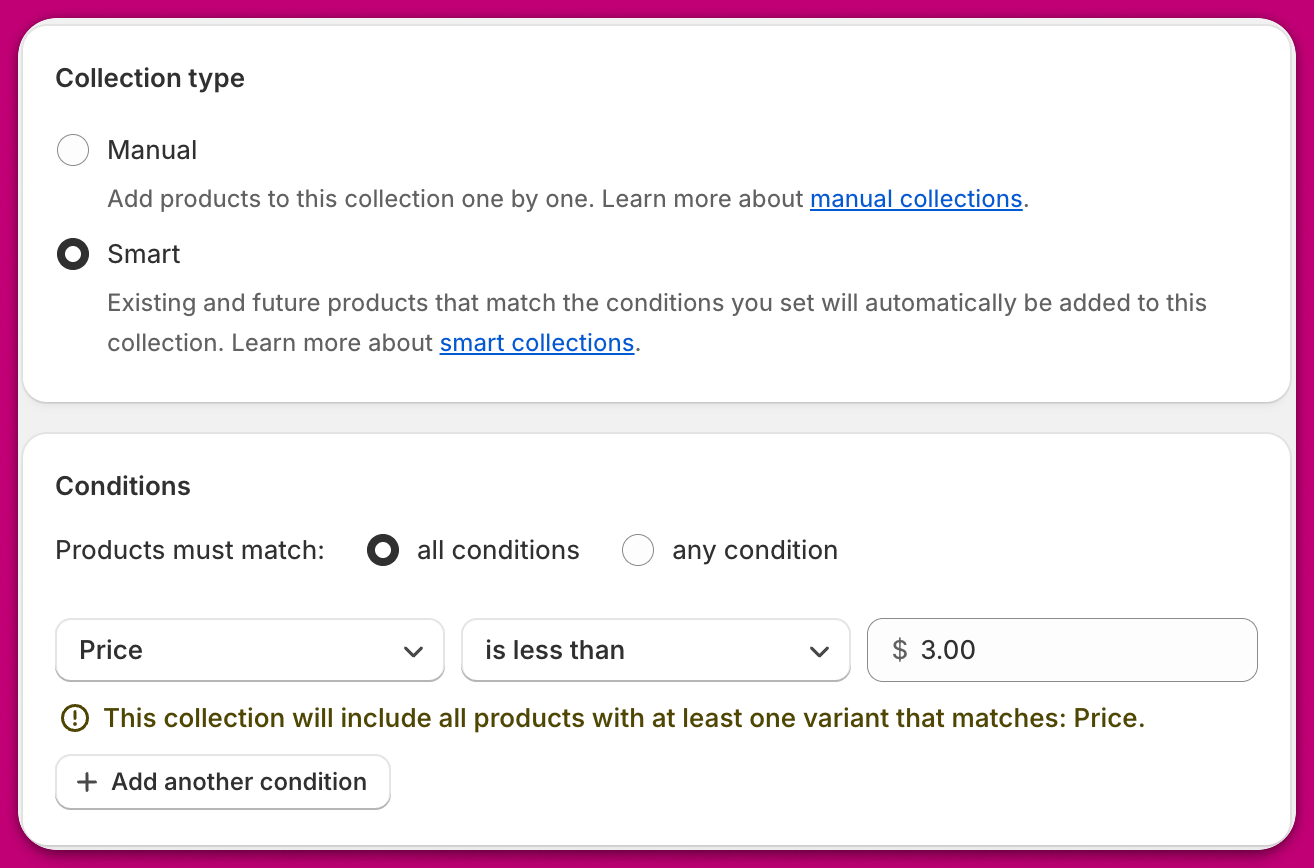
-
Unpublish from sales channels
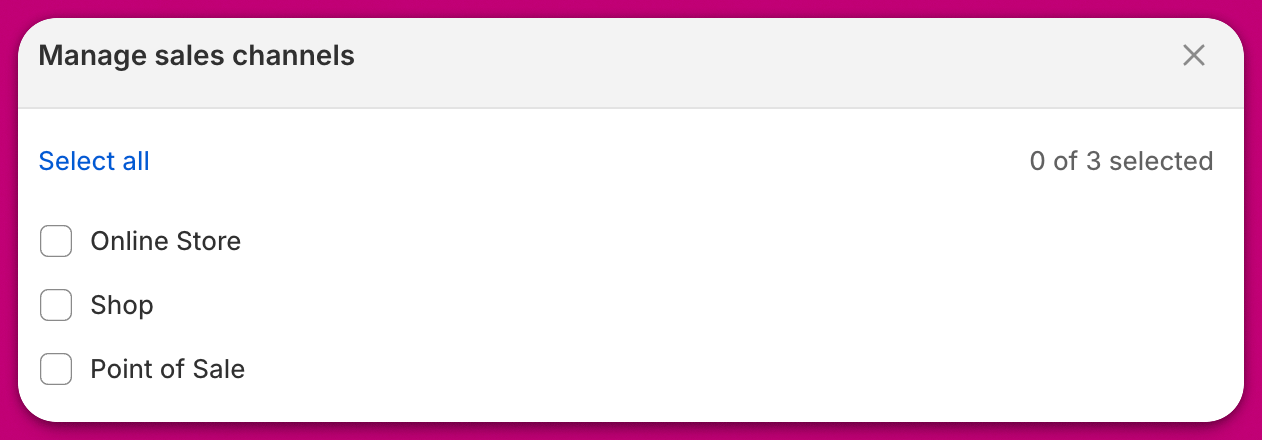
Best practices
We recommend using a descriptive name for your unpublished automated collections to help you easily locate them within Aftersell and allow other team members to differentiate them. Here are some examples of suggested collection names:- Aftersell Exclude “Test”
- Aftersell Exclude Below $5
- Aftersell Trigger Vendor XYZ
- Aftersell Trigger Above 3kg