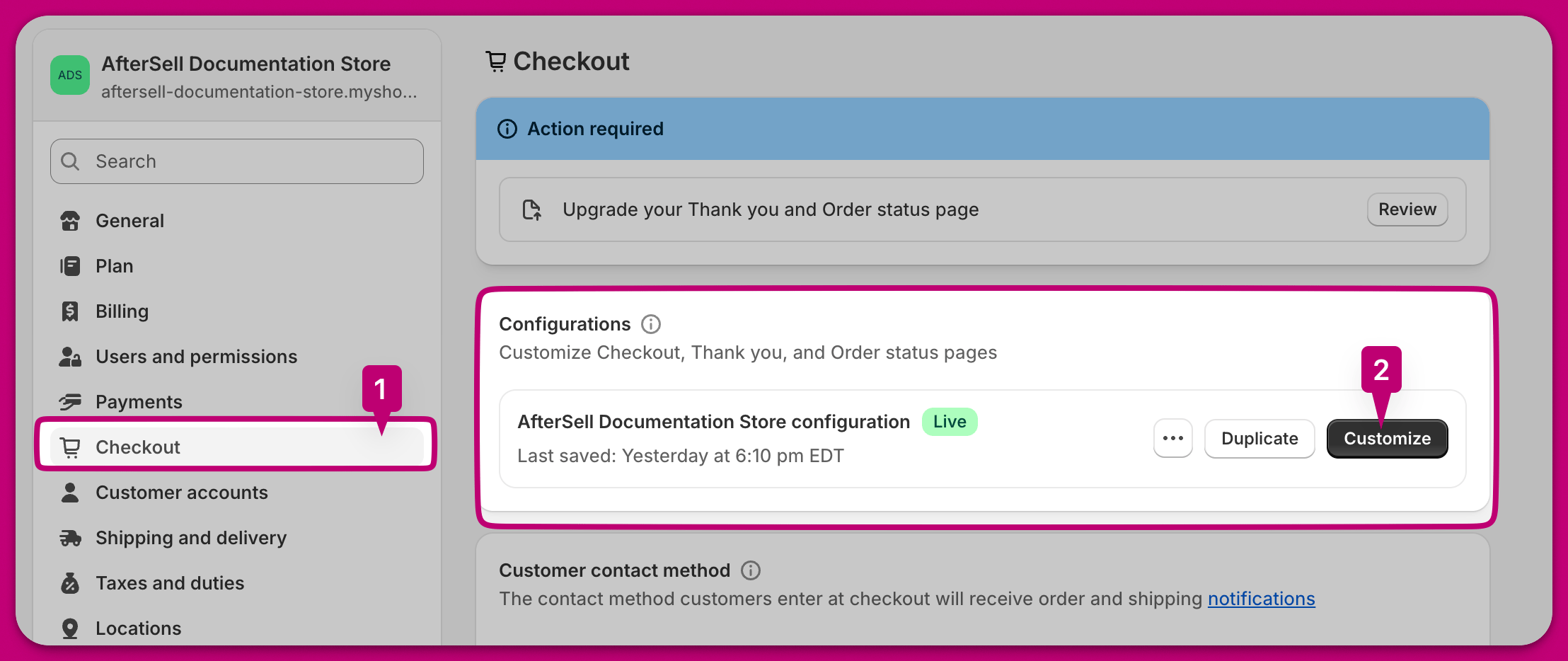
Step 1: Navigate to Shopify checkout customization page
There are two ways to do this:- Navigate to the “Settings” tab in Shopify. Click on “Checkout” in the left hand side navigation. Click “Customize” next to your desired checkout profile.
- Click on the “Open Shopify Checkout Editor” in the bottom right of the Aftersell checkout editor page.
Step 2: Add an app block
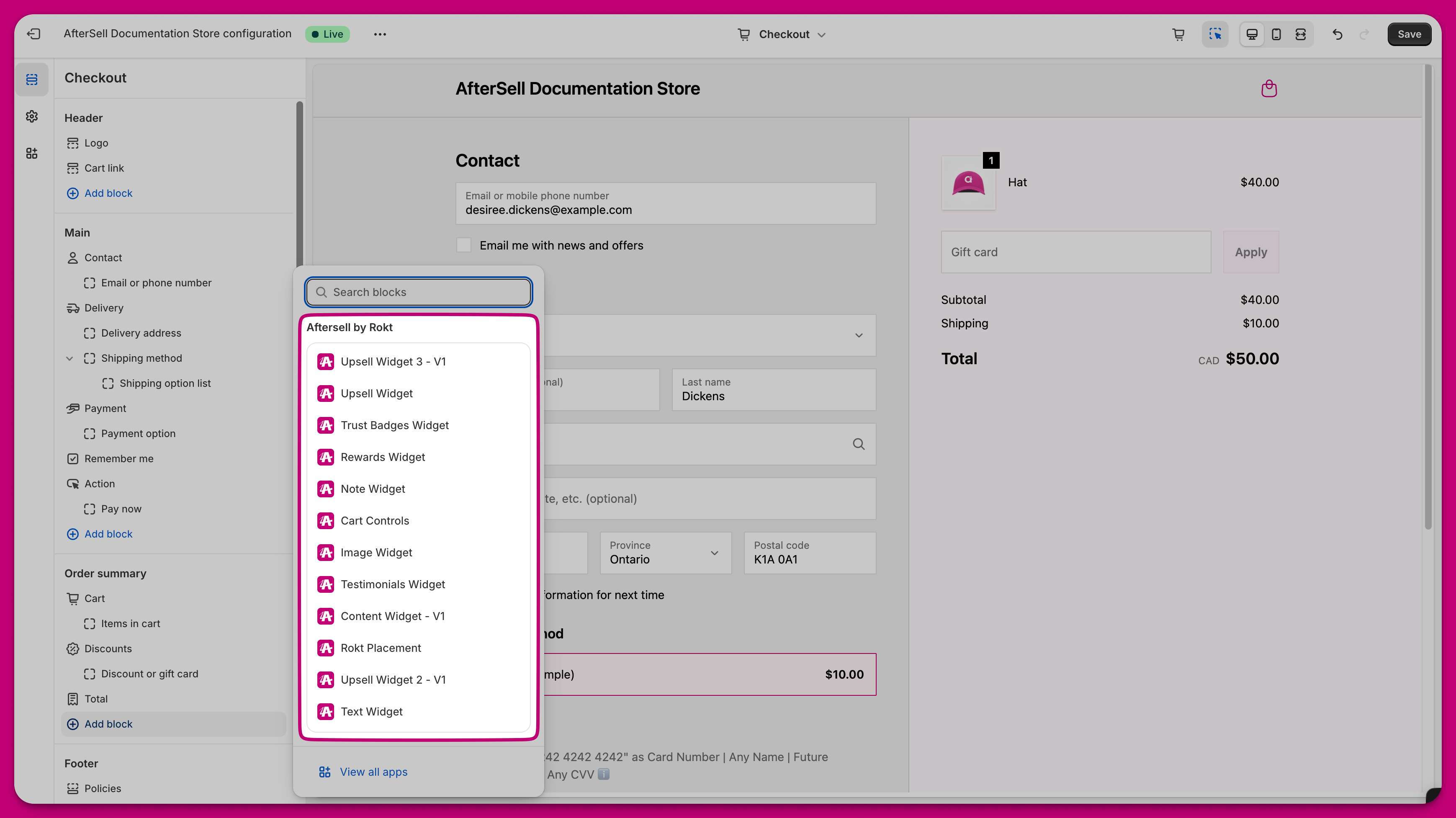
Click “Add app block” in the Shopify checkout customization page.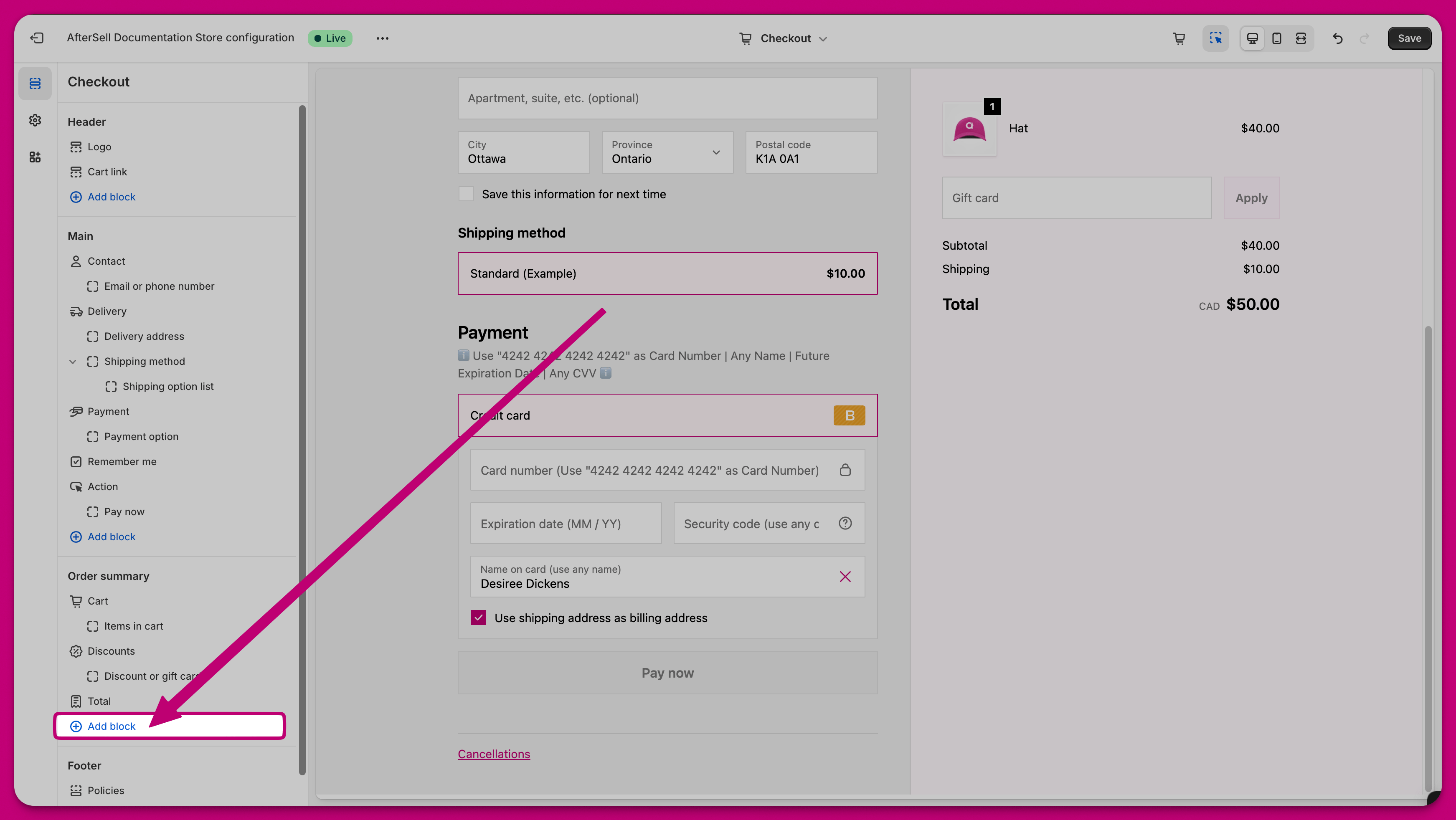
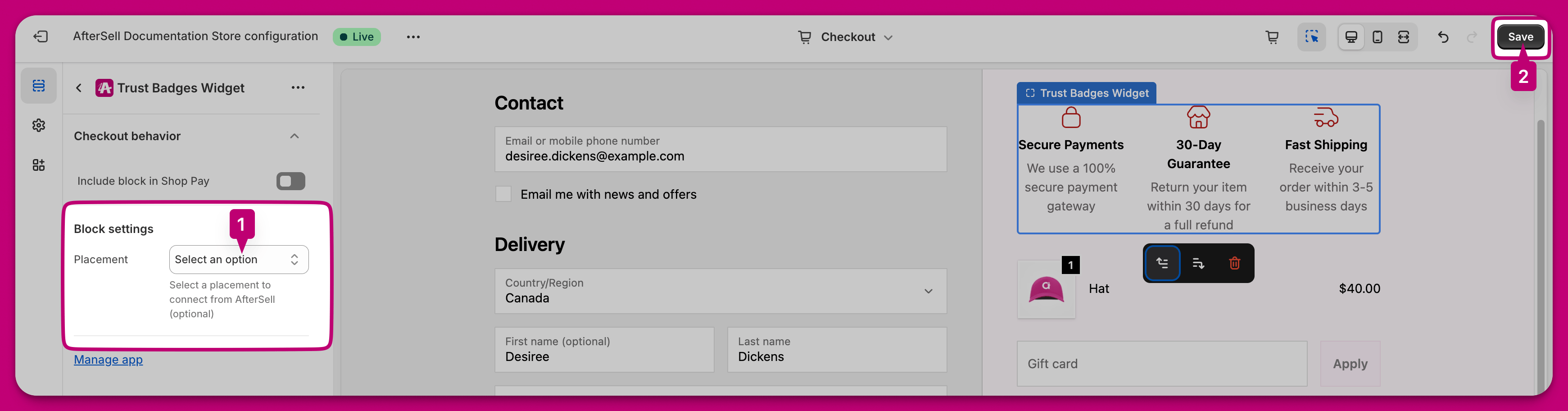
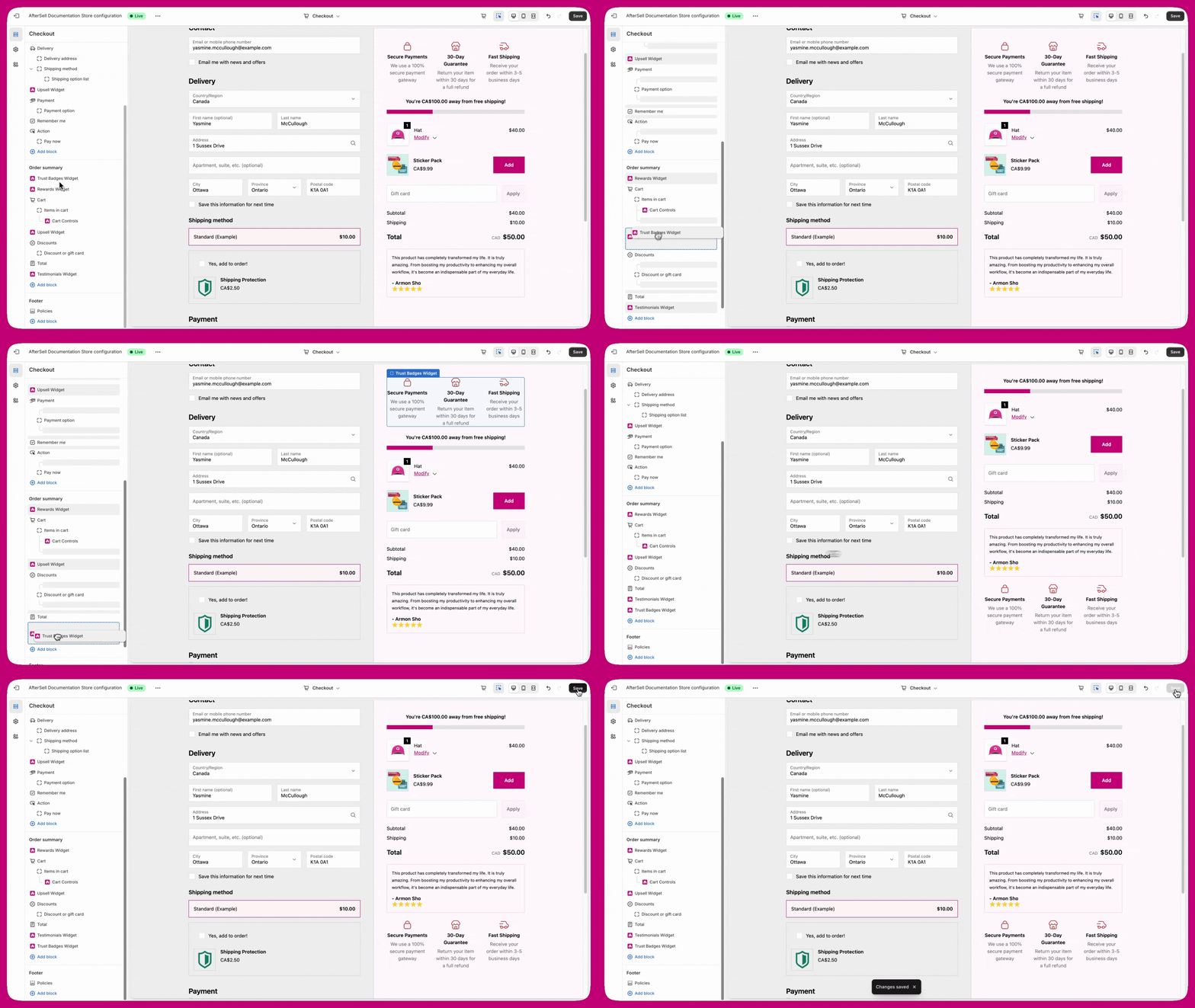
Step 3: Change app block position
Drag and drop the app block to your desired location and press save in the top right corner.