

How Auto-Fulfillment Works
Upcart automatically fulfills the shipping protection item when all of the following conditions are met:- Auto-Fulfill Shipping Protection Is Enabled in Upcart
- In the Cart Editor, open the Add-ons module and go to its Advanced settings section.
- Make sure Auto-fulfill shipping protection is turned on. The checkbox only appears once shipping protection itself is active in the module’s General settings — if you can’t find it, turn shipping protection on first.
- The Shipping Protection Product Is a Digital Item
- In Shopify, go to Products and locate the Shipping Protection product created by Upcart.
- Open the product, scroll to the Shipping section, and ensure the checkbox This is a physical product is unchecked.
- This ensures Shopify treats it as a digital product and allows automatic fulfillment. Tip: If you have multiple shipping protection tiers, all related products must meet this same condition.
- Required Product Properties Are Present
Upcart fulfills the item by listening to the orders/partially_fulfilled webhook.
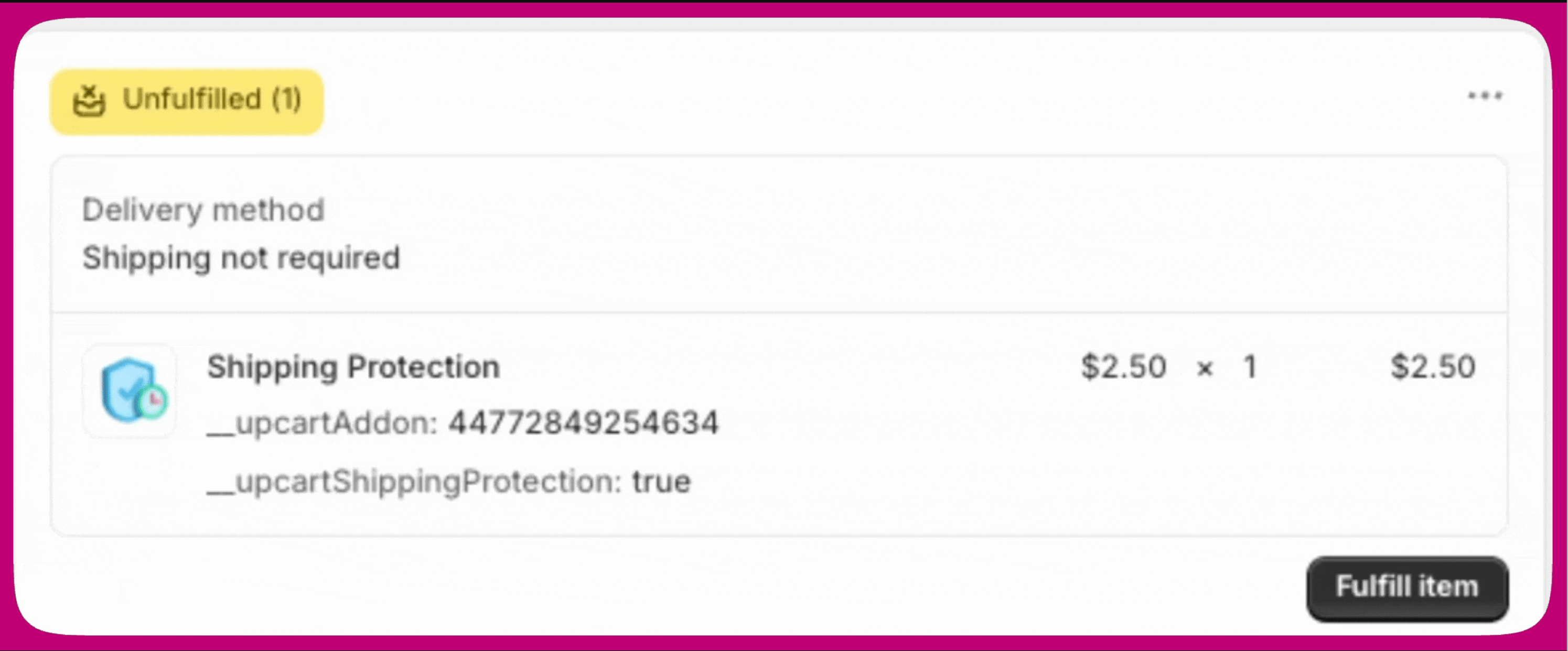
When part of an order is fulfilled, Upcart automatically fulfills shipping protection if it identifies the following line item properties:__upcartAddon: XXX__upcartShippingProtection: trueCheck your product settings to confirm both properties are included.
Why Shipping Protection Is Treated as a Product
Shipping protection in Shopify is configured as a product to support tiered pricing and interaction with cart rules.This allows Upcart to calculate and apply protection dynamically based on order value or cart contents. However, this approach can cause the product to appear in discount operations or visible storefronts unless configured properly.
Managing Storefront Visibility
Because shipping protection is a real Shopify product, it can appear in your storefront search, collections, and recommendations unless you hide it. The simplest way to keep it out of view is Shopify’s Unlisted product status.- In your Shopify admin, go to Products and open the Shipping Protection product created by Upcart.
- In the Status dropdown near the top of the product page, select Unlisted.
- Click Save.
Unlisted products behave like Active products in the cart, at checkout, and on orders, so setting Shipping Protection to Unlisted does not interfere with auto-fulfillment or with how the add-on is applied to the cart.
Summary
To ensure shipping protection auto-fulfills correctly:- Enable Auto-fulfill shipping protection in Upcart.
- Mark the product as non-physical in Shopify.
- Verify the correct line item properties are applied.
- Exclude it from discount rules, and set it to Unlisted to keep it out of your storefront, if needed.