

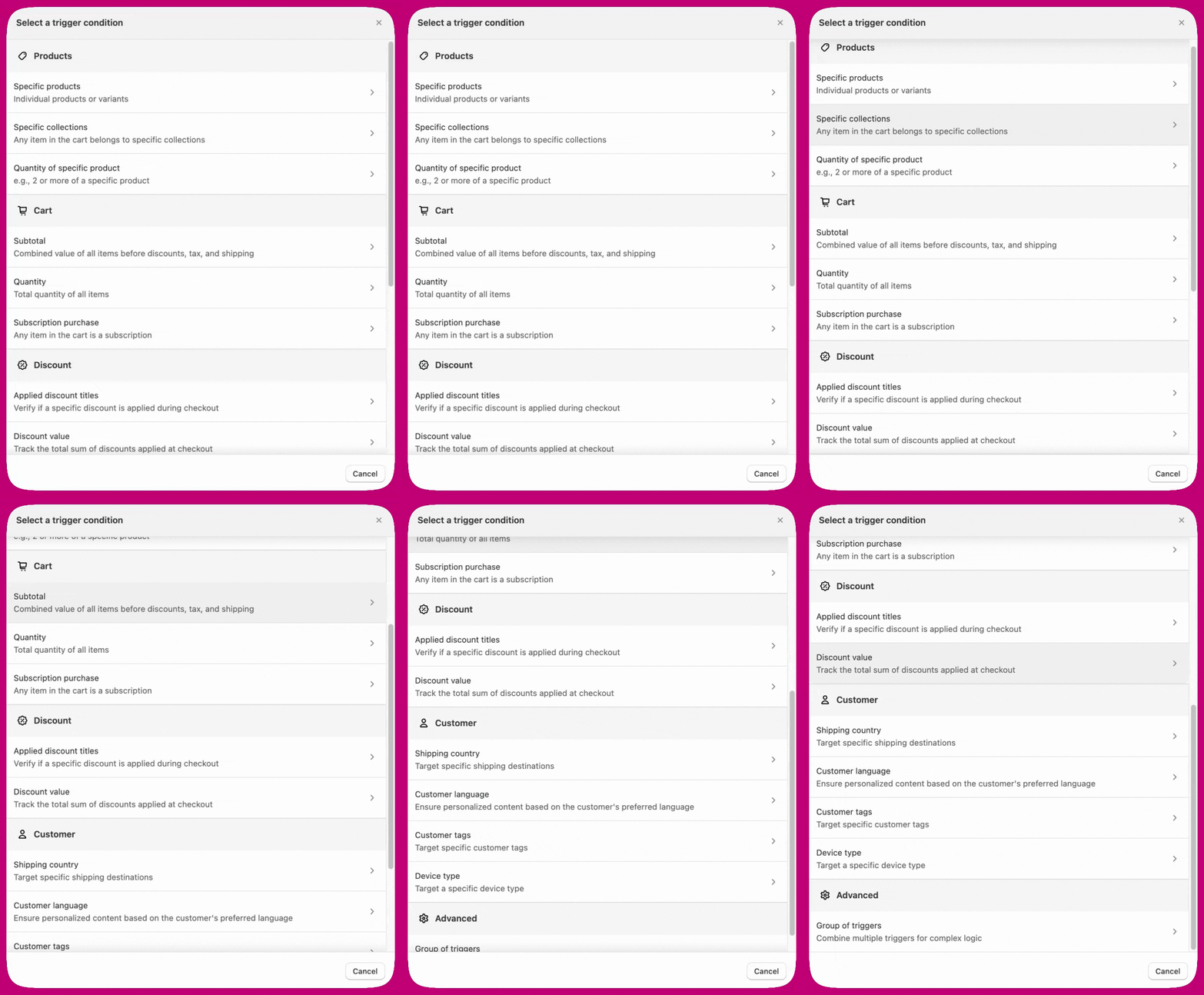
Products
The Product Trigger works by displaying the widget only if the customer has purchased a specific product.- Specific products: Use this option for individual products or variants. Select the products you want to trigger the widget. When a customer purchases any of these products, the widget will appear.
-
Specific collections:
This option works when any item in the cart belongs a specific collection. Select the collection you want to trigger the widget. When a customer purchases any item from the collection, the widget will appear.
-
You can set the product/collection trigger to show for all customers or conditionally based on the following criteria:
- Contains at least one of:
- Does not contain any of:
-
You can set the product/collection trigger to show for all customers or conditionally based on the following criteria:
- Quantity of specific product: For example, 2 or more of a specific product Set the trigger to show the widget if a customer purchases two or more of a specific product.
-
Product tag:
Shows the widget if any product in the cart has one of the specified Shopify tags. Tag matching is case-insensitive.
For example, set the trigger to include the tag
summer-collectionto show the widget only when a tagged product is in the cart. -
Product type:
Shows the widget if any product in the cart belongs to one of the specified product types.
For example, set the trigger to include
Apparelto show the widget only when an apparel product is in the cart. -
Variant name:
Shows the widget if any cart variant title matches one of the specified strings. Matching is case-insensitive.
For example, set the trigger to include
Largeto show the widget only when a large-size variant is in the cart. -
Product metafield:
Shows the widget if any product in the cart has a metafield (identified by namespace and key) whose value matches the specified condition (equals or contains).
Note: Metafield values are evaluated at the time the widget is displayed, not at order placement. If a customer removes the matching product and adds a different product after the widget loads, the widget may still appear.
-
Variant metafield:
Shows the widget if any variant in the cart has a metafield (identified by namespace and key) whose value matches the specified condition (equals or contains).
Note: Same evaluation timing applies as with product metafields above.
Cart
- Subtotal: The combined value of all items before discounts, tax, and shipping.
- Quantity: The total number of items in the cart. You can set this trigger to show the widget when the cart quantity is greater than, less than, or exactly equal to a specified number.
- Subscription purchase: Indicates if any item in the cart is a subscription.
-
Cart attribute:
Shows the widget based on a cart-level attribute key and value (equals or contains). This is useful for targeting customers based on data set by other apps or integrations (for example, loyalty status set by a third-party app).
Note: Only one distinct cart attribute key can be used across all active checkout widgets. If another widget already uses a cart attribute trigger with a different key, you must use the same key or update the other widget. The same key can be reused across multiple widgets with different values.
Discount
- Applied discount titles: Verify if a specific discount is applied during checkout
- Discount value: Track the total sum of discounts applied at checkout
Customer
- Shipping country: Target specific shipping destinations
- Customer language: Display personalized content based on the customer’s language. For example, show French content exclusively to French-speaking customers.
- Customer tags: Target specific customer tags.
- Device type: Target a specific device type — desktop or mobile. You can set the customer language trigger to “is French” and translate all editable fields in the widget to French.
Advanced
- Group of triggers: Combine multiple triggers for complex logic For example, show a widget if a customer has both product X and product Y in their cart. You can set the product trigger condition to contain both product X and product Y, so the widget will appear accordingly.