> ## Documentation Index
> Fetch the complete documentation index at: https://docs.aftersell.com/llms.txt
> Use this file to discover all available pages before exploring further.
# Upcart x Wide Bundles – quantity breaks
> 本文介绍在使用 Wide Bundles 与 Upcart 搭配进行数量折扣优惠时,如何解决可能出现的加入购物车问题。
# 概述
同时使用 Wide Bundles 和 Upcart 时,你可能会发现顾客添加商品后购物车没有正确打开。这通常是因为 Wide Bundles 中的 **Add-to-Cart Redirection** 设置没有配置为与 Upcart 配合工作。
***
## 解决方法
按照以下步骤解决该问题:
1. 打开你的 **Wide Bundles** 设置。
2. 找到 **Add-to-cart Button** 部分。
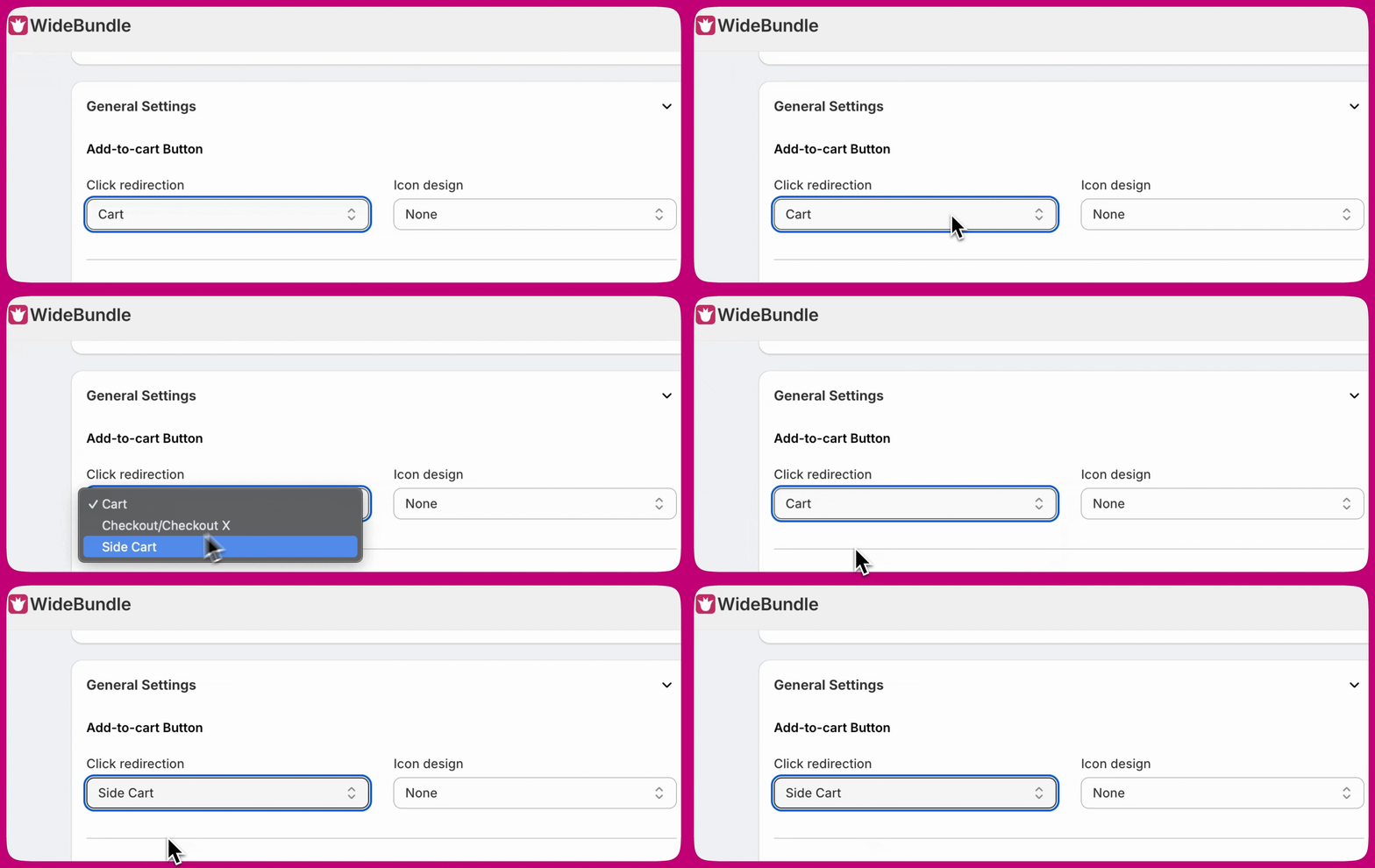
3. 将 **Click redirection** 更改为 **Side Cart**。
将其设置为 **Side Cart** 可确保顾客将产品加入购物车后,Upcart 中的购物车能正确打开:
 ***
***
## **需要更多帮助?**
关于与 Wide Bundles 集成的任何支持问题,或此集成无法正常工作时,\*\*请发送电子邮件至 Wide bundle 支持团队:\*\*[support@widebundle.com](mailto:support@widebundle.com)。
如果你是开发者并希望了解更多集成选项,请查看我们的 [Upcart Public API](https://rokt.notion.site/upcart-public-api)。