> ## Documentation Index
> Fetch the complete documentation index at: https://docs.aftersell.com/llms.txt
> Use this file to discover all available pages before exploring further.
# Upcart upsell 未在翻译后的商店版本中显示
> 本文帮助排查翻译后的商店或不同子域名上 upsell 缺失的问题。
# 概览
为了显示 Upcart 的 upsell,我们必须使用 Shopify 的 Product API 获取产品。然而,根据 Shopify 的[规范](https://shopify.dev/docs/api/ajax/reference/product),我们必须使用产品页面 URL 中包含的产品 handle 作为引用。
例如,我们可以使用其 API 获取位于商店 `products/red-rain-coat` 路径下的产品。
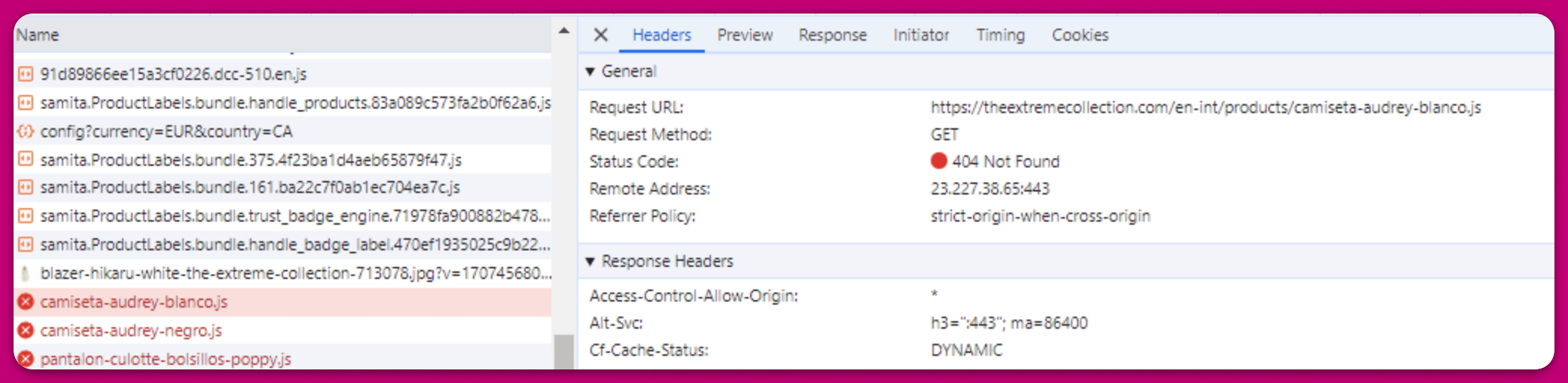
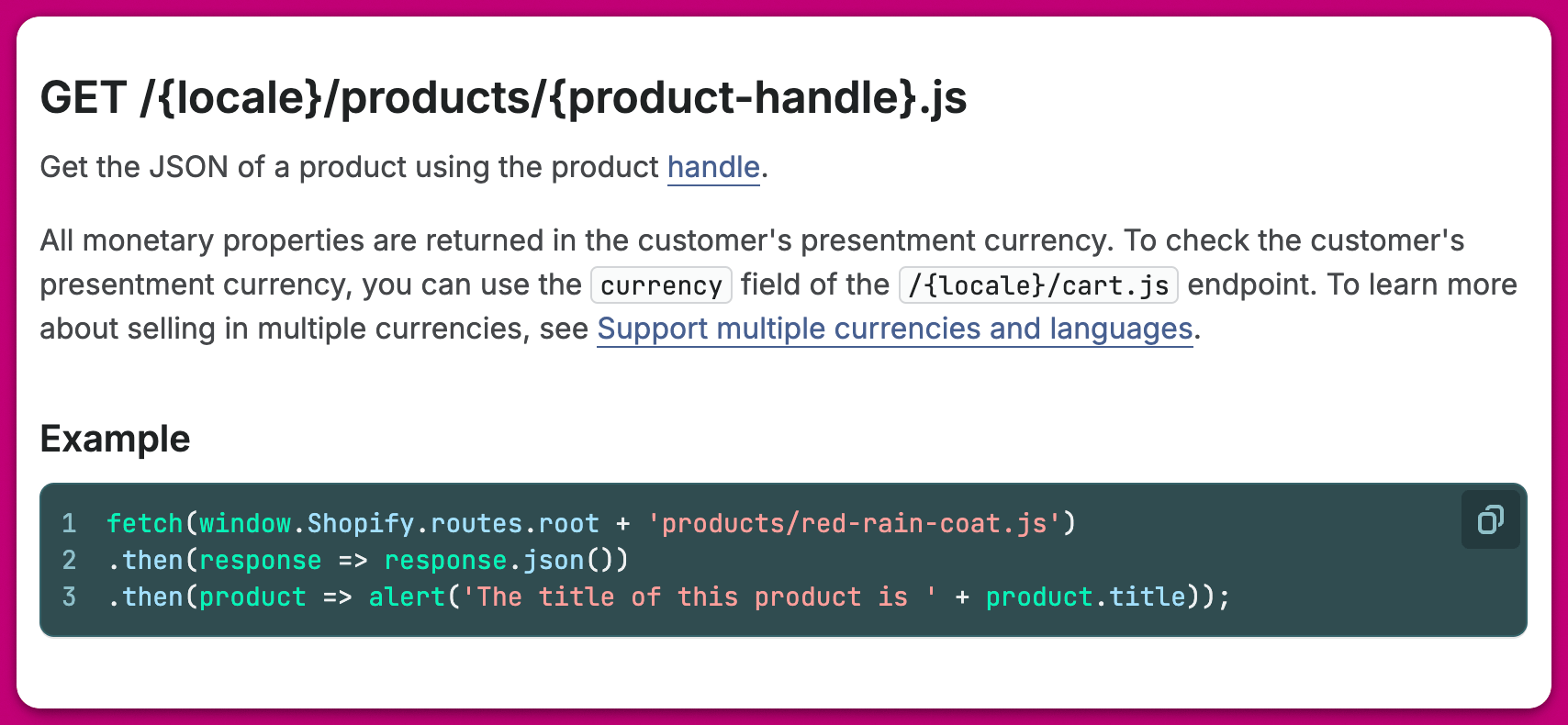 遗憾的是,如果你使用的商店主题或第三方翻译应用同时也翻译了页面 URL 中的产品 handle,就会产生冲突。这意味着每当我们尝试使用 Shopify 的 Product API 获取产品时,Shopify 查找的是某个特定语言的产品 handle,而该 handle 在产品被翻译后并不存在。
以下是一个真实商店的示例:尝试获取西班牙语产品 handle 时,Shopify 返回错误,因为其系统中存储的产品 handle 是英语的:
遗憾的是,如果你使用的商店主题或第三方翻译应用同时也翻译了页面 URL 中的产品 handle,就会产生冲突。这意味着每当我们尝试使用 Shopify 的 Product API 获取产品时,Shopify 查找的是某个特定语言的产品 handle,而该 handle 在产品被翻译后并不存在。
以下是一个真实商店的示例:尝试获取西班牙语产品 handle 时,Shopify 返回错误,因为其系统中存储的产品 handle 是英语的:
 为了解决此问题,我们建议无论商店设置为哪种语言,都保持产品页面 URL 中的产品 handle 不变。
***
为了解决此问题,我们建议无论商店设置为哪种语言,都保持产品页面 URL 中的产品 handle 不变。
***
## 需要帮助?
一如既往,我们随时为你提供帮助。如果你需要进一步说明或在 Upcart 的其他功能方面需要协助,请随时联系我们。