> ## Documentation Index
> Fetch the complete documentation index at: https://docs.aftersell.com/llms.txt
> Use this file to discover all available pages before exploring further.

# 在产品价格下方显示节省金额

> 在购物车中显示或隐藏产品价格下方的绿色节省金额文本。

<div id="overview">
  # 概览
</div>

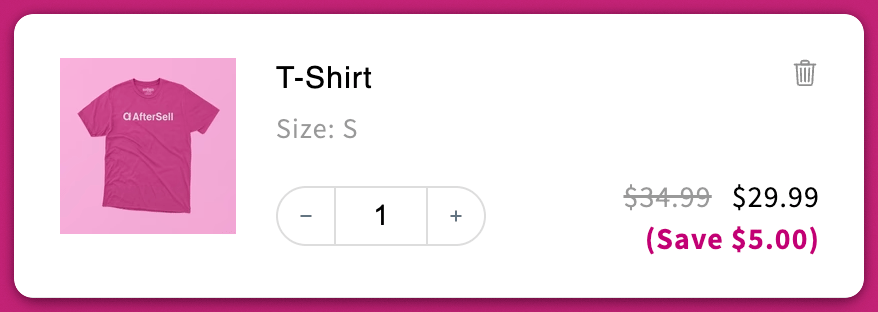
此设置可让你控制 `(Save $___)` 文本是否显示在 cart drawer 内已折扣产品价格的下方。

<div id="where-to-find-it">
  ## **在哪里找到此设置**
</div>

前往：\
**Upcart > Editor > Settings > Cart settings**\
启用或禁用标有 **"Show savings with product prices."** 的复选框。

<div id="how-it-works">
  # **工作原理**
</div>

<div id="enabled-box-checked">
  ## ✅ 已启用（复选框勾选）
</div>

* 在产品价格下方显示一行绿色的 `(Save $___)` 文本。
* 该金额为**划线价格减去该行商品当前的实际价格**，因此任何已应用的产品级折扣——自动折扣或降低了该行价格的折扣码——都会使其增大。
* 使用哪个价格作为划线价格取决于你的定价设置：

  * **Compare at price**（默认）
  * **Base price**（如果你已在 **Advanced Settings** 中启用）

📘 你可以在此处了解更多定价逻辑：\
[从基础价格而非原价对比价格显示折扣？](#)

<img src="https://mintcdn.com/aftersell/uVGuDiyXpd6WOLO4/images/upcart/savings-display-cart-savings-line-visible.png?fit=max&auto=format&n=uVGuDiyXpd6WOLO4&q=85&s=1d5080288b4785c487c11fa65160b76a" alt="购物车中的 T-Shirt 行商品显示折扣后价格，下方带有 Save 5.00 的节省金额行" width="600" data-path="images/upcart/savings-display-cart-savings-line-visible.png" />

<div id="disabled-box-unchecked">
  ## ⬜ 已禁用（复选框未勾选）
</div>

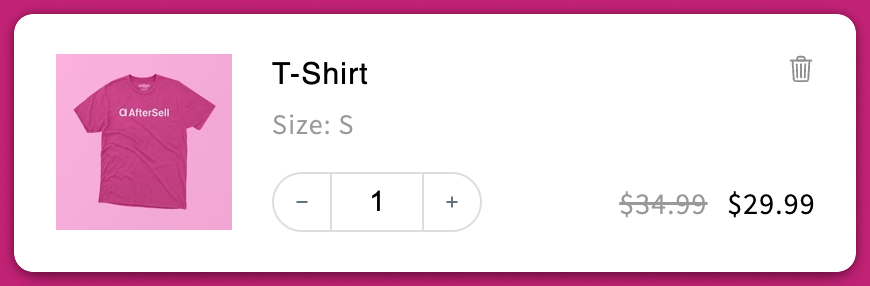
* 完全隐藏节省金额文本。
* 如果你偏好更简洁、极简的购物车设计，此选项很有用

<img src="https://mintcdn.com/aftersell/uVGuDiyXpd6WOLO4/images/upcart/savings-display-cart-savings-line-hidden.png?fit=max&auto=format&n=uVGuDiyXpd6WOLO4&q=85&s=afc1f2e97099e3979681f4a3a94aa0ff" alt="购物车中的 T-Shirt 行商品显示折扣后价格，节省金额行已隐藏" width="600" data-path="images/upcart/savings-display-cart-savings-line-hidden.png" />