> ## Documentation Index
> Fetch the complete documentation index at: https://docs.aftersell.com/llms.txt
> Use this file to discover all available pages before exploring further.
# 推荐模块
> 了解如何在空的 Upcart 抽屉中显示和自定义商品推荐。
# 概述
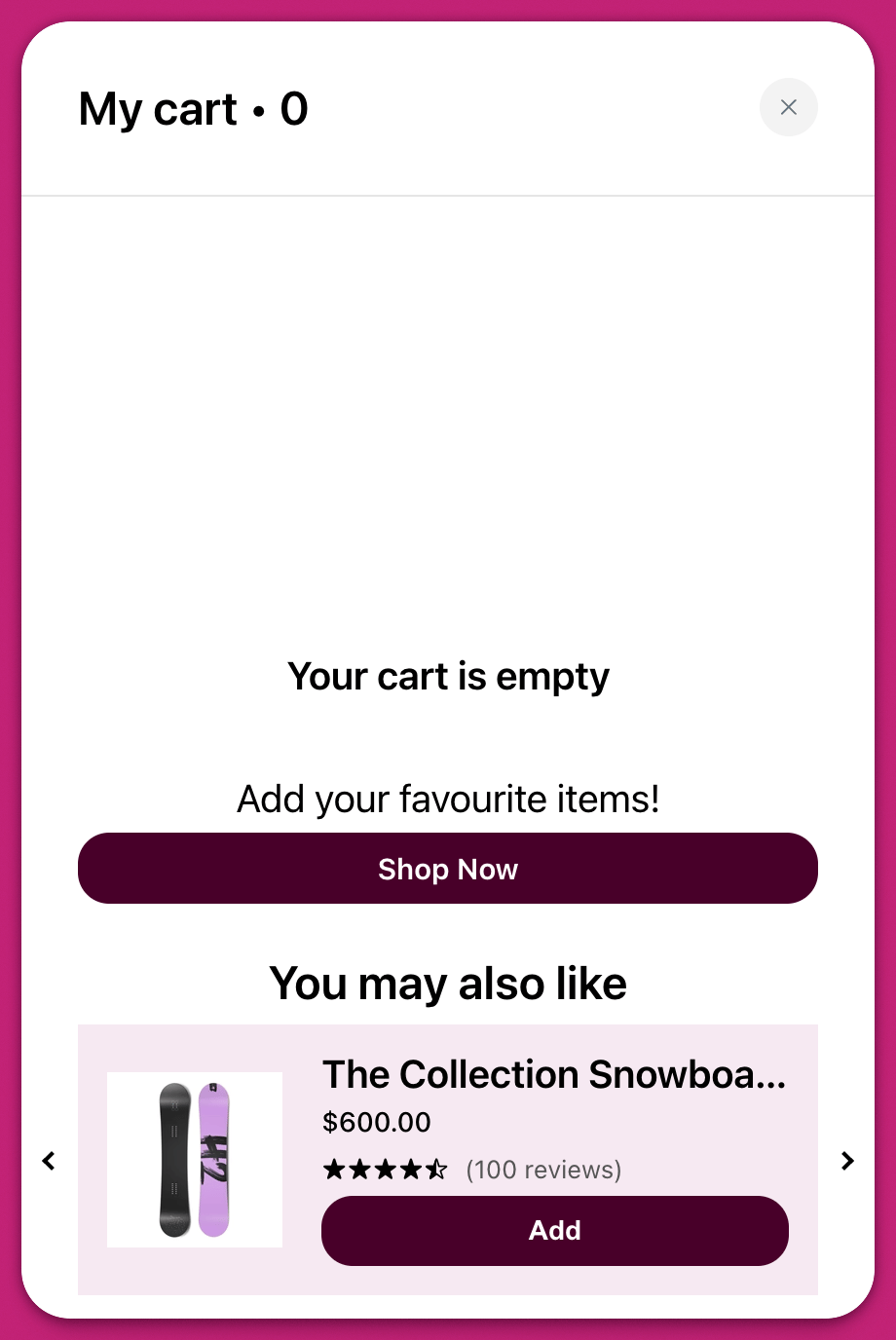
Recommendations 模块允许你在客户的购物车为空时展示推荐商品。这是重新吸引购物者并引导他们前往重点商品系列或畅销商品的宝贵机会。你可以在 Upcart 仪表板中前往 **Cart Editor > Recommendations** 访问此功能。
# 设置
该模块包含若干可选元素,你可以启用它们来定制客户体验并提升参与度。
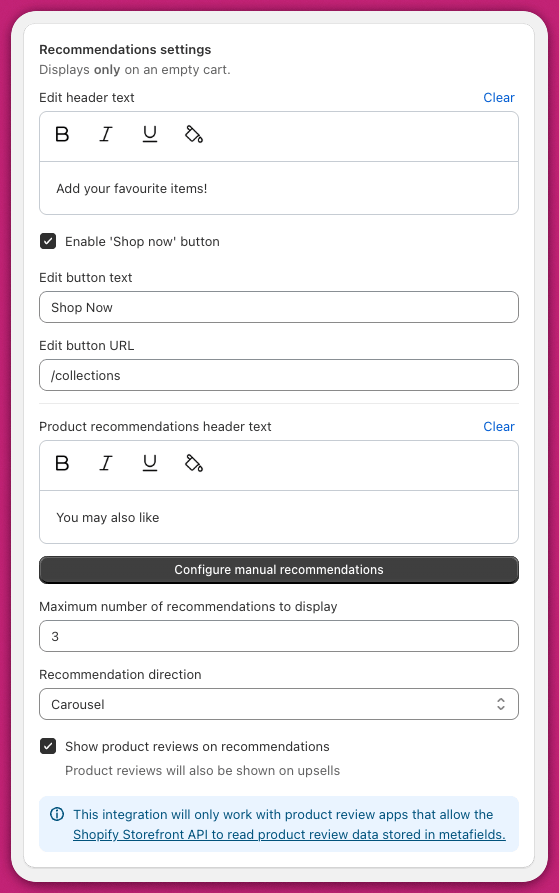 此项设置显示在推荐区域上方的主标题或引导消息。你可以用它来鼓励客户浏览你的商店。例如,"你的购物车是空的,看看这些精选好物"这样的消息可以促使他们继续购物。
## **启用 'Shop Now' 按钮**
打开后,会在页眉文本下方添加一个醒目的行动号召按钮。它为客户提供一个快速链接以开始浏览商品。如果你想主动引导用户前往商店的特定区域,请使用此功能。
## **编辑按钮文本**
此字段控制 'Shop Now' 按钮上显示的标签。根据商店的语气,你可以使用"开始购物"或"查看所有商品"等短语。
## **编辑按钮 URL**
在这里定义按钮指向的位置。大多数商店会将其链接到商品系列页面,例如 `/collections` 或 `/collections/bestsellers`。请使用完整的相对路径,以确保按钮正确跳转。
此项设置显示在推荐商品列表正上方的标题。常见选择包括"你可能也喜欢"或"为你推荐"。
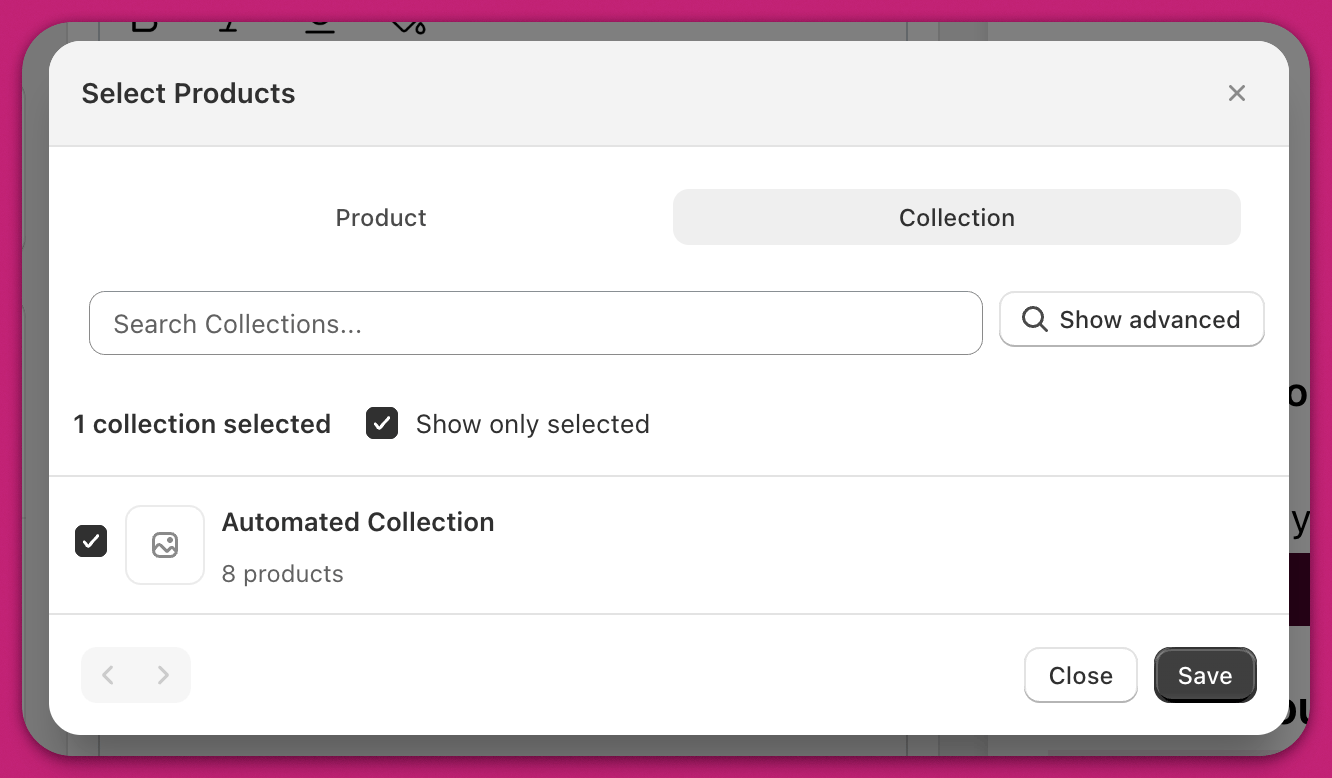
## **配置手动推荐**
1. 点击打开手动商品选择窗口。
2. 选择你要推荐的特定商品。
3. 保存你的选择。
与 \*\*[Upsells 模块](/zh/upcart/upsells_module)\*\*不同,这些手动选择的商品始终可见,不依赖触发商品。购物车为空时它们随时都会显示。
## **最多显示的推荐数量**
用它来限制显示的商品数量。如果你选择了五个商品但将显示上限设为三个,则只会显示前三个。这有助于保持布局专注和整洁。
## **推荐方向**
选择推荐商品的布局方式:
* \*\*轮播布局(Carousel layout)\*\*将商品显示在一行水平排列中,可通过左右箭头滚动。
* \*\*块状布局(Block layout)\*\*将商品垂直堆叠在单列中。
选择最符合你品牌设计以及 cart drawer 可用空间的布局。
## **商品评论**
勾选 **Show product reviews on recommendations**,即可在每个推荐商品上显示星级评分。评分来自已连接的评论应用的商品 metafields,因此仅在存在有效评论数据的商品上显示。
启用后,**Review count text** 字段允许你为星级旁边的数量设置措辞——使用 `{{review_count}}` 变量来插入数字。