> ## Documentation Index
> Fetch the complete documentation index at: https://docs.aftersell.com/llms.txt
> Use this file to discover all available pages before exploring further.
# Upcart 自定义功能入门
> 了解如何使用 HTML、CSS 和 JavaScript 在购物车抽屉中构建自定义功能和样式。
⚠️ **重要提示**
本文档中的示例自定义代码仅适用于 Upcart 购物车模块的 V1.0。如果你最近将购物车升级到了版本 2,这些自定义代码将不起作用。你需要使用[迁移指南](/zh/upcart/upcart_v20_migration_guide)中为版本 2 提供的新选择器。
有关 V2.0 的解决方案,请查阅其他自定义文档。
# 概述
Upcart 让你可以使用**自定义 HTML**、**自定义 CSS** 和 **JavaScript** 完全掌控购物车的外观和行为。这些工具可让你添加新功能、调整购物车样式以匹配你的品牌,或引入逻辑来改进购物车的运作方式。
本指南涵盖每种工具的基础知识并介绍如何开始使用。每个部分都包含一个快速的可视化示例,帮助你了解更改在实际中的效果。
***
开始之前,请务必查阅 [Upcart 的自定义政策](/zh/upcart/upcart_customization_policy),以了解我们团队支持和不支持的内容。
## 使用 HTML 添加内容
HTML 用于向购物车添加静态内容,例如文本、横幅或按钮。你可以在**自定义 HTML** 编辑器中从多个 HTML 位置中选择(例如 checkout 按钮上方、购物车底部、商品之间)。
常见用例:
* 添加自定义消息
* 插入法律免责声明或政策链接
* 突出显示配送截止时间或送达信息
**示例:**
```
Thanks for shopping with us!
***
## 使用 JavaScript 添加逻辑
JavaScript 控制购物车的行为和逻辑。你可以用它来显示或隐藏元素、有条件地应用样式,或实时响应购物车变化。
你需要将代码包裹在 `
```
**旧版说明:** `window.upcartOnItemRemoved`、`window.upcartOnAddUpsell` 和 `window.upcartOnCartLoaded` 回调仍然可用,但已被弃用并会在控制台记录警告。所有新脚本请使用 `upcartSubscribeItemRemoved`、`upcartSubscribeUpsellsAddedToCart` 和 `upcartSubscribeCartLoaded`。
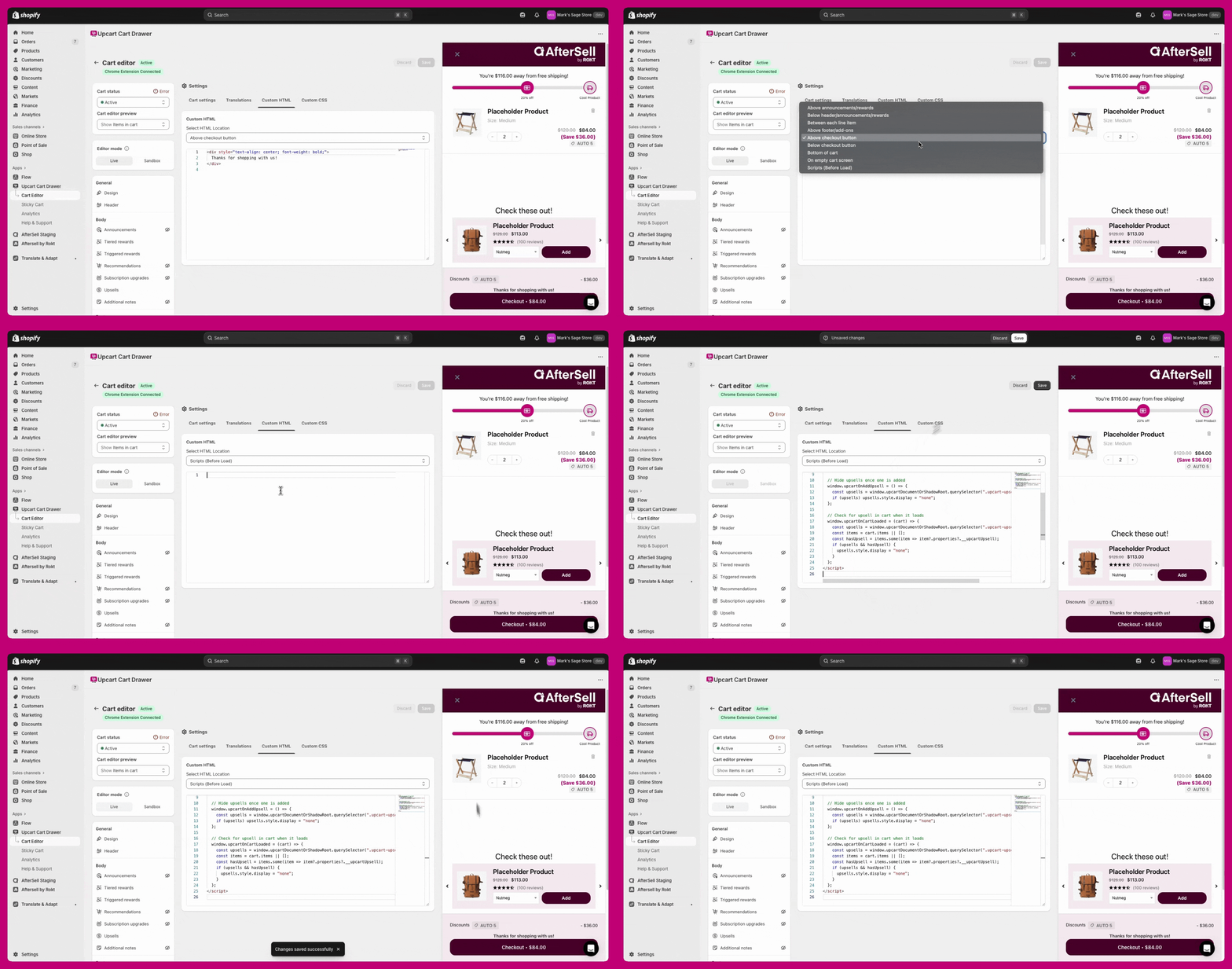 ***
🔧 **开发者说明:**\
Upcart 提供完整的[公共 API 文档](https://rokt.notion.site/upcart-public-api),其中列出了可用于高级自定义的所有函数、变量和最佳实践模式。在构建更复杂的脚本或集成时,我们建议查阅此文档。
***
***
🔧 **开发者说明:**\
Upcart 提供完整的[公共 API 文档](https://rokt.notion.site/upcart-public-api),其中列出了可用于高级自定义的所有函数、变量和最佳实践模式。在构建更复杂的脚本或集成时,我们建议查阅此文档。
***
## 使用 CSS 设置购物车样式
CSS 控制购物车中元素的外观和风格。可用它来调整间距、颜色、字体大小,或隐藏不需要的元素。**Custom CSS** 是 **Settings** 下的选项卡之一(如果选项卡一行放不下,则位于 **More settings** 之后)。
常见用例:
* 更改商品标题或按钮颜色
* 调整字体大小或对齐方式
* 在各版块之间添加间距
**示例:在 V1.0 中更改 upsell 标题颜色:**
```
.upcart-upsells-title {
color: #C20075 !important;
font-size: 25px;
font-style: italic;
text-align: center;
}
```
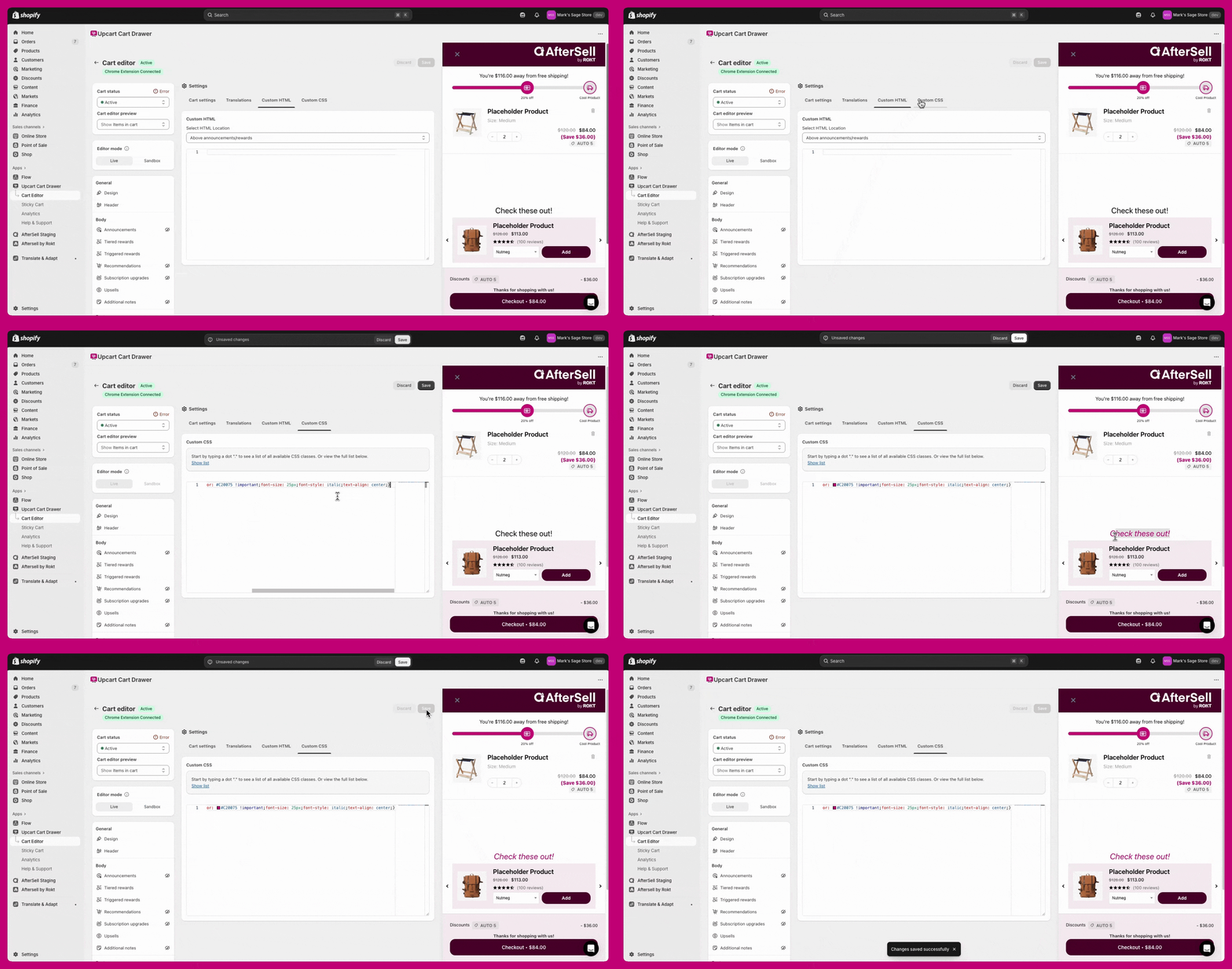 ***
***
## 其他资源
想提升你的 HTML、CSS 或 JavaScript 技能?看看这些免费工具:
* [W3Schools](https://www.w3schools.com/)
* [Codecademy](https://www.codecademy.com/?g_network=g\&g_productchannel=\&g_adid=528849219280\&g_locinterest=\&g_keyword=codecademy\&g_acctid=243-039-7011\&g_adtype=\&g_keywordid=kwd-41065460761\&g_ifcreative=\&g_campaign=account\&g_locphysical=9001394\&g_adgroupid=70492864474\&g_productid=\&g_source=%7Bsourceid%7D\&g_merchantid=\&g_placement=\&g_partition=\&g_campaignid=1726903838\&g_ifproduct=\&utm_id=t_kwd-41065460761:ag_70492864474:cp_1726903838:n_g:d_c\&utm_source=google\&utm_medium=paid-search\&utm_term=codecademy\&utm_campaign=INTL_Brand_Exact\&utm_content=528849219280\&g_adtype=search\&g_acctid=243-039-7011\&gad_source=1\&gad_campaignid=1726903838\&gbraid=0AAAAAon8KZFBIKQJ4KKGpsSVHO3yi2Njl\&gclid=CjwKCAjwx-zHBhBhEiwA7Kjq61-cNVEH2PzXZCcjcqIZS-0mCe8EEyPBJYyj4QRn5bma8OMqd3IJrBoCwjoQAvD_BwE)
* [Mozilla Developer Network (MDN)](https://developer.mozilla.org/en-US/)
## 自定义功能的支持范围
Upcart 的支持团队无法协助实现自定义代码。对于更高级的更改,我们建议聘请 [Shopify 专家](https://www.shopify.com/ca/partners/directory)。