> ## Documentation Index
> Fetch the complete documentation index at: https://docs.aftersell.com/llms.txt
> Use this file to discover all available pages before exploring further.
# 自动发货运费保护未按预期工作
> 本文介绍 Upcart 的运费保护自动发货功能的工作原理,并说明当其未按预期运行时的排查步骤。
## 自动发货的工作原理
当满足以下所有条件时,Upcart 会自动为**运费保护**项目发货:
1. **已在 Upcart 中启用运费保护自动发货**
* 在 Cart Editor 中,打开 **Add-ons** 模块,进入其 **Advanced settings** 部分。
* 确保 **Auto-fulfill shipping protection** 已开启。该复选框只有在模块的 **General settings** 中激活了运费保护后才会显示——如果找不到它,请先开启运费保护。
2. **运费保护商品是数字商品**
* 在 Shopify 中,前往 **Products** 并找到由 Upcart 创建的 **Shipping Protection** 商品。
* 打开该商品,滚动到 **Shipping** 部分,确保**未勾选** **This is a physical product** 复选框。
* 这可确保 Shopify 将其视为数字商品并允许自动发货。\*\*提示:\*\*如果你有多个运费保护档位,所有相关商品都必须满足同一条件。
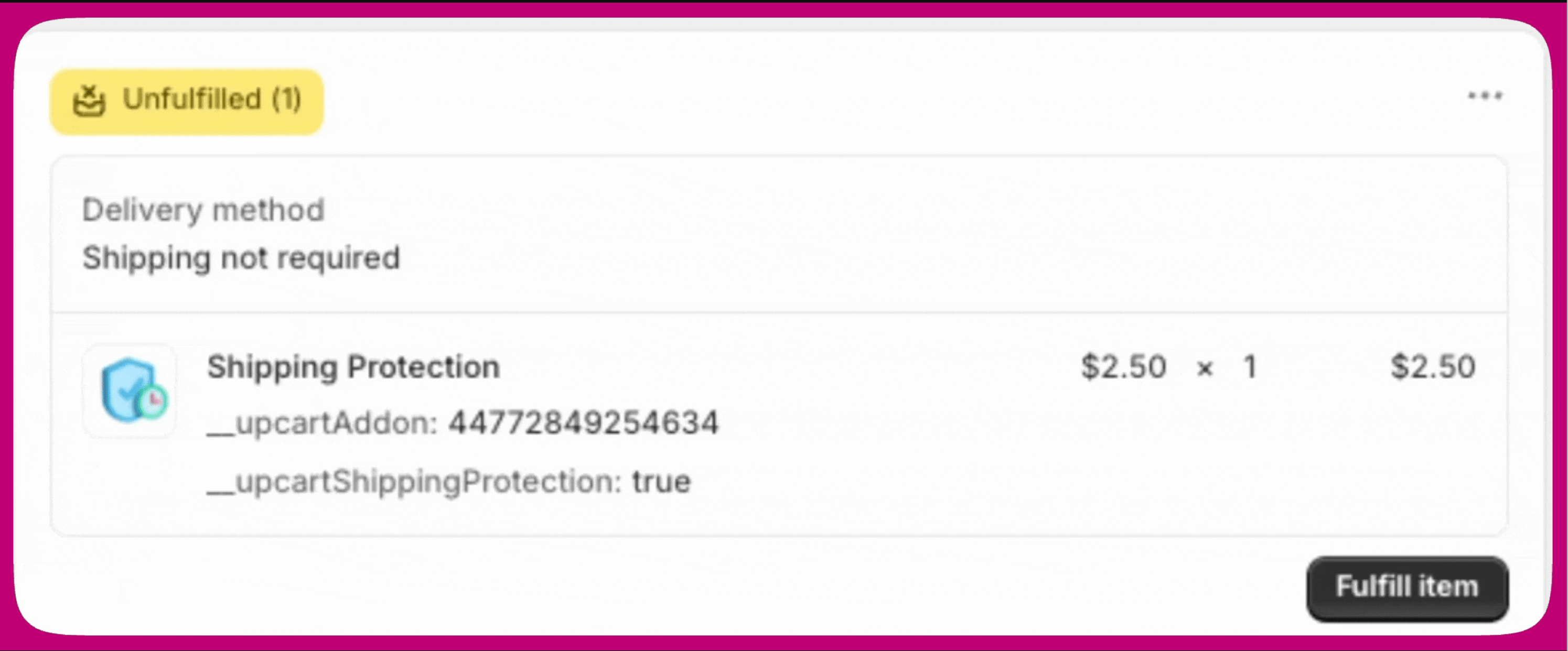
3. **必需的商品属性已存在**\
Upcart 通过监听 **orders/partially\_fulfilled** webhook 来为该项目发货。\
当订单的一部分完成发货时,如果 Upcart 识别到以下行项目属性,就会自动为运费保护发货:
* `__upcartAddon: XXX`
* `__upcartShippingProtection: true` 请检查你的商品设置,确认这两个属性都已包含。
 ***
***
## 为什么运费保护被作为商品处理
Shopify 中的运费保护被配置为**商品**,以支持分级定价并与购物车规则交互。\
这使 Upcart 能够根据订单价值或购物车内容动态计算和应用保护。
但是,如果配置不当,这种方式可能导致该商品出现在折扣操作或店面可见位置。
***
## 管理店面可见性
由于运费保护是一个真实的 Shopify 商品,除非将其隐藏,否则它可能出现在你的店面搜索、系列和推荐中。让它不被看到的最简单方法是使用 Shopify 的 **Unlisted** 商品状态。
1. 在你的 Shopify 管理后台,前往 **Products** 并打开由 Upcart 创建的 **Shipping Protection** 商品。
2. 在商品页面顶部附近的 **Status** 下拉菜单中,选择 **Unlisted**。
3. 点击 **Save**。
**Unlisted** 商品会从你的店面搜索、系列页面、商品推荐、Shopify Catalog 和搜索引擎中隐藏,同时仍可在购物车、checkout 和订单发货中正常工作。这样既能让浏览商店的客户看不到运费保护,Upcart 又能继续在后台添加并自动发货。
Unlisted 商品在购物车、checkout 和订单中的表现与 Active 商品相同,因此将 Shipping Protection 设置为 Unlisted 不会影响自动发货,也不会影响附加组件在购物车中的应用方式。
Unlisted 取代了以前通过 `seo.hidden` 元字段隐藏此商品的方式。你不再需要编辑元字段来让它不出现在店面中。
***
## 总结
为确保运费保护能正确自动发货:
* 在 Upcart 中启用 **Auto-fulfill shipping protection**。
* 在 Shopify 中将该商品标记为**非实体商品**。
* 确认已应用正确的**行项目属性**。
* 将其从折扣规则中排除,并在需要时将其设置为 **Unlisted** 以使其不出现在店面中。
遵循这些步骤可确保发货顺畅,并防止与 Shopify 的折扣或商品可见性设置发生冲突。