> ## Documentation Index
> Fetch the complete documentation index at: https://docs.aftersell.com/llms.txt
> Use this file to discover all available pages before exploring further.
# 履单流程问题的可行解决方案
> 解决购后履单问题的两种方案:原生处理 On hold 订单,或将手动付款扣款用作履单暂停手段。
## 履单问题的解决方案
要解决履单问题,我们必须在确定顾客已离开购后页面之前阻止订单被履行。这样可以确保订单处于最终状态,不会再有额外商品加入。
履单问题有两种常见解决方案:
1. (*首选*)在履单服务中查找处理 **On hold** 订单的设置。如果履单服务能够原生处理 **On hold** 订单,启用该设置即可解决问题。不过许多较旧的系统没有此设置,此时可以:
2. 将订单的付款状态用作临时的履单暂停手段。几乎所有履单系统都有一个选项,可以不履行未标记为 **Paid** 的订单。此方案在下文详细说明,因为它并不直观,通常也更复杂。
## 将付款状态用作临时履单暂停手段
此方案的核心原则是:只有当订单可以履行时(即不存在履单暂停),才将其标记为 **Paid**。
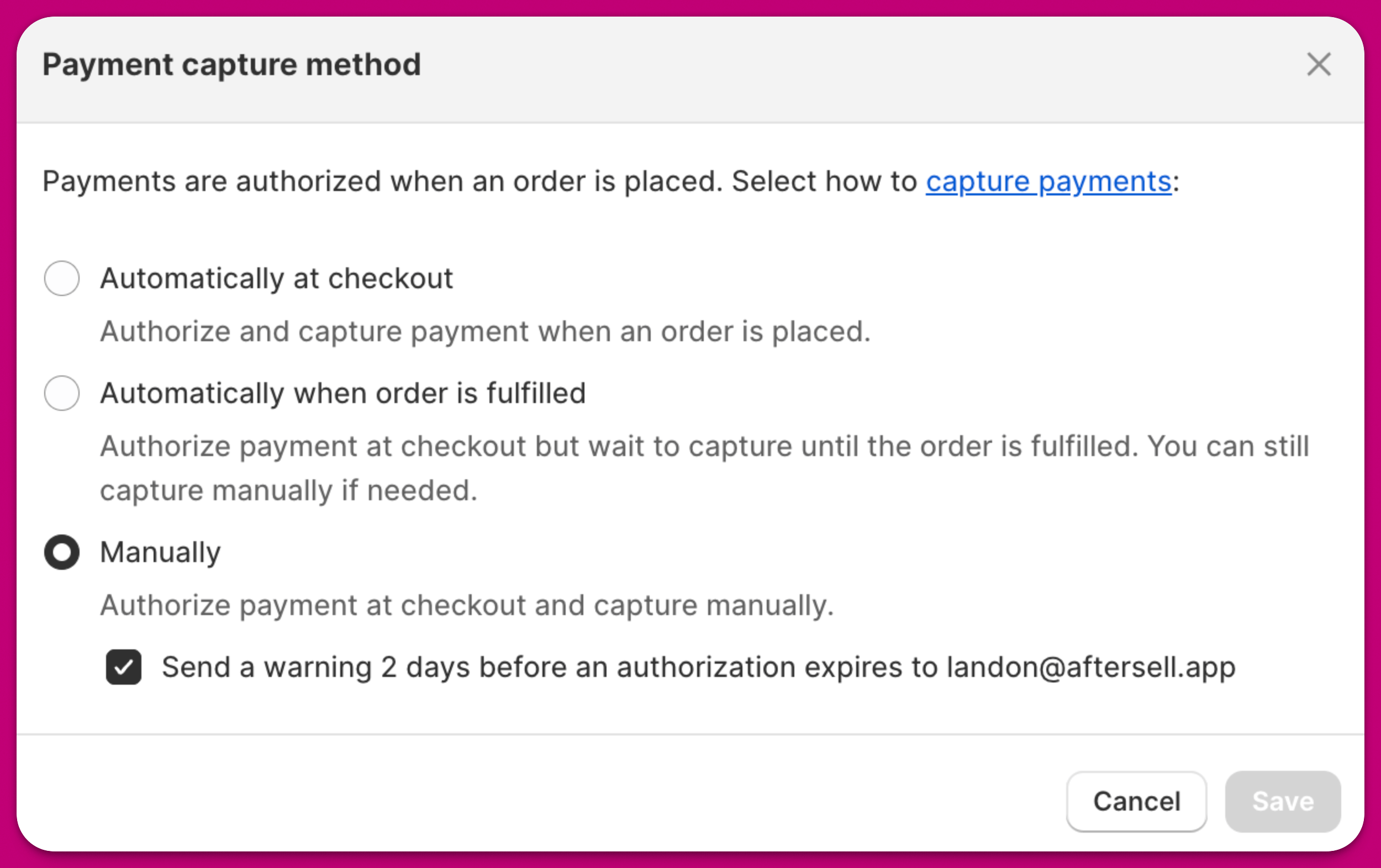
默认情况下,Shopify 会在下单时立即扣款。这意味着订单会被标记为 **Paid**。要更改此行为,你可以进入 ***Shopify > Settings > Payments > Payment capture method > Manage***,将付款扣款方式改为"**Manually**"。
 将付款扣款设为手动后,我们就可以控制何时扣款,进而控制订单何时被导入履单服务。为此,我们可以设置一个 Shopify Flow,在订单不再处于 **On hold** 状态时扣款。扣款完成后,订单会被标记为 **Paid**,履单系统随后即可导入包含购后 upsell 商品的最终订单。
请注意,这里使用"fulfillable"来检查订单是否处于 **On hold** 状态。这是在 Flow 中检查暂停状态最简单的方法。
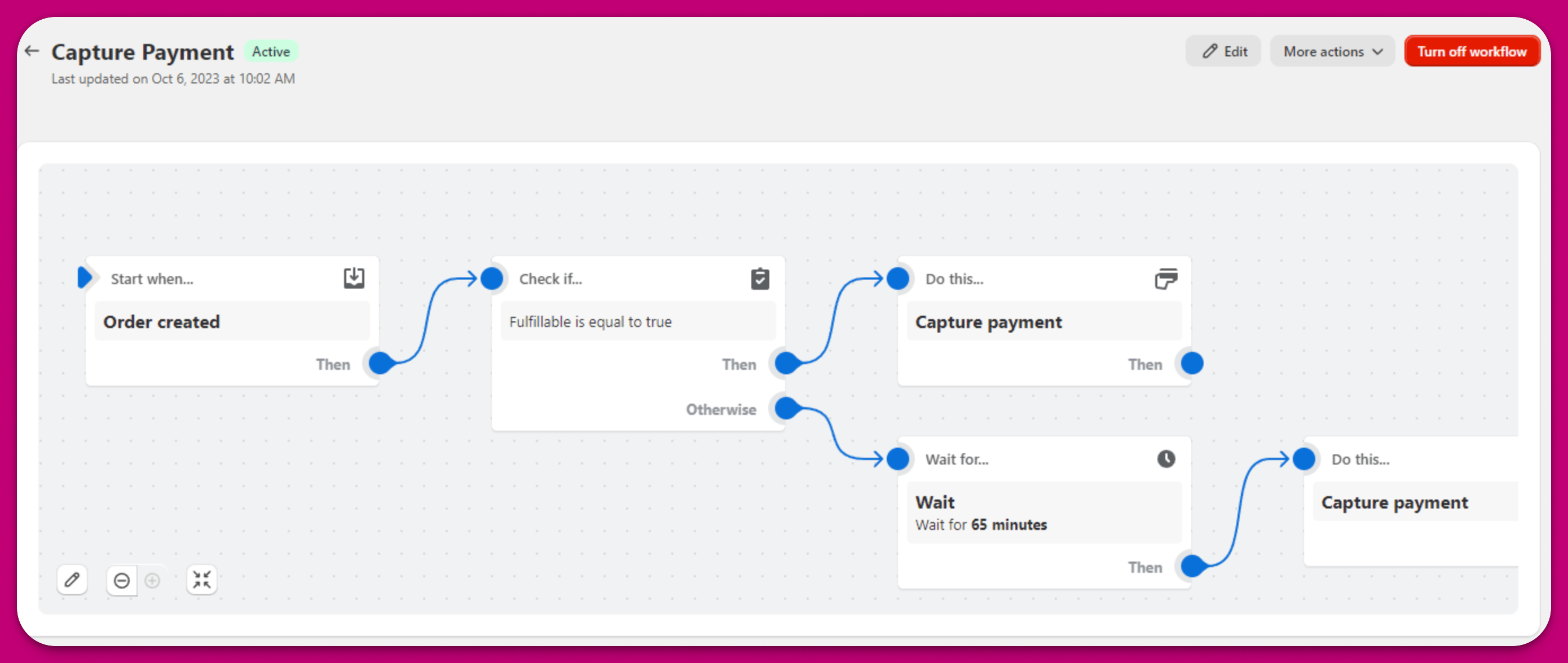
将付款扣款设为手动后,我们就可以控制何时扣款,进而控制订单何时被导入履单服务。为此,我们可以设置一个 Shopify Flow,在订单不再处于 **On hold** 状态时扣款。扣款完成后,订单会被标记为 **Paid**,履单系统随后即可导入包含购后 upsell 商品的最终订单。
请注意,这里使用"fulfillable"来检查订单是否处于 **On hold** 状态。这是在 Flow 中检查暂停状态最简单的方法。
 同样的原则也适用于其他履单服务。如果你需要针对某个特定服务的接入帮助,请通过应用内聊天联系支持团队。