> ## Documentation Index
> Fetch the complete documentation index at: https://docs.aftersell.com/llms.txt
> Use this file to discover all available pages before exploring further.

# 创建未发布的自动化产品系列

> 本文介绍如何创建未发布的自动化产品系列。

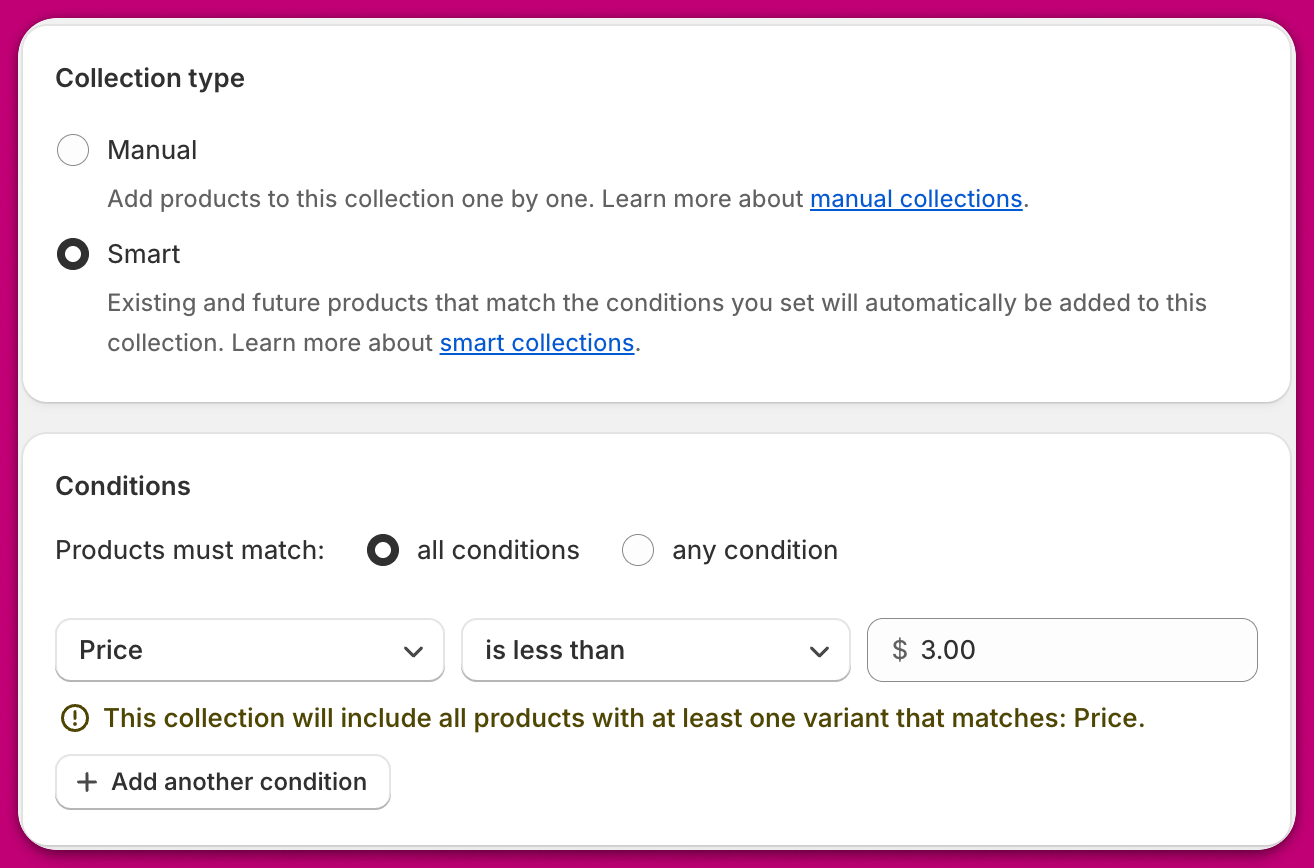
Aftersell 中的许多功能都会用到产品系列（collection），例如漏斗触发器以及自动 upsell 的排除项。为了提升定向精准度并为这些功能提供更强的控制能力，你可以创建未发布的自动化产品系列。自动化产品系列允许你根据特定条件（包括价格、重量、标签等）来选择产品。

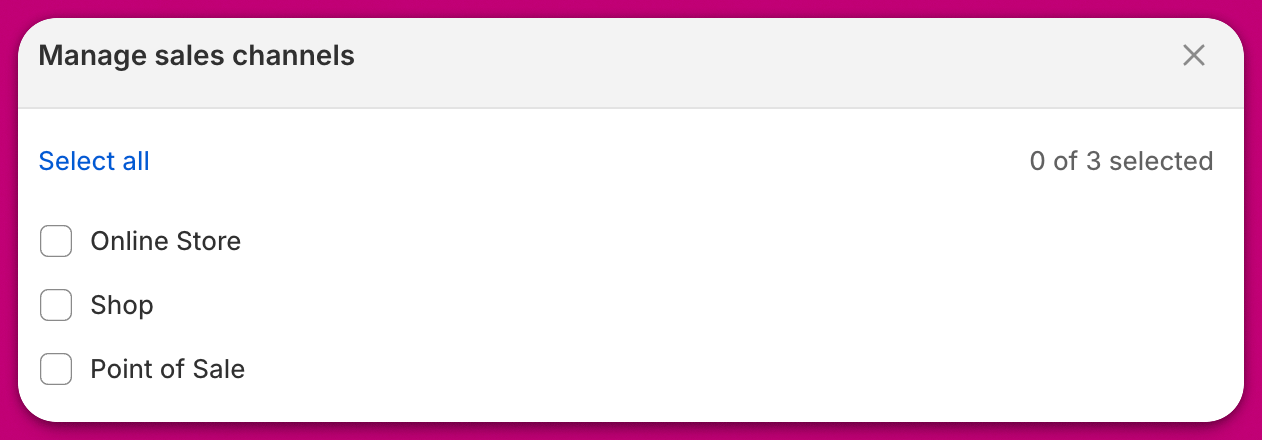
未发布的产品系列不会在你的任何销售渠道中显示，也就是说它不会在任何地方向客户展示；它仅供内部使用。

***

<div id="how-to-create-an-unpublished-automated-collection">
  ## 如何创建未发布的自动化产品系列
</div>

1. 进入你的 Shopify 后台，前往 `Products > Collections`，然后点击"**Create New Collection**"。
2. 选择条件
   <img src="https://mintcdn.com/aftersell/SnVX3h-PpMMxQMDU/images/aftersell/unpublished-collection-smart-collection-condition.png?fit=max&auto=format&n=SnVX3h-PpMMxQMDU&q=85&s=478a6086233f36caa8cef5e05fa34d37" alt="Shopify 智能产品系列类型已选中，并设置了价格低于某值的条件" width="1314" height="868" data-path="images/aftersell/unpublished-collection-smart-collection-condition.png" />
3. 从销售渠道中取消发布

   <img src="https://mintcdn.com/aftersell/SnVX3h-PpMMxQMDU/images/aftersell/unpublished-collection-manage-sales-channels-dialog.png?fit=max&auto=format&n=SnVX3h-PpMMxQMDU&q=85&s=1d0550dbdd30dee7e5279bac90906db2" alt="管理销售渠道对话框中所有渠道均未勾选，以取消发布该产品系列" width="1262" height="440" data-path="images/aftersell/unpublished-collection-manage-sales-channels-dialog.png" />

***

<div id="best-practices">
  ## 最佳实践
</div>

我们建议为未发布的自动化产品系列使用具有描述性的名称，以便你在 Aftersell 中轻松找到它们，并让其他团队成员能够区分它们。以下是一些建议的产品系列名称示例：

* Aftersell Exclude "Test"
* Aftersell Exclude Below \$5
* Aftersell Trigger Vendor XYZ
* Aftersell Trigger Above 3kg

请注意，名称不会影响 Aftersell 的功能；它仅用于组织管理目的。

***