> ## Documentation Index
> Fetch the complete documentation index at: https://docs.aftersell.com/llms.txt
> Use this file to discover all available pages before exploring further.
# Aftersell 与 Yotpo 评价集成
> 本文介绍如何设置 Aftersell 与 Yotpo Reviews 的集成。
Aftersell 可自动兼容大多数产品评价应用,包括 Judge.me、Stamped、ReviewsIO、Junip、Okendo、Shopify Reviews 等——评价星级无需任何凭证即可显示在你的优惠上。Yotpo Product Reviews 则需要按照下文所述进行额外设置。
## 设置 Yotpo 集成
1. 在 Shopify App Store 中下载 [Yotpo 应用](https://apps.shopify.com/yotpo-social-reviews)
2. 在 Yotpo 应用中,点击屏幕右上角的个人资料图标,然后选择 `Account Settings > General Settings`。你可以在 General Settings 部分底部找到你的 App Key:
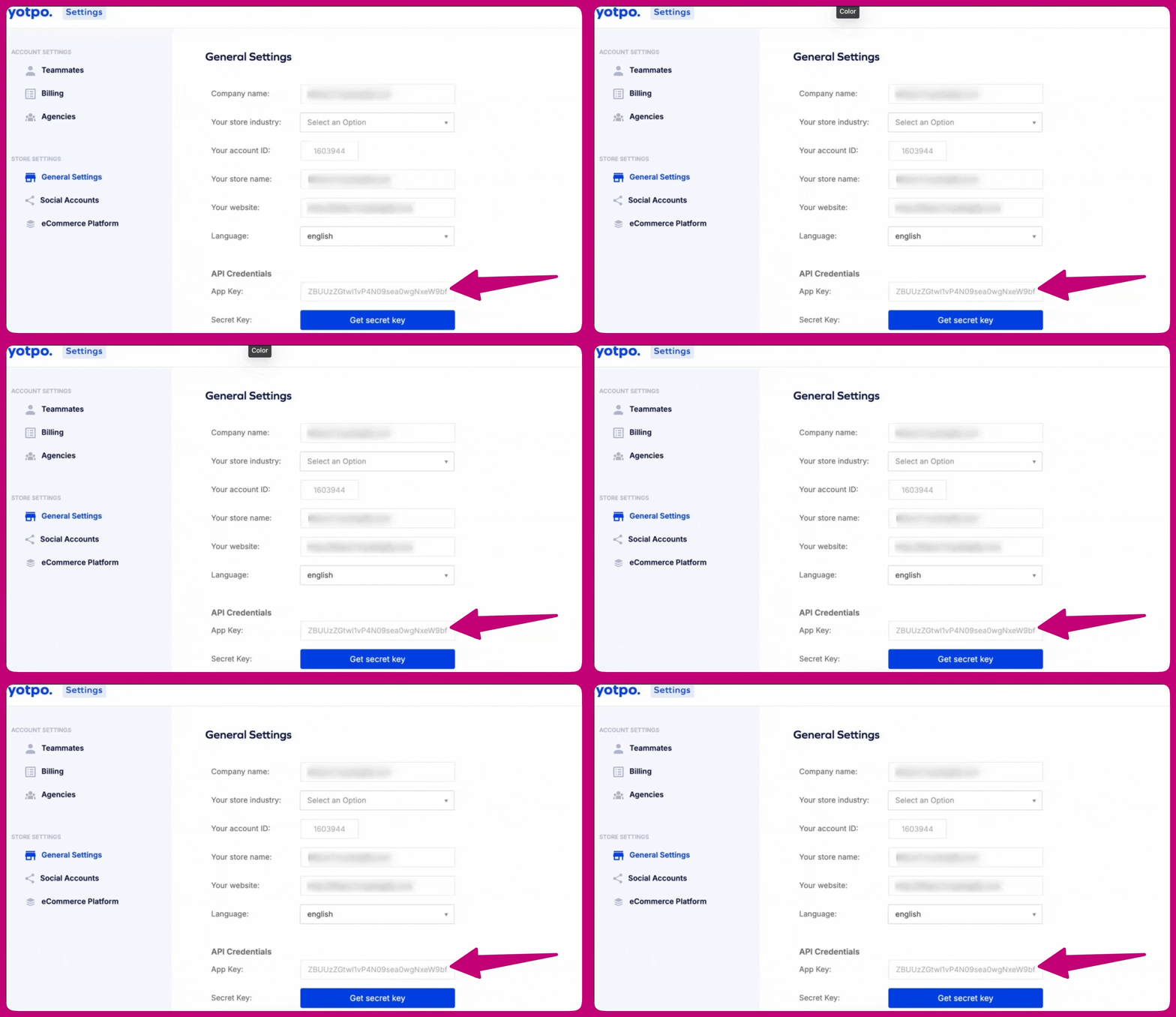 * 如需更多信息,请点击[此处](https://support.yotpo.com/docs/finding-your-yotpo-app-key-and-secret-key)
3. 打开 Aftersell 应用,然后进入 `Settings > Product Reviews`
4. 在评价集成列表中选择 **Yotpo**
5. 将你的 App Key 粘贴到 **Yotpo app key** 字段中
6. 点击 **Save changes**(保存更改)
集成即已完成。拥有 Yotpo 评价的产品,其评价星级将显示在你的 upsell 优惠上。
* 如需更多信息,请点击[此处](https://support.yotpo.com/docs/finding-your-yotpo-app-key-and-secret-key)
3. 打开 Aftersell 应用,然后进入 `Settings > Product Reviews`
4. 在评价集成列表中选择 **Yotpo**
5. 将你的 App Key 粘贴到 **Yotpo app key** 字段中
6. 点击 **Save changes**(保存更改)
集成即已完成。拥有 Yotpo 评价的产品,其评价星级将显示在你的 upsell 优惠上。
## 同步评价
对于客户评价组件(testimonials widget),Aftersell 会从 Yotpo 导入评价并进行存储,以便在 checkout 中显示。首次导入将在 24 小时内自动进行,之后每周同步一次。
要立即导入评价:
1. 进入 `Settings > Product Reviews`
2. 找到 **Yotpo reviews** 部分
3. 点击 **Sync now**(立即同步)
同步状态会显示评价的最近导入时间以及下次可同步的时间。