> ## Documentation Index
> Fetch the complete documentation index at: https://docs.aftersell.com/llms.txt
> Use this file to discover all available pages before exploring further.
# Fixing missing carousel arrows in Upcart's upsell module V1.0
> This article explains how to fix missing carousel arrows on the live storefront when they appear in the editor preview.
# Overview
If you're experiencing an issue where the carousel arrows are missing in Upcart's upsell module, it's usually due to a compatibility issue with your store's theme.
To resolve this, you can manually add the arrows by applying a customization using custom HTML in Upcart's editor settings.
**To access the custom code fields in Upcart:**
**Cart Editor** > **Settings** > Scroll to the bottom of the page (**HTML, CSS**)
***
## HTML
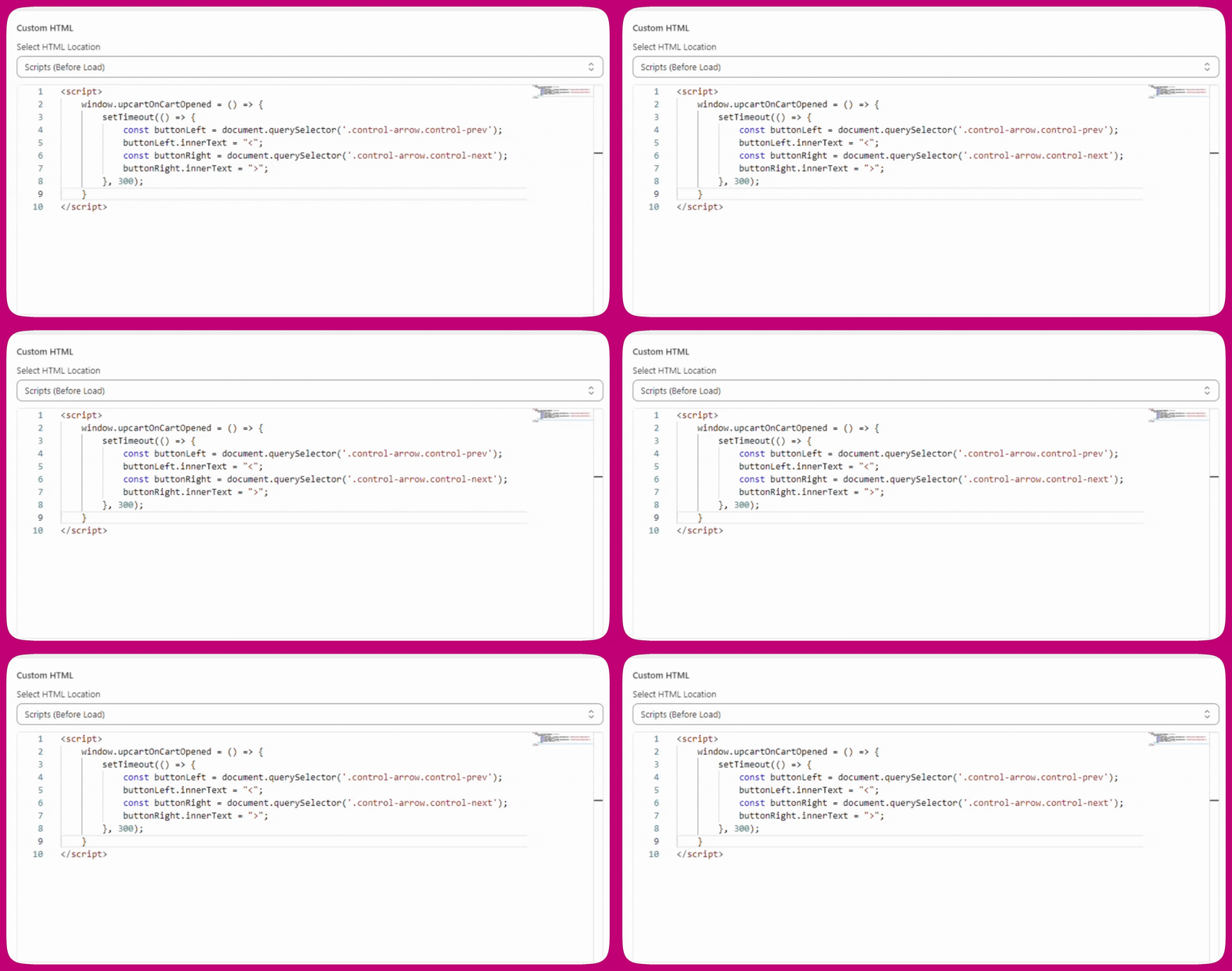
For this fix, open the HTML dropdown menu and select **"Scripts (before load)"**, then paste the following code into that section:
```
```
**Legacy note:** `window.upcartOnCartOpened` callbacks still work but are deprecated and log console warnings. Use `upcartSubscribeCartOpened` for all new scripts.
Here's what your custom HTML settings should look like in Upcart:
 ## CSS
If you're still having issues with the position of the carousel arrows, try applying the following CSS fix:
```
.carousel.carousel-slider .control-next {
right: -34px !important;
}
```
***
## Explanation
We often use CSS pseudo-elements (`::before`) that are contained inside the buttons to display the carousel arrows. However, some store themes choose to block the rendering of pseudo-elements, which causes the carousel arrows to disappear from the cart drawer.
This creates an issue where the upsell carousel arrows appear correctly in the editor preview but not on the actual live storefront.
## CSS
If you're still having issues with the position of the carousel arrows, try applying the following CSS fix:
```
.carousel.carousel-slider .control-next {
right: -34px !important;
}
```
***
## Explanation
We often use CSS pseudo-elements (`::before`) that are contained inside the buttons to display the carousel arrows. However, some store themes choose to block the rendering of pseudo-elements, which causes the carousel arrows to disappear from the cart drawer.
This creates an issue where the upsell carousel arrows appear correctly in the editor preview but not on the actual live storefront.