> ## Documentation Index
> Fetch the complete documentation index at: https://docs.aftersell.com/llms.txt
> Use this file to discover all available pages before exploring further.
# Upcart x PageFly landingspaginabuilder
> Dit artikel legt uit hoe je doorverwijzing naar de cartpagina voorkomt wanneer je PageFly met Upcart gebruikt.
## Hoe je het oplost
Volg deze stappen om ervoor te zorgen dat je **Add to Cart**-knop correct werkt met Upcart:
1. Open de **PageFly**-app in je Shopify-beheerder.
2. Ga naar de instellingen van de **Add to Cart**-knop.
3. Zoek de sectie met het label **After add to cart action**.
4. Selecteer de optie **Stay on the same page**.
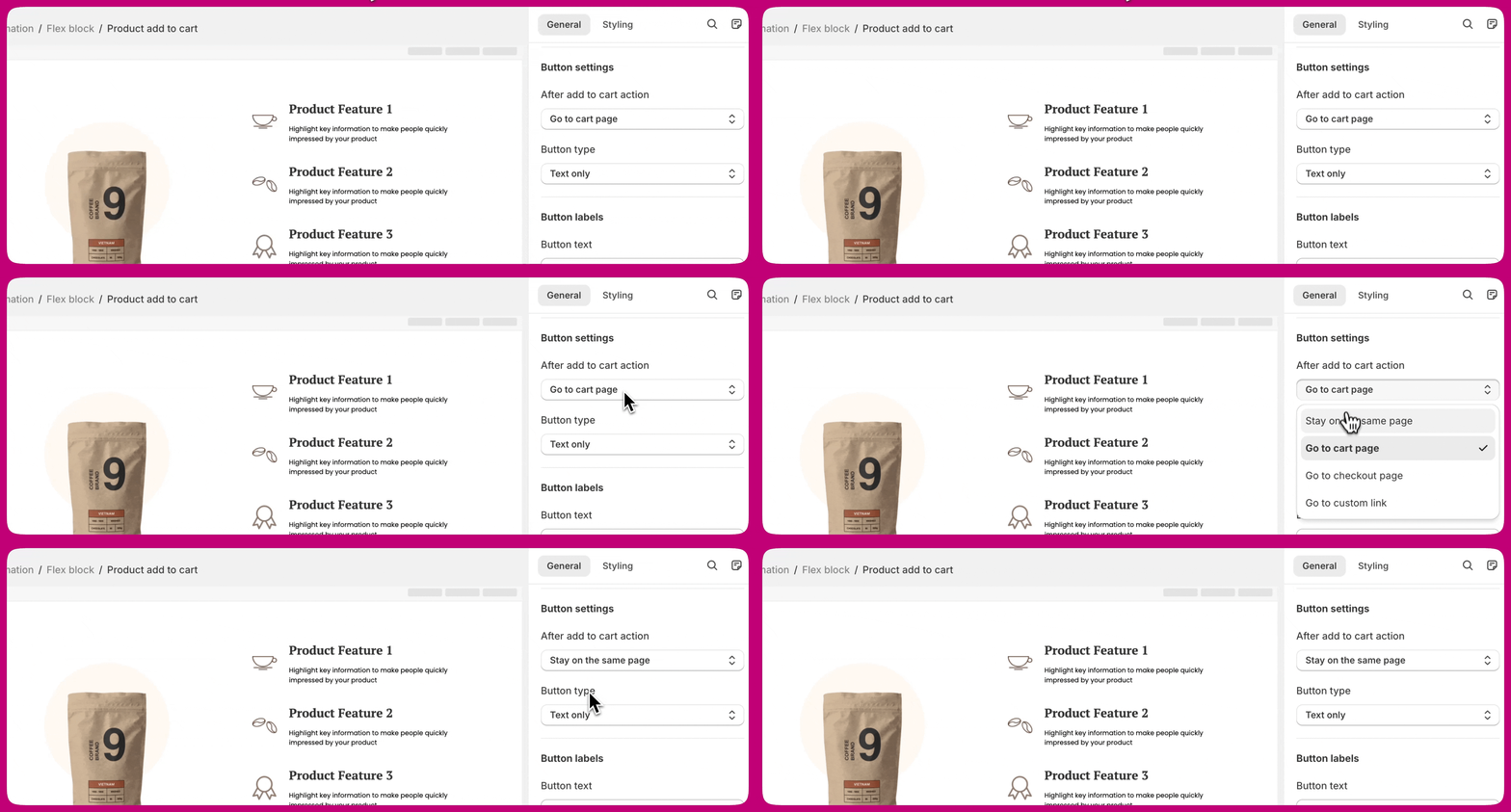 Dit zorgt ervoor dat klanten op dezelfde pagina blijven en de **Upcart-drawer** correct opent nadat een product aan de cart is toegevoegd.
***
Dit zorgt ervoor dat klanten op dezelfde pagina blijven en de **Upcart-drawer** correct opent nadat een product aan de cart is toegevoegd.
***
## Meer informatie
Raadpleeg voor meer details over deze instelling de **[documentatie van PageFly](https://help.pagefly.io/manual/shopify-elements-product-add-to-cart/)** over het configureren van de **Add to Cart**-knop.