> ## Documentation Index
> Fetch the complete documentation index at: https://docs.aftersell.com/llms.txt
> Use this file to discover all available pages before exploring further.
# Upcart x Wide Bundles – 수량 할인
> 이 문서에서는 수량 할인 오퍼에 Wide Bundles를 Upcart와 함께 사용할 때 발생할 수 있는 장바구니 담기 문제를 해결하는 방법을 설명해요.
# 개요
Wide Bundles와 Upcart를 함께 사용할 때 고객이 상품을 추가한 후 장바구니가 올바르게 열리지 않는 것을 발견할 수 있어요. 이는 보통 Wide Bundles의 **Add-to-Cart Redirection** 설정이 Upcart와 함께 작동하도록 구성되지 않았을 때 발생해요.
***
## 해결 방법
문제를 해결하려면 다음 단계를 따르세요:
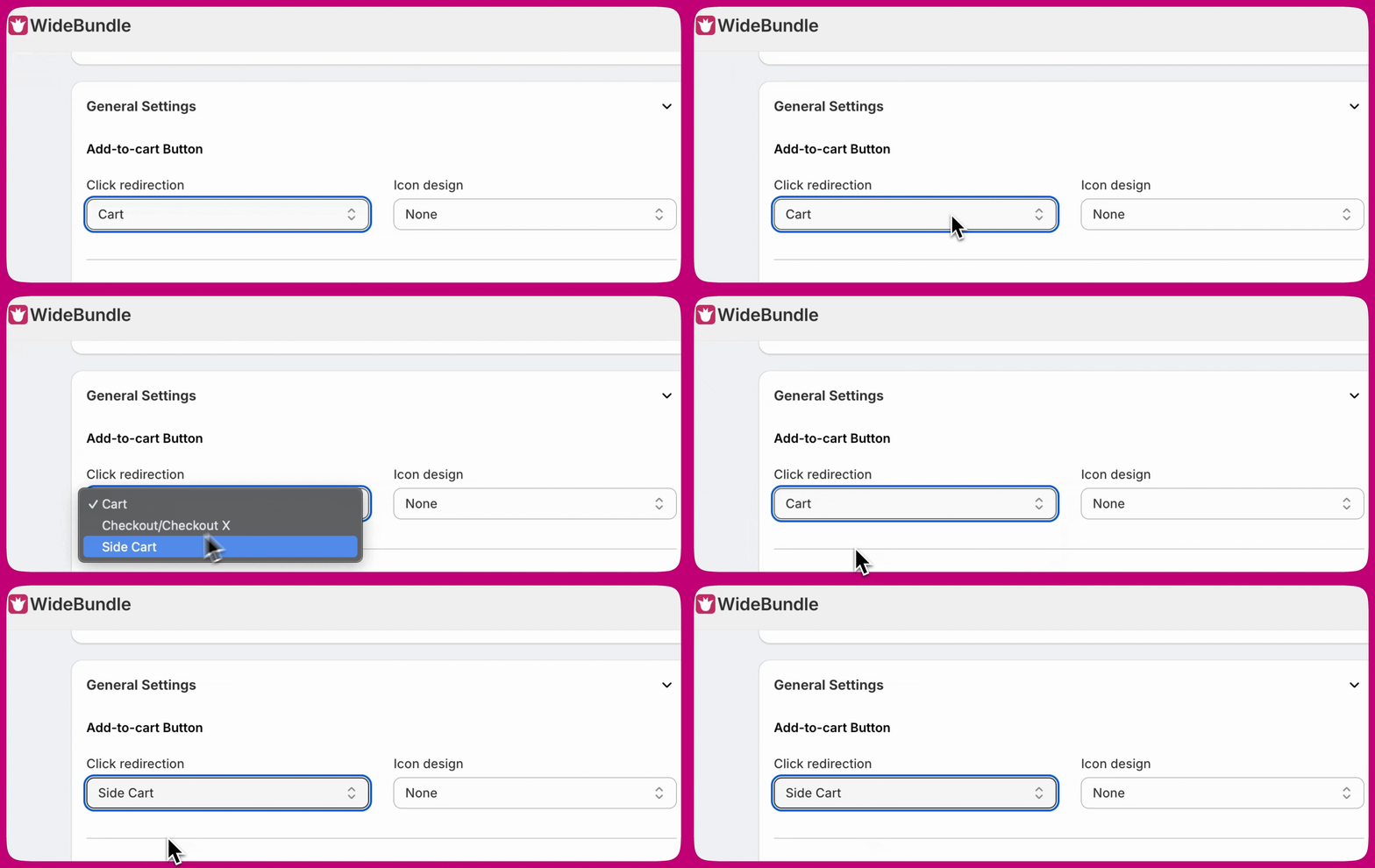
1. **Wide Bundles** 설정을 여세요.
2. **Add-to-cart Button** 섹션을 찾으세요.
3. **Click redirection**을 **Side Cart**로 변경하세요.
**Side Cart**로 설정하면 고객이 제품을 장바구니에 담은 후 Upcart에서 장바구니가 올바르게 열려요:
 ***
***
## **더 많은 도움이 필요하세요?**
Wide Bundles 연동에 대한 지원 문의가 있거나 이 연동이 작동하지 않는 경우, **Wide Bundle 지원팀에 이메일로 문의해 주세요:** [support@widebundle.com](mailto:support@widebundle.com).
개발자로서 더 많은 연동 옵션을 찾고 있다면 [Upcart Public API](https://rokt.notion.site/upcart-public-api)를 확인해 보세요.