> ## Documentation Index
> Fetch the complete documentation index at: https://docs.aftersell.com/llms.txt
> Use this file to discover all available pages before exploring further.
# 번역된 스토어 버전에서 Upcart 업셀이 표시되지 않는 문제
> 이 문서는 번역된 스토어나 다른 서브도메인에서 업셀이 표시되지 않는 문제를 해결하는 데 도움을 드려요.
# 개요
Upcart의 업셀을 표시하려면 Shopify의 Product API를 사용해 상품을 가져와야 해요. 그런데 Shopify의 [사양](https://shopify.dev/docs/api/ajax/reference/product)에 따르면 상품 페이지 URL에 포함된 상품 핸들을 참조로 사용해야 해요.
예를 들어, 스토어의 `products/red-rain-coat` 섹션에 있는 상품은 이 API를 사용해 가져올 수 있어요.
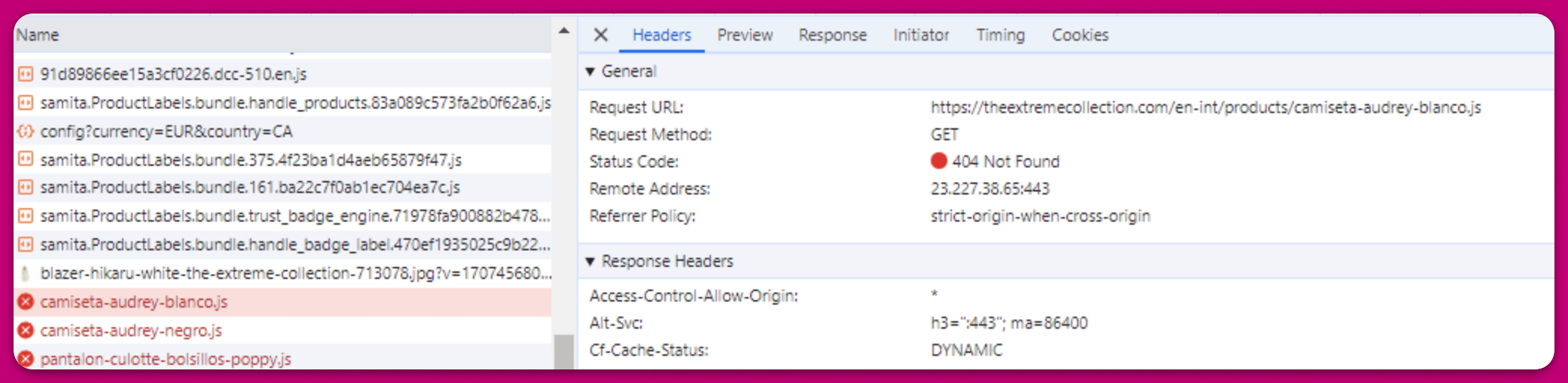
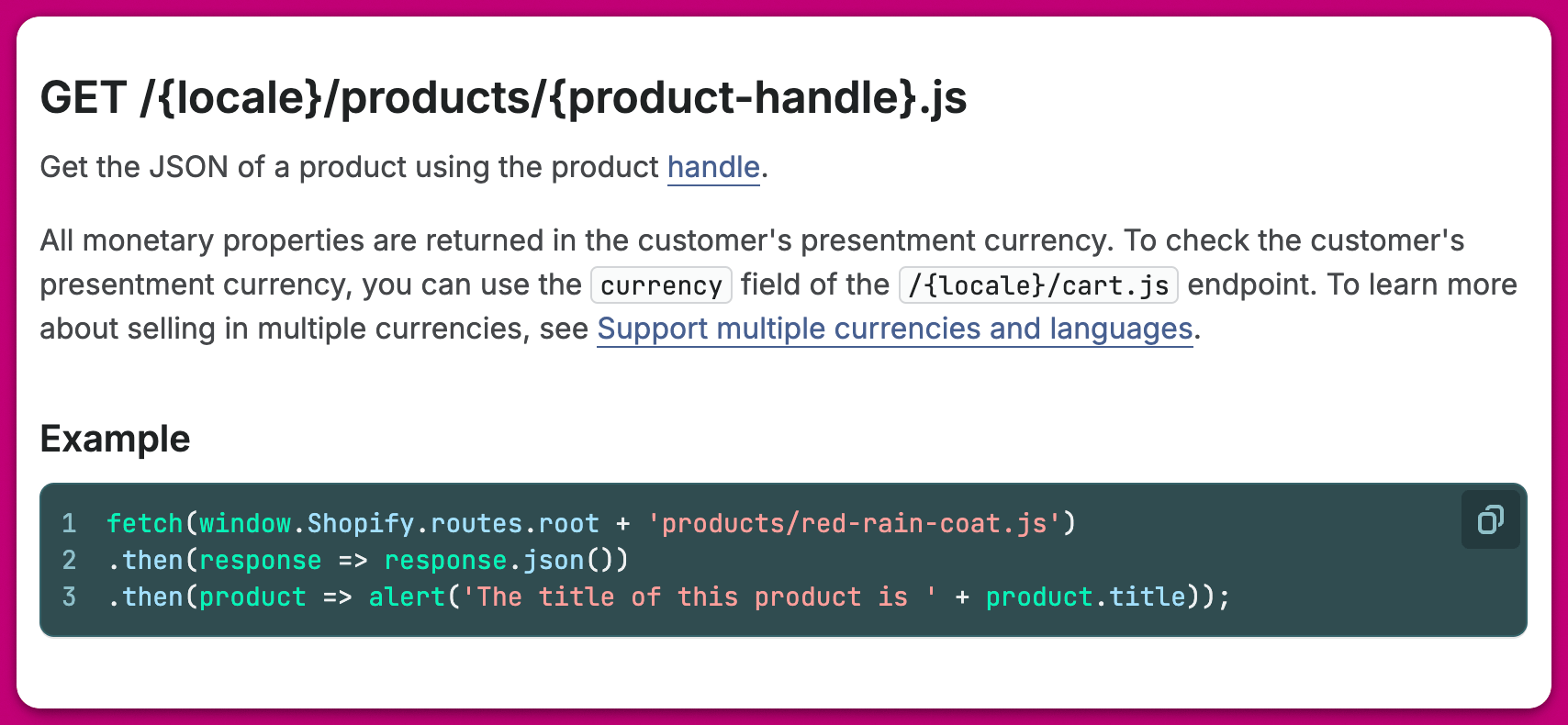 안타깝게도 페이지 URL의 상품 핸들까지 번역하는 스토어 테마나 서드파티 번역 앱을 사용하는 경우 충돌이 발생해요. Shopify의 Product API로 상품을 가져오려 할 때마다 Shopify는 특정 언어로 된 상품 핸들을 찾는데, 상품이 번역되면 그 핸들이 존재하지 않기 때문이에요.
다음은 실제 스토어 예시로, 스페인어 상품 핸들을 가져오려 하자 Shopify에서 오류가 반환된 경우예요. 시스템에는 상품 핸들이 영어로 저장되어 있기 때문이에요:
안타깝게도 페이지 URL의 상품 핸들까지 번역하는 스토어 테마나 서드파티 번역 앱을 사용하는 경우 충돌이 발생해요. Shopify의 Product API로 상품을 가져오려 할 때마다 Shopify는 특정 언어로 된 상품 핸들을 찾는데, 상품이 번역되면 그 핸들이 존재하지 않기 때문이에요.
다음은 실제 스토어 예시로, 스페인어 상품 핸들을 가져오려 하자 Shopify에서 오류가 반환된 경우예요. 시스템에는 상품 핸들이 영어로 저장되어 있기 때문이에요:
 이 문제를 해결하려면 스토어의 언어 설정과 관계없이 상품 페이지 URL의 상품 핸들을 동일하게 유지하는 것을 권장해요.
***
이 문제를 해결하려면 스토어의 언어 설정과 관계없이 상품 페이지 URL의 상품 핸들을 동일하게 유지하는 것을 권장해요.
***
## 도움이 필요하신가요?
언제나 그렇듯 저희가 도와드릴게요. 추가 설명이 필요하거나 Upcart의 다른 기능에 대한 도움이 필요하시면 주저하지 말고 문의해 주세요.