> ## Documentation Index
> Fetch the complete documentation index at: https://docs.aftersell.com/llms.txt
> Use this file to discover all available pages before exploring further.
# 모바일에서 카트가 좌우로 스크롤돼요
> 이 문서는 Upcart 콘텐츠가 좌우로 움직이는 버그를 해결하는 방법을 설명해요.
# 개요
특정 모바일 기기에서 사용자가 Upcart를 가로로 스크롤할 수 있어 오른쪽에 의도하지 않은 흰색 공간이 노출될 수 있어요. 이는 보통 카트 내의 자식 요소가 뷰포트 너비를 초과하거나 레이아웃의 자연스러운 제약을 방해해 가로 오버플로가 발생할 때 나타나요.
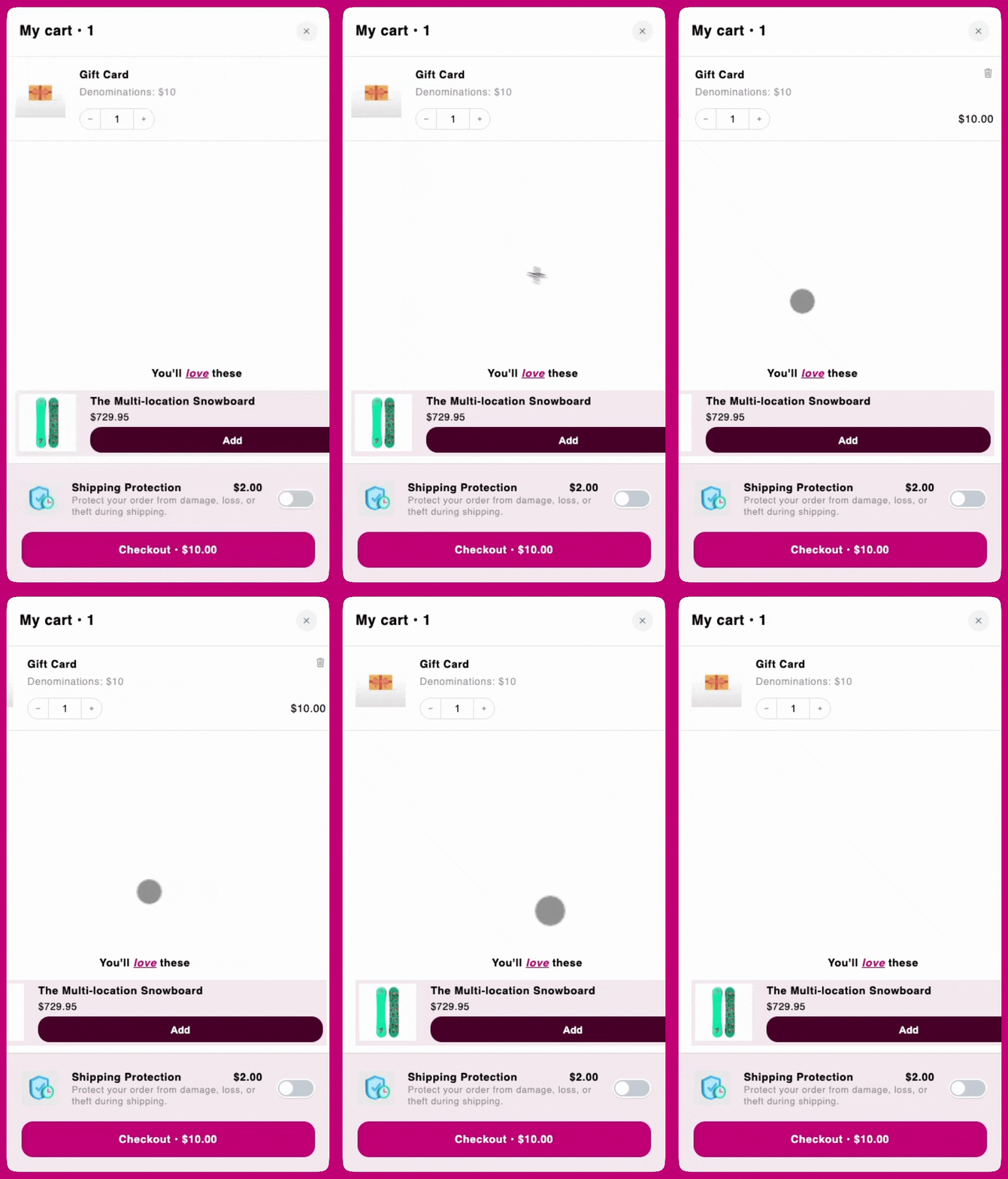 ***
***
## **CSS 해결 방법**
이 동작을 방지하고 카트를 뷰포트 너비 안에 제한하려면 아래 코드를 복사해 다음 위치에 추가하세요:
Cart Editor에서 **Settings**를 열고 **Custom CSS** 탭을 선택하세요. Settings는 탭들의 행으로 되어 있어요 — Custom CSS가 보이지 않으면 **More settings** 안에 있어요.
```
.upcart-cart-body
{
overflow-x: hidden !important;
}
```