> ## Documentation Index
> Fetch the complete documentation index at: https://docs.aftersell.com/llms.txt
> Use this file to discover all available pages before exploring further.

# Aftersell 설치하기

> Shopify 스토어에 Aftersell을 설치하는 방법

**이 가이드는 Shopify 스토어에 Aftersell을 설치하는 과정을 안내해요. 빠르고 쉬운 과정이며 2분밖에 걸리지 않아요!**

<div id="step-1-shopify-app-store">
  ## 1단계: Shopify 앱 스토어
</div>

Shopify 앱 스토어로 이동하세요. 상단의 검색창에서 "Aftersell"을 검색하세요. 검색 결과에서 Aftersell을 찾아 클릭하세요.
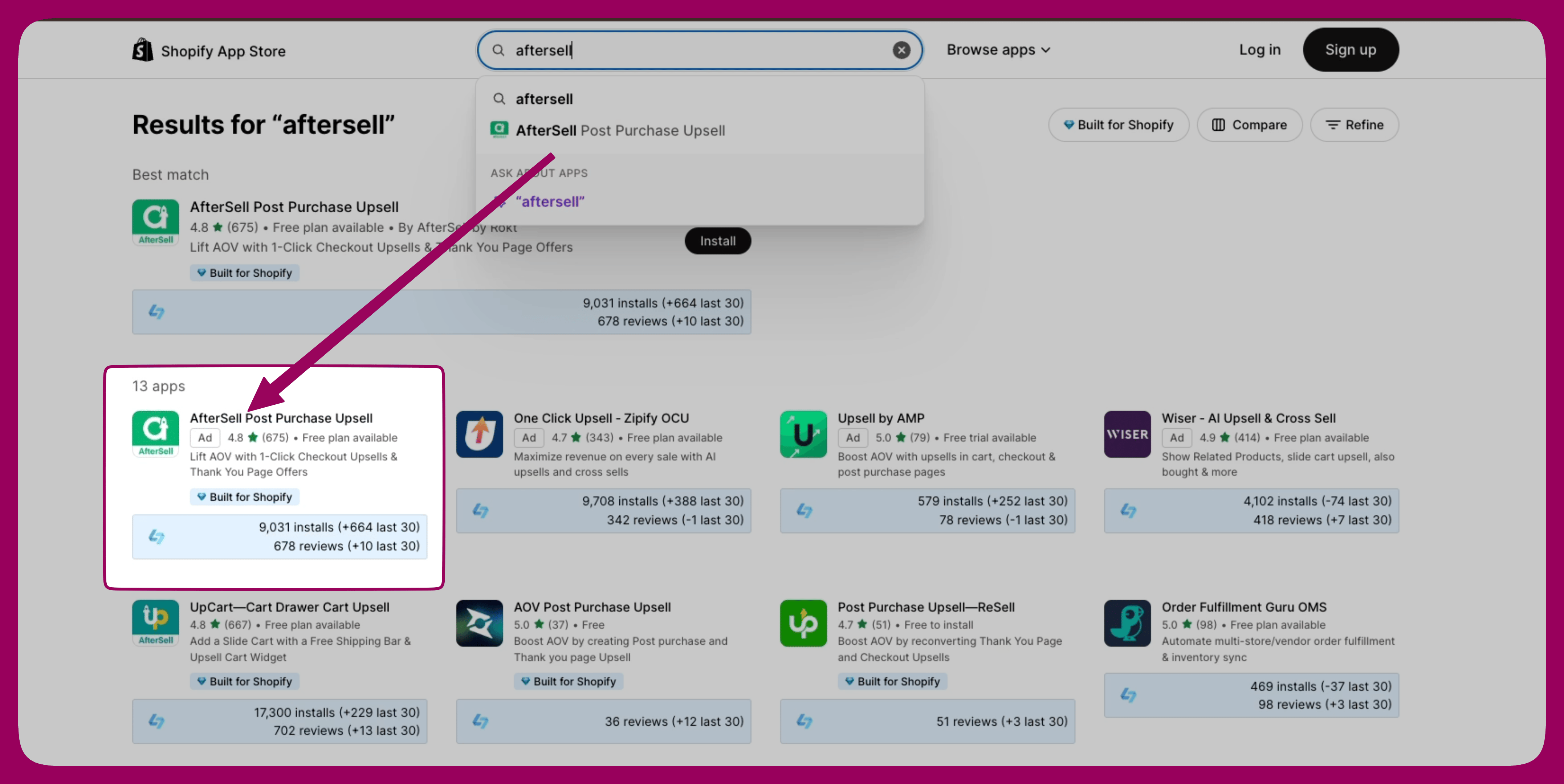
<img src="https://mintcdn.com/aftersell/1Y3gBpUfxv16VGSW/images/aftersell/install-app-store-search-results.png?fit=max&auto=format&n=1Y3gBpUfxv16VGSW&q=85&s=6e496fc255b27ca3b42342ef71334ac1" alt="AfterSell Post Purchase Upsell이 강조 표시된 Shopify 앱 스토어 검색 결과" width="4308" height="2160" data-path="images/aftersell/install-app-store-search-results.png" />

[Shopify 앱 스토어의 Aftersell](https://apps.shopify.com/aftersell)

<div id="step-2-install-aftersell">
  ## 2단계: Aftersell 설치
</div>

Aftersell 앱 페이지에서 "Install" 버튼을 클릭하세요. 앱에 필요한 권한을 검토할 수 있는 페이지로 이동돼요.
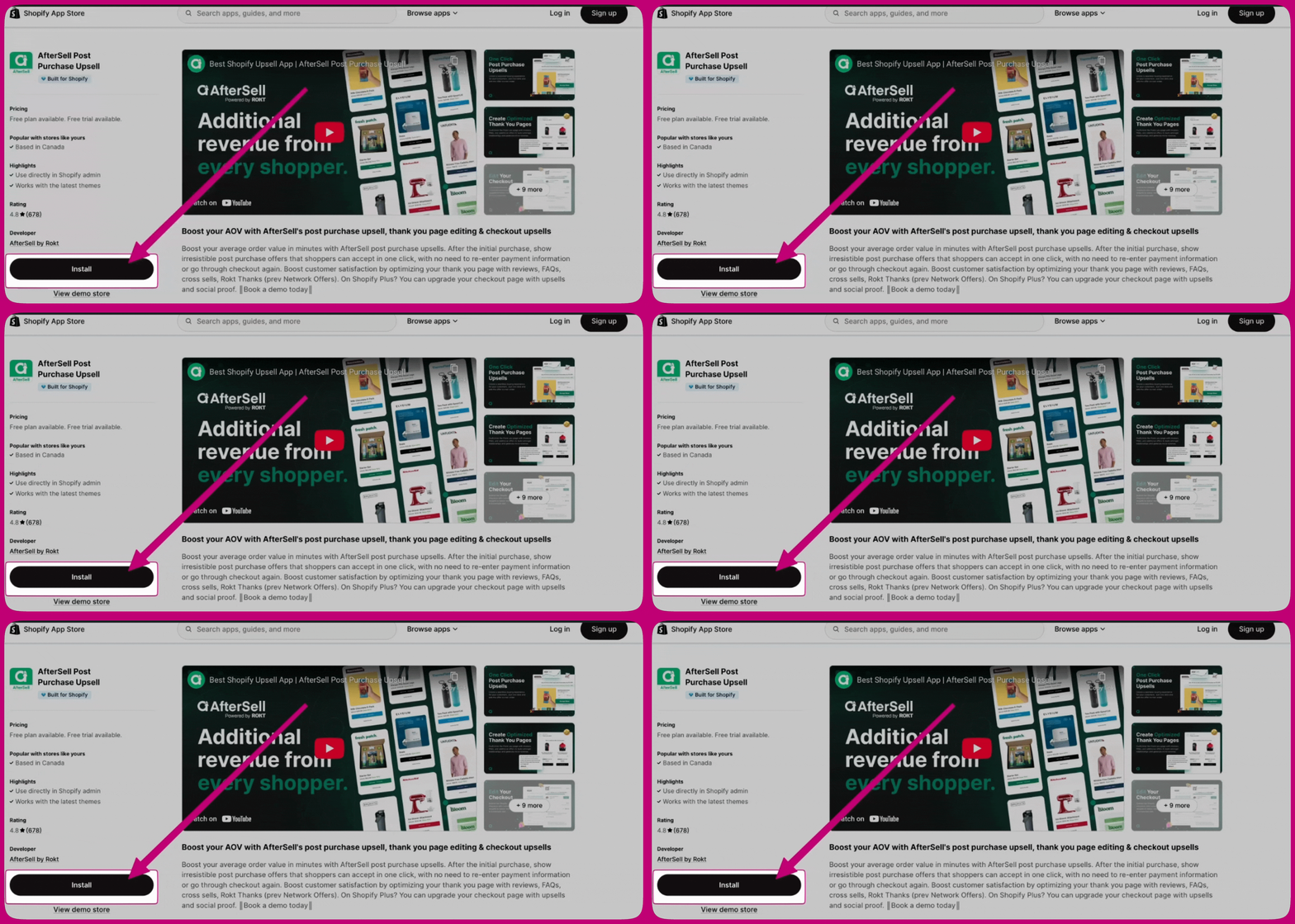
<img src="https://mintcdn.com/aftersell/1Y3gBpUfxv16VGSW/images/aftersell/install-app-listing-install-button.gif?s=d6f4880ed46cd9bf9f047bdb4d6c3615" alt="Install 버튼을 가리키는 화살표가 있는 AfterSell 앱 목록 페이지" width="2268" height="1080" data-path="images/aftersell/install-app-listing-install-button.gif" />

<div id="step-3-configure-aftersell">
  ## 3단계: Aftersell 구성
</div>

설치가 완료되면 Aftersell 대시보드로 이동돼요. 화면의 안내에 따라 초기 설정을 완료하고 원하는 대로 Aftersell을 구성하세요.
