> ## Documentation Index
> Fetch the complete documentation index at: https://docs.aftersell.com/llms.txt
> Use this file to discover all available pages before exploring further.
# cart drawer モジュール入門
> この記事では、Upcart のカートモジュールメニューの使い方を説明します。
# 概要
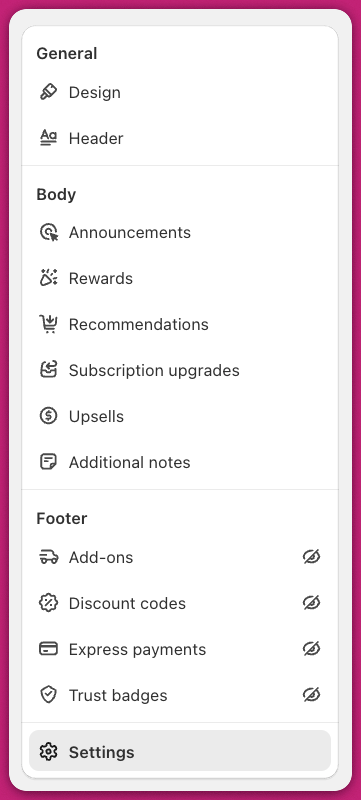
Upcart ダッシュボードの Cart Editor タブを開くと、利用可能なモジュールの一覧を確認できます。
Upcart の cart drawer は、複数のモジュールから構成されています。各モジュールは独自の機能を提供し、それぞれにカスタマイズ可能な設定があります。
モジュールが無効になっている場合、その横に斜線付きの目のアイコンが表示されます。 利用可能なすべてのモジュールにアクセスするには、Upcart ダッシュボードの Cart Editor タブに移動します。
 Upcart モジュールの簡単でわかりやすい入門には、\*\*[Upcart クイックスタートガイド](/ja/upcart/quickstart_guide_to_upcart)\*\*をご覧ください
***
Upcart の使い始めやアプリの操作でサポートが必要ですか? 24 時間 365 日対応のサポートチームにいつでもお問い合わせください。
Upcart モジュールの簡単でわかりやすい入門には、\*\*[Upcart クイックスタートガイド](/ja/upcart/quickstart_guide_to_upcart)\*\*をご覧ください
***
Upcart の使い始めやアプリの操作でサポートが必要ですか? 24 時間 365 日対応のサポートチームにいつでもお問い合わせください。