> ## Documentation Index
> Fetch the complete documentation index at: https://docs.aftersell.com/llms.txt
> Use this file to discover all available pages before exploring further.
# Upcart x PageFly landingssidebygger
> Denne artikel forklarer, hvordan du forhindrer omdirigering til kurvsiden, når du bruger PageFly sammen med Upcart.
## Sådan løser du det
Følg disse trin for at sikre, at din **Add to Cart**-knap fungerer korrekt med Upcart:
1. Åbn **PageFly**-appen i din Shopify-administrator.
2. Gå til indstillingerne for **Add to Cart**-knappen.
3. Find sektionen **After add to cart action**.
4. Vælg indstillingen **Stay on the same page**.
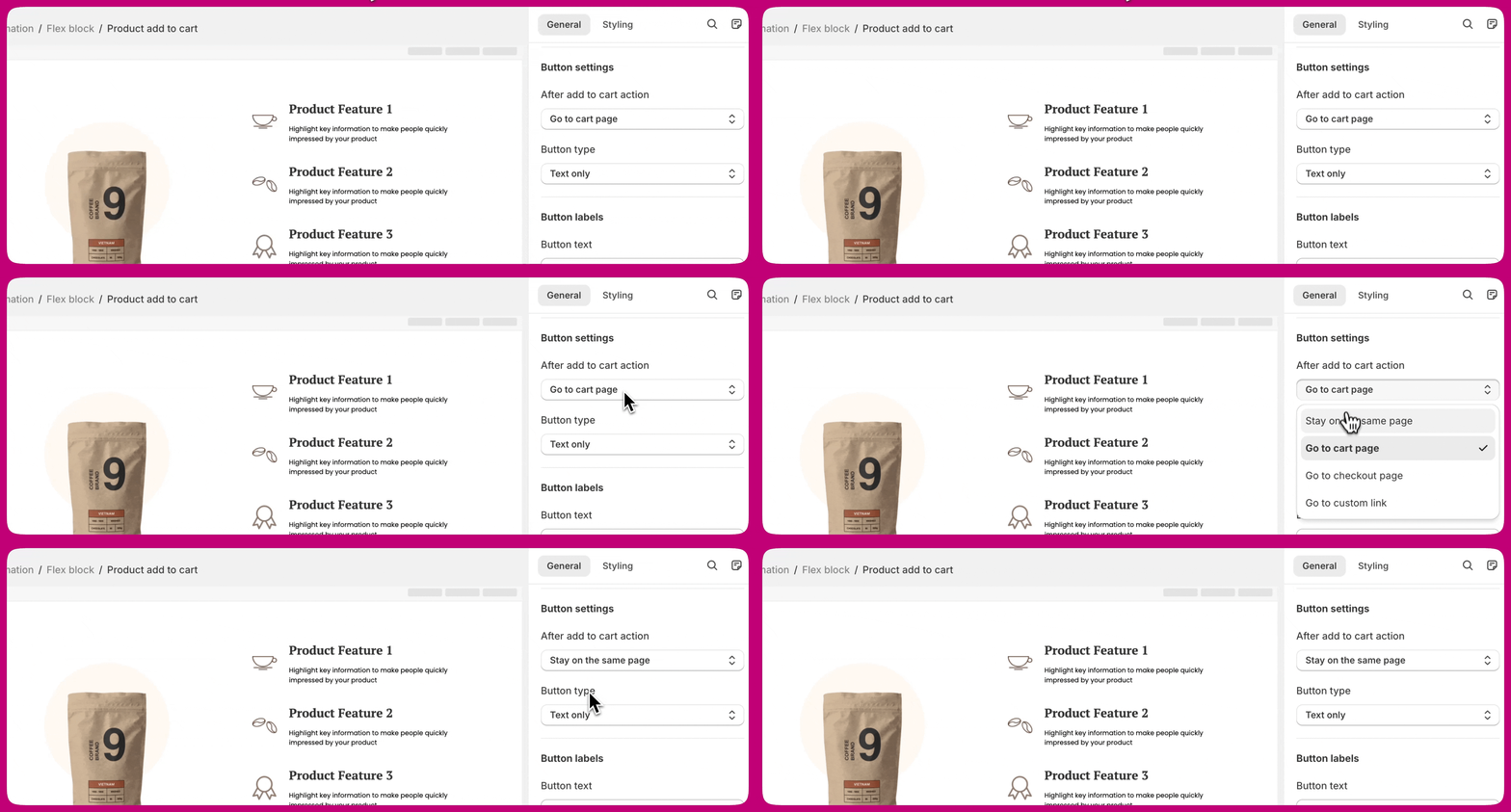 Det sikrer, at kunderne forbliver på samme side, og at **Upcart-draweren** åbner korrekt, efter at et produkt er lagt i kurven.
***
Det sikrer, at kunderne forbliver på samme side, og at **Upcart-draweren** åbner korrekt, efter at et produkt er lagt i kurven.
***
## Lær mere
For flere detaljer om denne indstilling, se **[PageFlys dokumentation](https://help.pagefly.io/manual/shopify-elements-product-add-to-cart/)** om konfiguration af **Add to Cart**-knappen.