> ## Documentation Index
> Fetch the complete documentation index at: https://docs.aftersell.com/llms.txt
> Use this file to discover all available pages before exploring further.
# Upcart x منشئ صفحات الهبوط PageFly
> يشرح هذا المقال كيفية منع إعادة التوجيه إلى صفحة السلة عند استخدام PageFly مع Upcart.
## كيفية الإصلاح
اتبع هذه الخطوات لضمان عمل زر **Add to Cart** بشكل صحيح مع Upcart:
1. افتح تطبيق **PageFly** في لوحة إدارة Shopify.
2. انتقل إلى إعدادات زر **Add to Cart**.
3. ابحث عن القسم المسمى **After add to cart action**.
4. اختر الخيار **Stay on the same page**.
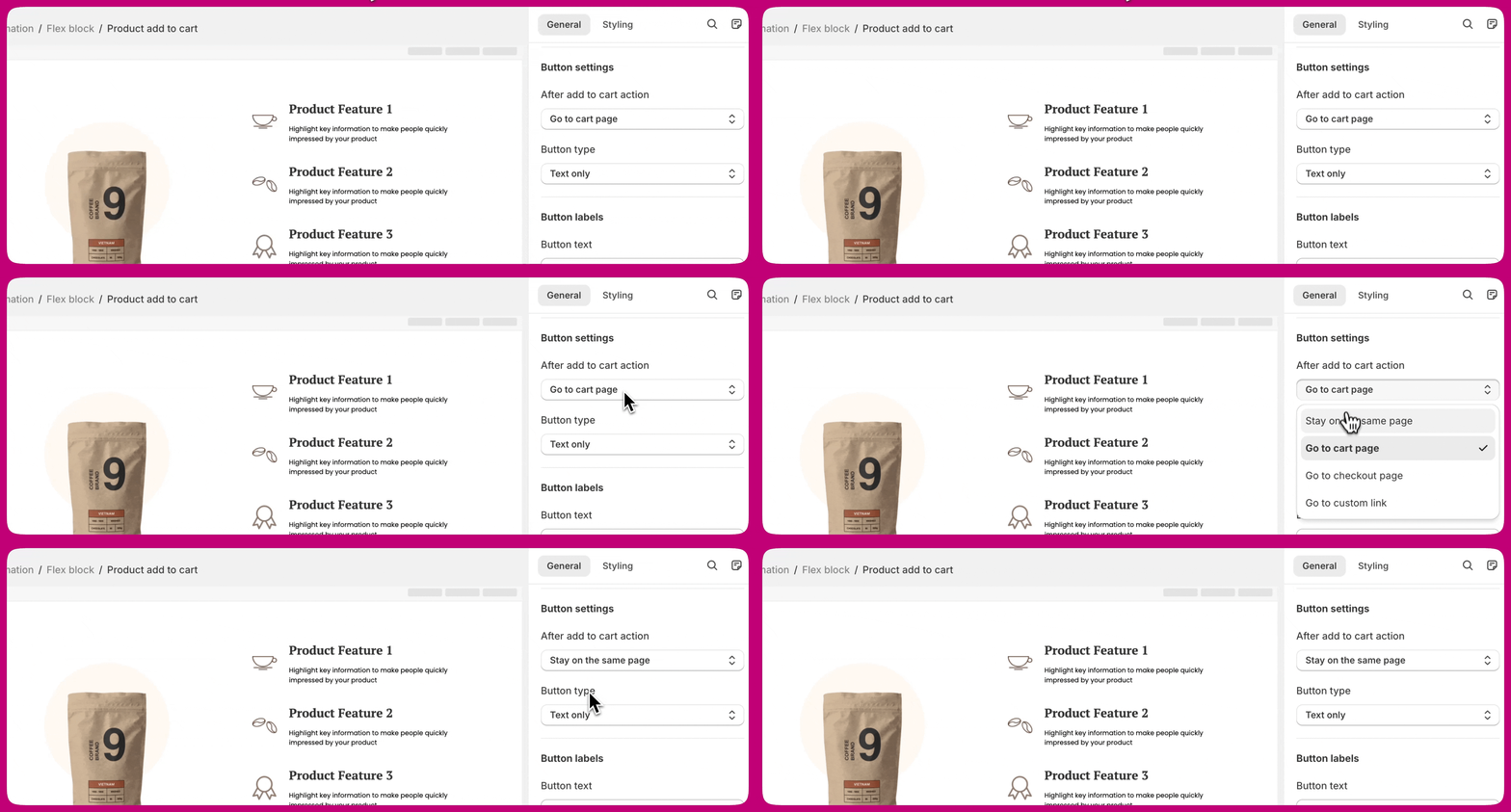 يضمن هذا بقاء العملاء على الصفحة نفسها وفتح **درج Upcart** بشكل صحيح بعد إضافة منتج إلى السلة.
***
يضمن هذا بقاء العملاء على الصفحة نفسها وفتح **درج Upcart** بشكل صحيح بعد إضافة منتج إلى السلة.
***
## معرفة المزيد
لمزيد من التفاصيل حول هذا الإعداد، راجع **[وثائق PageFly](https://help.pagefly.io/manual/shopify-elements-product-add-to-cart/)** حول تكوين زر **Add to Cart**.