> ## Documentation Index
> Fetch the complete documentation index at: https://docs.aftersell.com/llms.txt
> Use this file to discover all available pages before exploring further.
# Understanding conditional logic for post-purchase triggers
> This article explains how conditional logic works for post-purchase triggers
We will be going over the conditional logic between multiple triggers as well as the logic within each trigger. This will help ensure that your funnels display correctly and target the right customers.
Understanding how these triggers operate is fundamental for crafting efficient and impactful funnels tailored to specific customer behaviors.
Upsell triggers are conditions set within Aftersell to display upsell funnels based on variables such as customer behavior and specific order attributes.
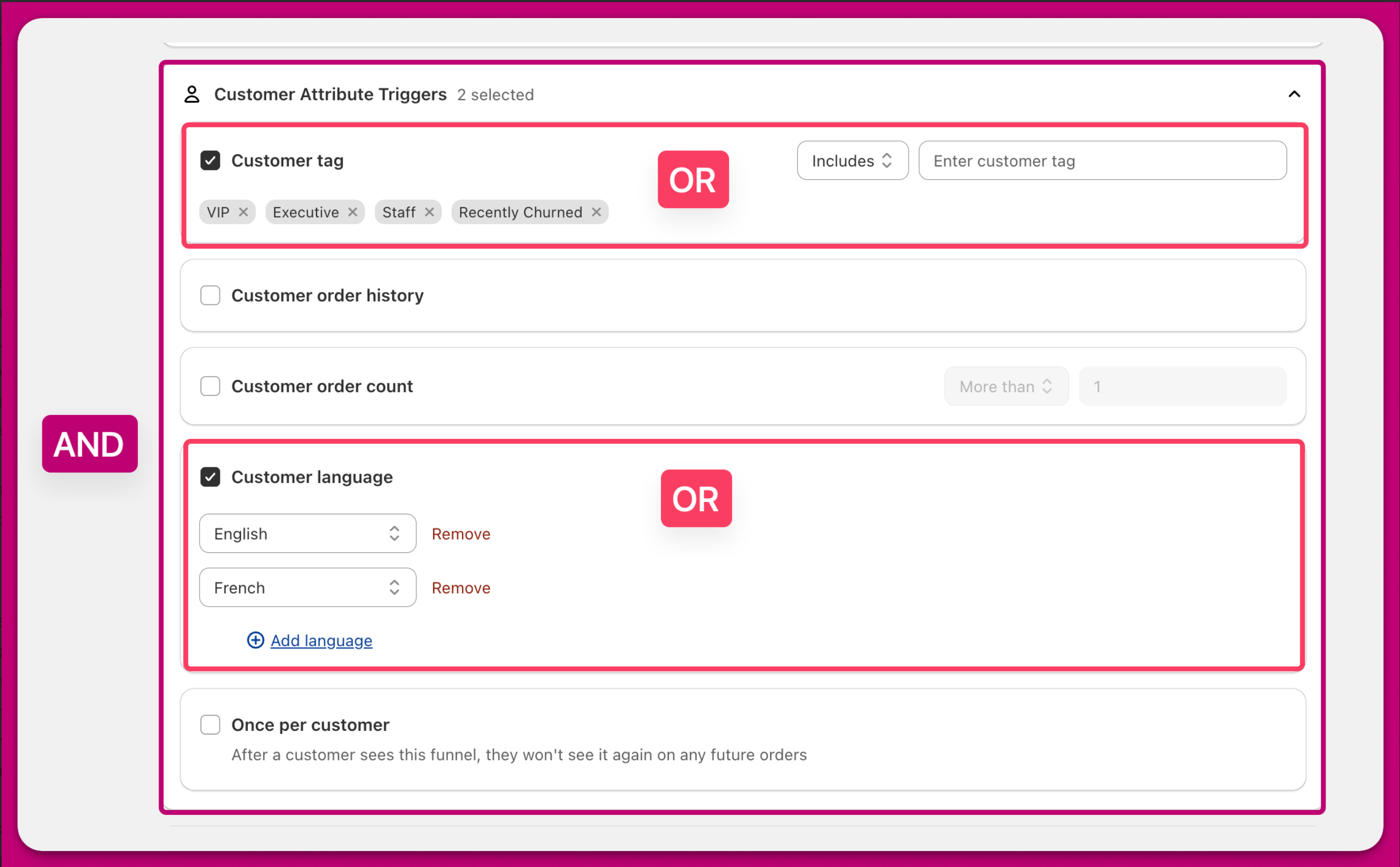
This diagram shows you an overview of the conditional logic:
By managing priorities correctly, businesses can ensure their most relevant funnels are displayed to appropriate customer segments, thereby optimizing conversions.
 ***
# The "AND" Logic Between Triggers
Each enabled trigger is evaluated independently and they **all** must be satisfied for the post-purchase action to occur. This means that every trigger must return a match for the funnel to appear to customers.
* For example, if you have a trigger set for both **Customer Location = US** and another one for **Order Value > \$50**, the order must meet **both** conditions to qualify.
***
# The "OR" Logic Within Each Trigger
Within a single trigger, multiple options can be selected. These options are evaluated using an **OR** conditional logic. This means that only one of the options within a trigger needs to match for that trigger to be satisfied.
* For example, if a trigger is configured for **Product Category = Shoes, Socks or Pants**, an order only needs to match one of those product categories for the funnel to activate.
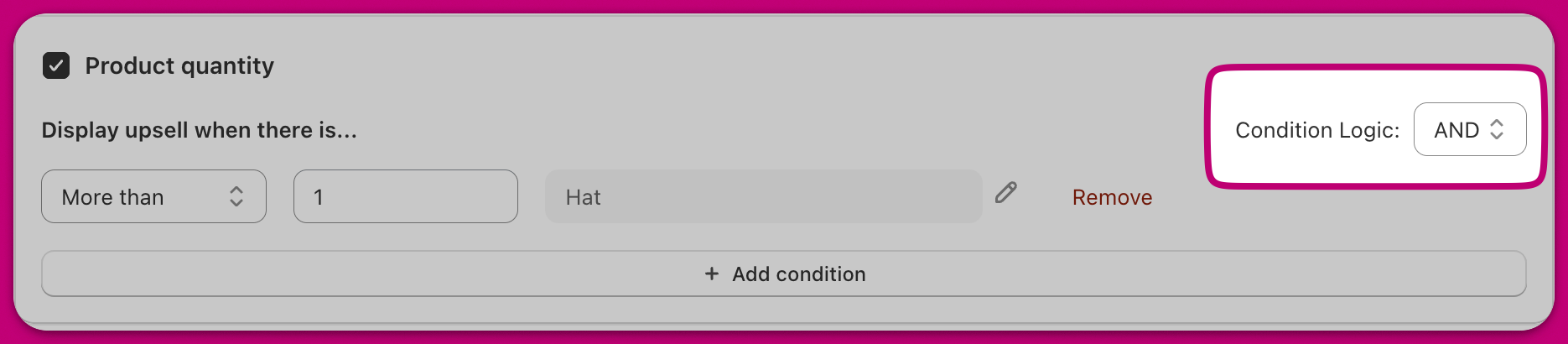
**Note:** Some triggers, such as the *Product Quantity Trigger*, allow you to switch the condition logic from **OR** to **AND**.
***
# The "AND" Logic Between Triggers
Each enabled trigger is evaluated independently and they **all** must be satisfied for the post-purchase action to occur. This means that every trigger must return a match for the funnel to appear to customers.
* For example, if you have a trigger set for both **Customer Location = US** and another one for **Order Value > \$50**, the order must meet **both** conditions to qualify.
***
# The "OR" Logic Within Each Trigger
Within a single trigger, multiple options can be selected. These options are evaluated using an **OR** conditional logic. This means that only one of the options within a trigger needs to match for that trigger to be satisfied.
* For example, if a trigger is configured for **Product Category = Shoes, Socks or Pants**, an order only needs to match one of those product categories for the funnel to activate.
**Note:** Some triggers, such as the *Product Quantity Trigger*, allow you to switch the condition logic from **OR** to **AND**.
 ***
# Putting It All Together
In summary, an order qualifies when **every enabled trigger** is met, and within each trigger, **at least one** of its options matches the order or customer.
For example, setting a funnel for orders with 'Minimum Order Value > \$100' and 'Shipping Method = Express' requires both criteria to be fulfilled for activation.
In simple terms:
* Each trigger must be true (**AND** logic).
* Within each trigger, only one matching option is needed (**OR** logic).
This setup keeps post-purchase rules flexible, accurate, and easy to understand.
***
Best practices include layering specific and broad triggers, regularly reviewing funnel priorities, and testing scenarios for accuracy and effectiveness.
If you're interested in learning more about all available Post-Purchase Triggers, see our comprehensive reference article here:
[Post-purchase Triggers](/aftersell/post_purchase_triggers)
This includes resources on managing funnel priorities and ensuring compliance with best practices.
***
# Putting It All Together
In summary, an order qualifies when **every enabled trigger** is met, and within each trigger, **at least one** of its options matches the order or customer.
For example, setting a funnel for orders with 'Minimum Order Value > \$100' and 'Shipping Method = Express' requires both criteria to be fulfilled for activation.
In simple terms:
* Each trigger must be true (**AND** logic).
* Within each trigger, only one matching option is needed (**OR** logic).
This setup keeps post-purchase rules flexible, accurate, and easy to understand.
***
Best practices include layering specific and broad triggers, regularly reviewing funnel priorities, and testing scenarios for accuracy and effectiveness.
If you're interested in learning more about all available Post-Purchase Triggers, see our comprehensive reference article here:
[Post-purchase Triggers](/aftersell/post_purchase_triggers)
This includes resources on managing funnel priorities and ensuring compliance with best practices.