> ## Documentation Index
> Fetch the complete documentation index at: https://docs.aftersell.com/llms.txt
> Use this file to discover all available pages before exploring further.
# Progress bars & product badges
> This article outlines how the Progress bar & product features work.
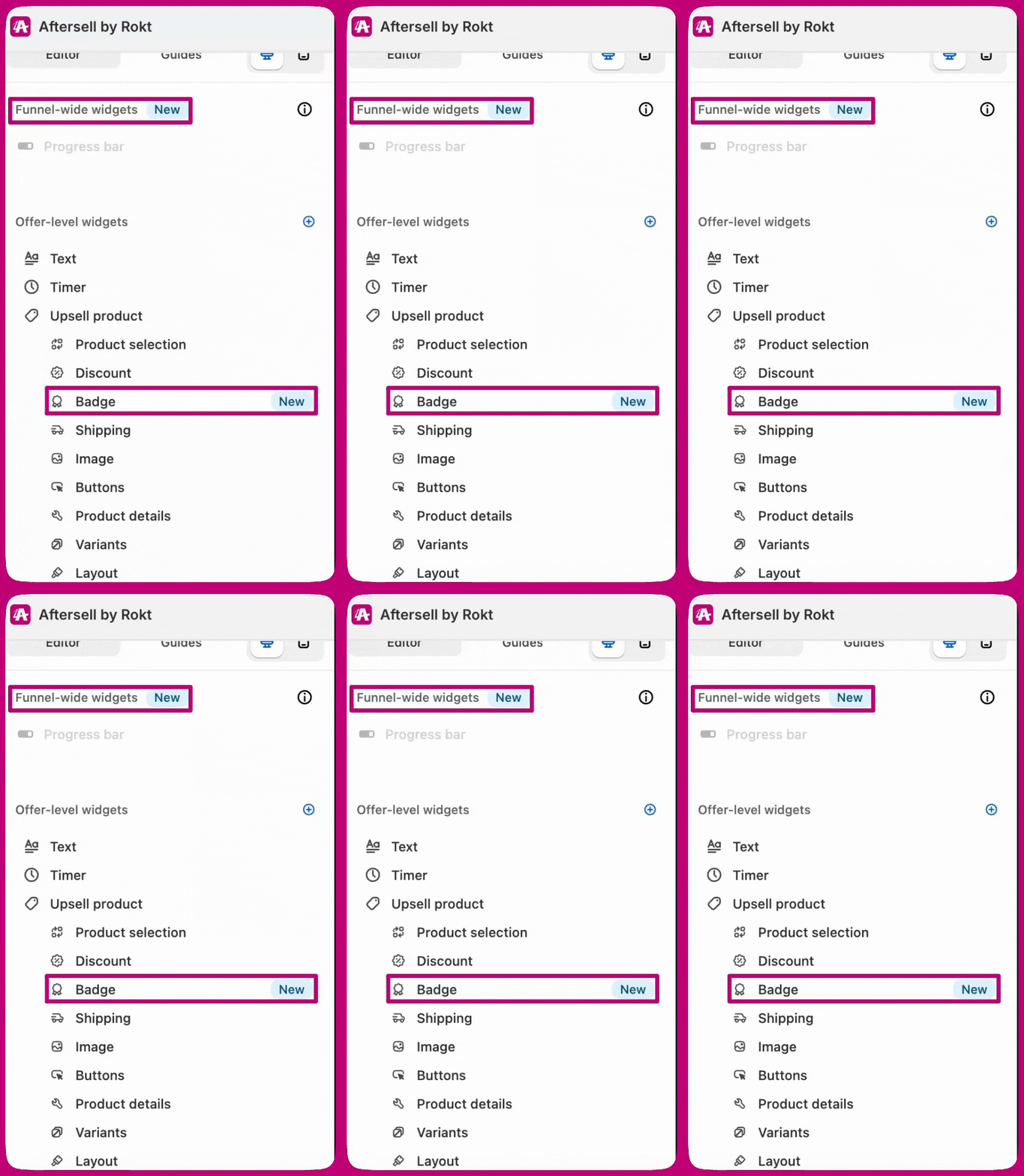
You can find these features within the 1-click upsell editor here:
 ## Progress bars
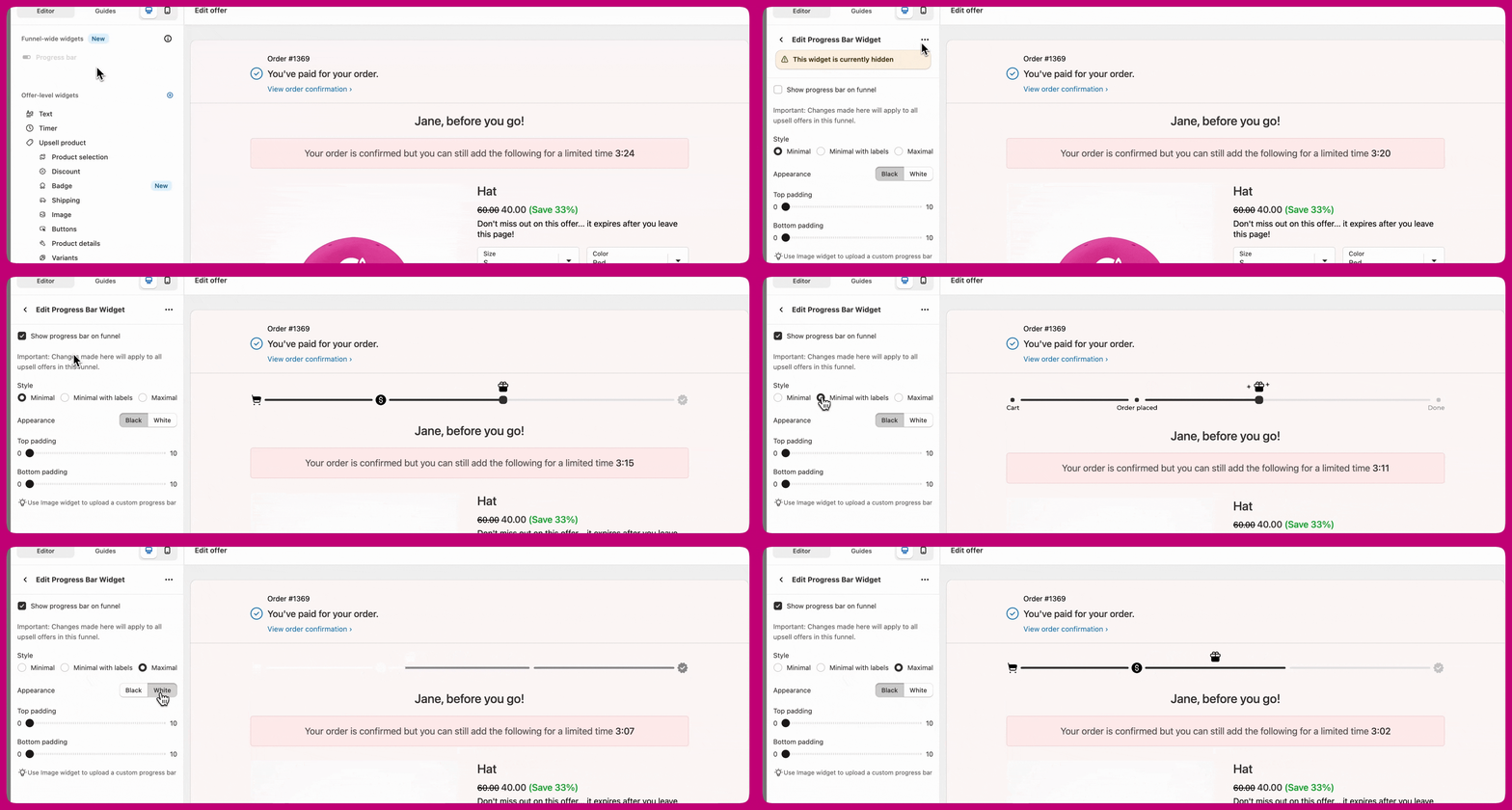
The **Funnel-Level** widget allows you to add a progress bar to one upsell and have it automatically applied to all upsells within the same funnel. This ensures a consistent experience across offers while reducing manual setup for merchants.
* The widget is always available but marked as hidden for existing offers and funnels.
* It is enabled by default for newly created funnels.
* Merchants can still upload a custom progress bar using the **Image** widget if they prefer a custom design etc.
* You currently cannot translate these widgets and therefore have to upload custom images with the personalized translations you require. Translations and more options will be available soon!
### Settings
## Progress bars
The **Funnel-Level** widget allows you to add a progress bar to one upsell and have it automatically applied to all upsells within the same funnel. This ensures a consistent experience across offers while reducing manual setup for merchants.
* The widget is always available but marked as hidden for existing offers and funnels.
* It is enabled by default for newly created funnels.
* Merchants can still upload a custom progress bar using the **Image** widget if they prefer a custom design etc.
* You currently cannot translate these widgets and therefore have to upload custom images with the personalized translations you require. Translations and more options will be available soon!
### Settings
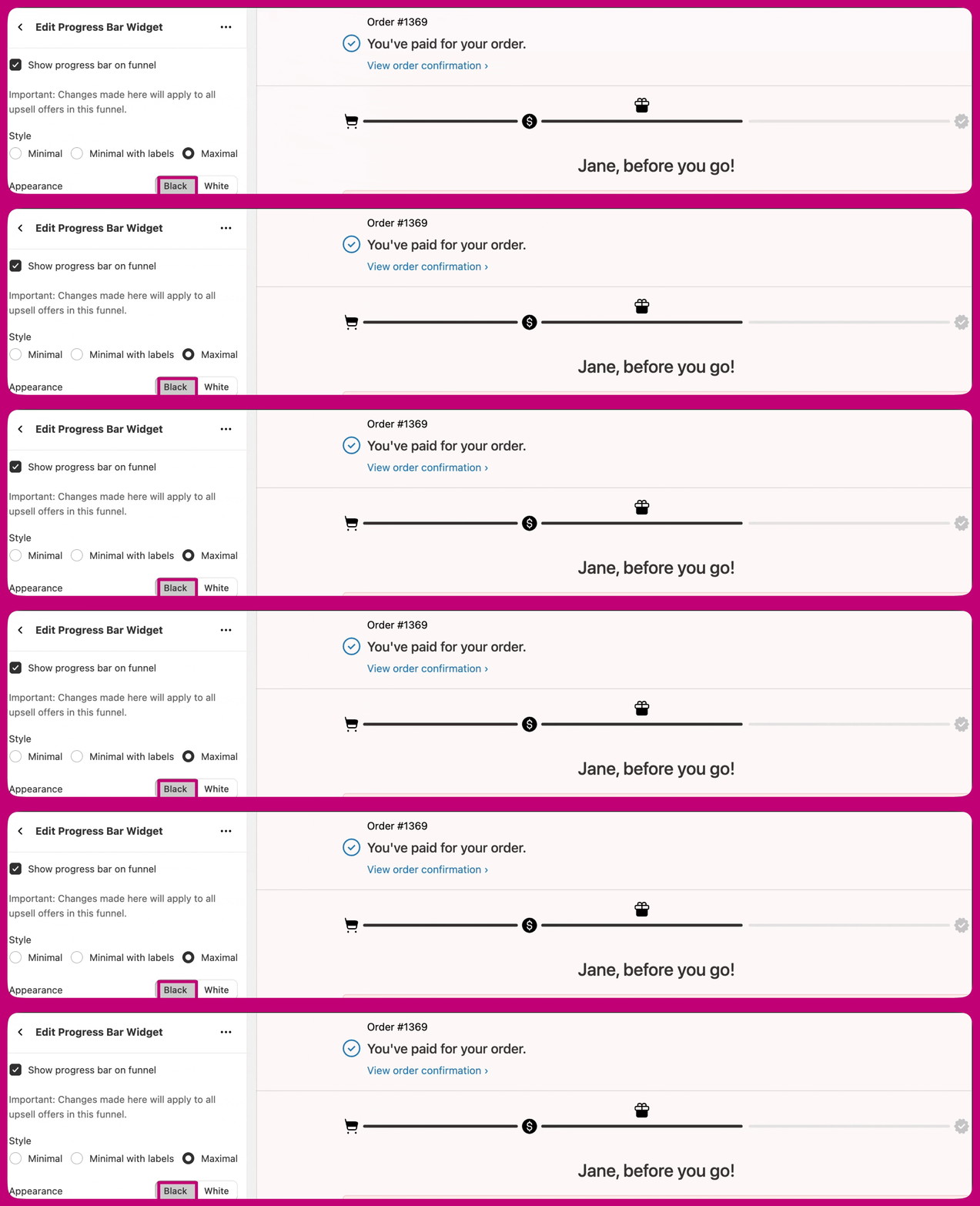
 ### Style
Minimal
### Style
Minimal
 Minimal with labels
 Maximal
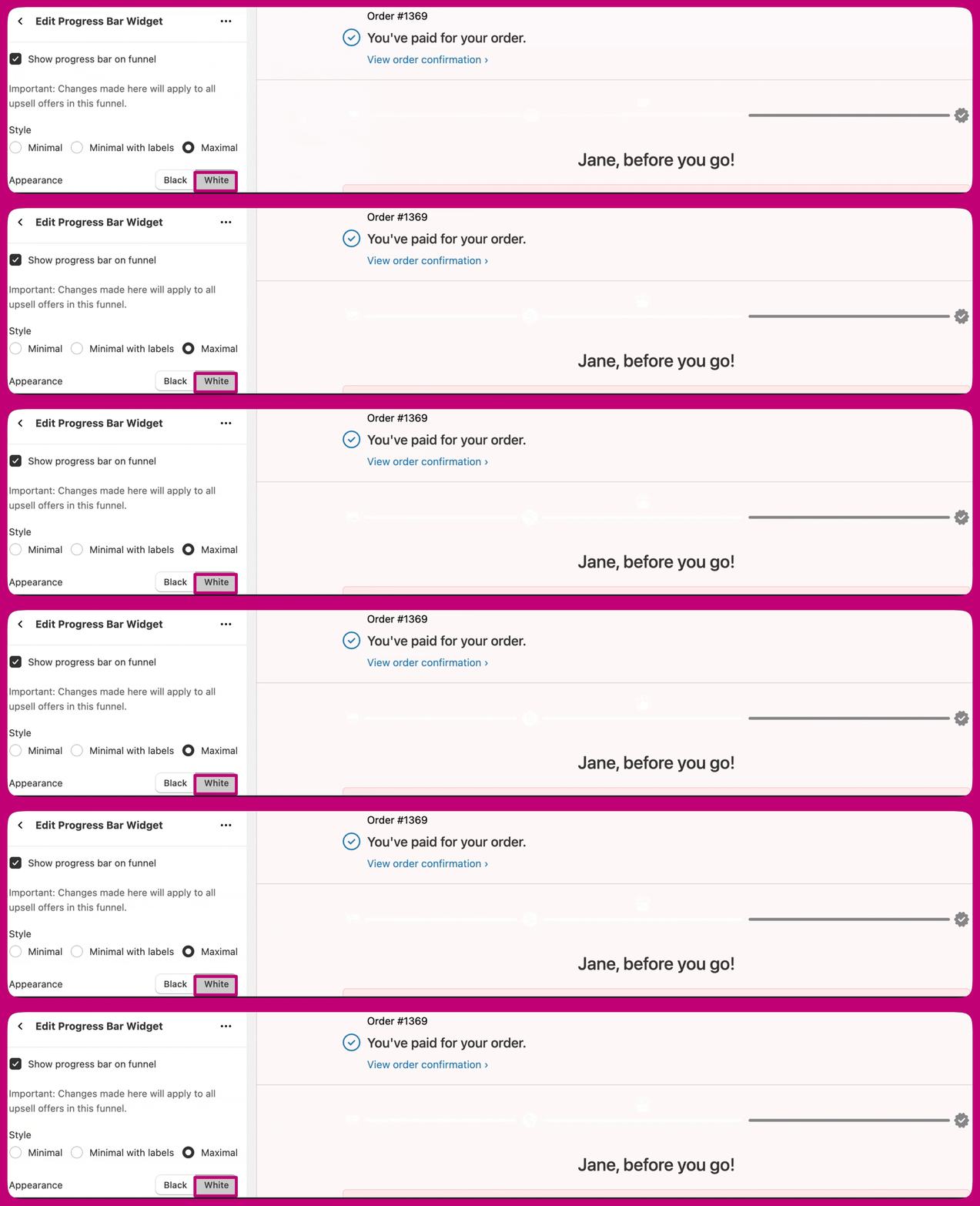
 ### Appearance
Black
### Appearance
Black
 White
White
 ***
## Product Badges
**Product Badges** let merchants highlight key product details directly on the offer. These badges help draw attention to important features or offers, increasing visibility and buyer confidence.
* Available as an option on each product.
* Merchants can upload their own custom badges.
* Colors, text, and icons cannot currently be edited, but customizable templates will be available soon.
### Settings
## Badge labels Options:
* **Bestseller** - Ideal for highlighting products with the highest sales or strongest performance to boost trust and social proof.
* **Trending** - Great for showcasing products that are currently gaining traction or experiencing high engagement.
* **New** - Best for drawing attention to newly launched products or offers.
* **Lowest Price** - Useful for promoting discounted or best-value items to encourage quick conversions.
* **Ships Free** - Perfect for emphasizing free shipping offers, helping reduce purchase hesitation.
## Appearance Options
Badges come in four appearance styles to match different funnel designs and brand aesthetics:
* **Vibrant** - Bright and eye-catching, ideal for drawing immediate attention to key offers.
* **Vibrant Inverse** - A variation of Vibrant with inverted colors for a bolder contrast.
* **Classic Dark** - Clean and professional, best for lighter backgrounds.
* **Classic Light** - Subtle and minimal, designed for darker backgrounds or a softer look.
## Position in Offer
Badges can be placed in different positions within the offer layout to best fit your design and draw attention where it’s most effective:
* **Above Product Title** - Great for immediate visibility before the shopper reads product details.
* **Adjacent to Product Price** - Ideal for reinforcing urgency or value near the price point.
* **Below Product Price** - Best for subtle messaging that supports the purchase decision without distraction.
***
## Why It Matters
Progress bars have consistently shown positive results in improving both revenue per visitor (RPV) and conversion rates across many merchants, including those using Smart Funnels.
Similarly, **Product Badges** have proven effective in enhancing trust and buyer awareness, leading to measurable improvements in overall funnel performance.
***
## Product Badges
**Product Badges** let merchants highlight key product details directly on the offer. These badges help draw attention to important features or offers, increasing visibility and buyer confidence.
* Available as an option on each product.
* Merchants can upload their own custom badges.
* Colors, text, and icons cannot currently be edited, but customizable templates will be available soon.
### Settings
## Badge labels Options:
* **Bestseller** - Ideal for highlighting products with the highest sales or strongest performance to boost trust and social proof.
* **Trending** - Great for showcasing products that are currently gaining traction or experiencing high engagement.
* **New** - Best for drawing attention to newly launched products or offers.
* **Lowest Price** - Useful for promoting discounted or best-value items to encourage quick conversions.
* **Ships Free** - Perfect for emphasizing free shipping offers, helping reduce purchase hesitation.
## Appearance Options
Badges come in four appearance styles to match different funnel designs and brand aesthetics:
* **Vibrant** - Bright and eye-catching, ideal for drawing immediate attention to key offers.
* **Vibrant Inverse** - A variation of Vibrant with inverted colors for a bolder contrast.
* **Classic Dark** - Clean and professional, best for lighter backgrounds.
* **Classic Light** - Subtle and minimal, designed for darker backgrounds or a softer look.
## Position in Offer
Badges can be placed in different positions within the offer layout to best fit your design and draw attention where it’s most effective:
* **Above Product Title** - Great for immediate visibility before the shopper reads product details.
* **Adjacent to Product Price** - Ideal for reinforcing urgency or value near the price point.
* **Below Product Price** - Best for subtle messaging that supports the purchase decision without distraction.
***
## Why It Matters
Progress bars have consistently shown positive results in improving both revenue per visitor (RPV) and conversion rates across many merchants, including those using Smart Funnels.
Similarly, **Product Badges** have proven effective in enhancing trust and buyer awareness, leading to measurable improvements in overall funnel performance.