> ## Documentation Index
> Fetch the complete documentation index at: https://docs.aftersell.com/llms.txt
> Use this file to discover all available pages before exploring further.
# DTC ads onboarding guide | web pixel activation
> This article outlines how to integrate the Rokt Conversions Web Pixel
# **Overview**
The Rokt Conversions Web Pixel enables accurate attribution of conversions from your Shopify store to Rokt campaigns. This helps optimize your marketing performance by tracking user activity through Shopify’s Web Pixels API.
***
## **Step 1: Install the Aftersell App**
You will be provided with a special installation link by your account manager.
* Click the link to be redirected to the Shopify App Store.
* You will be prompted to install the Aftersell app.
* During installation, Shopify will prompt you to accept scopes related to pixel tracking — specifically `read_customer_events` and `write_pixels`.
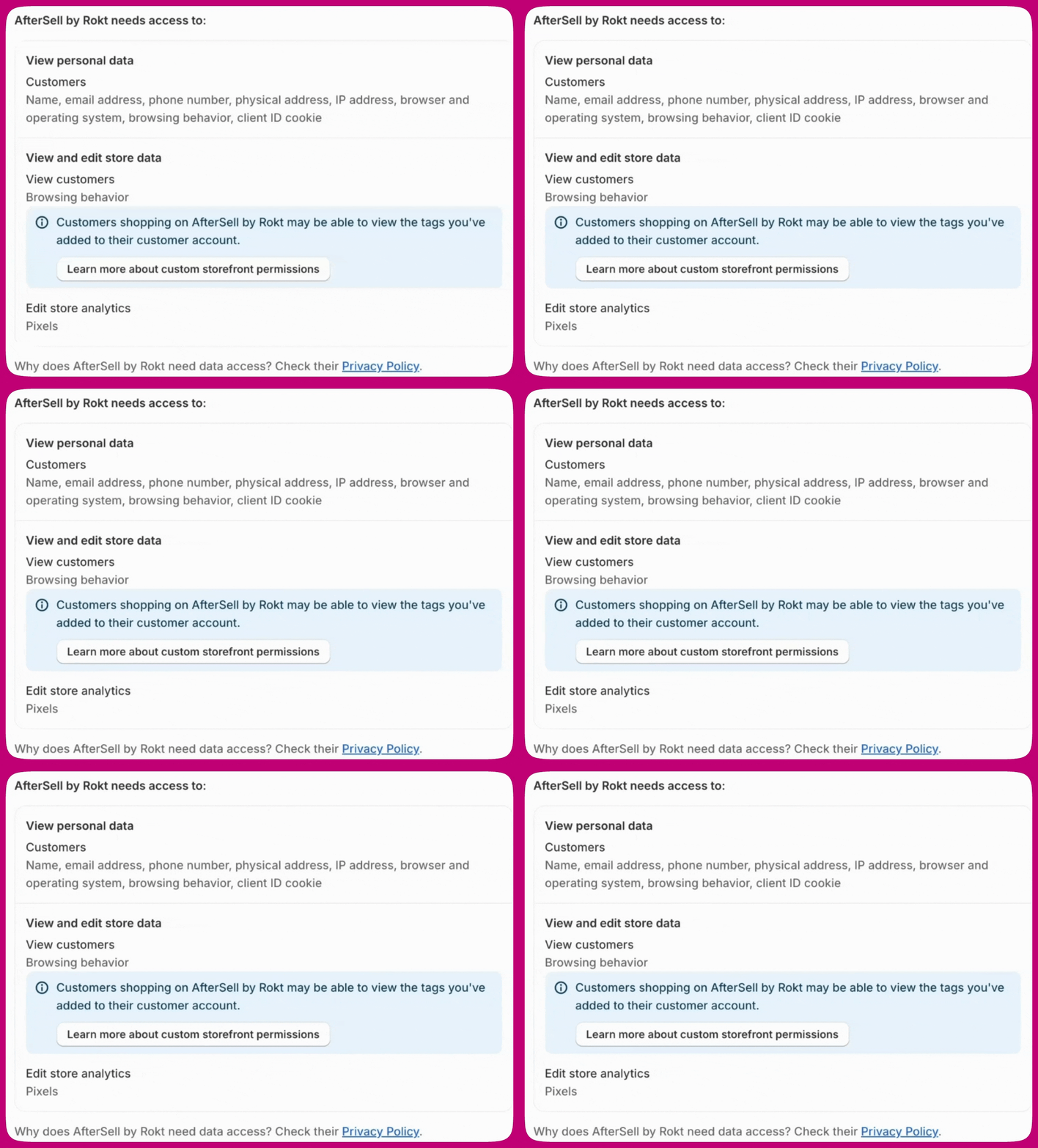 * Click **Update** to accept the permissions and continue.
Accepting these scopes will allow Aftersell to inject and activate the Rokt Web Pixel automatically.
***
## **Step 2: Accept Terms and Conditions**
After granting the required permissions:
* You will be prompted to review and accept our Terms and Conditions.
* Click **Update** to accept the permissions and continue.
Accepting these scopes will allow Aftersell to inject and activate the Rokt Web Pixel automatically.
***
## **Step 2: Accept Terms and Conditions**
After granting the required permissions:
* You will be prompted to review and accept our Terms and Conditions.
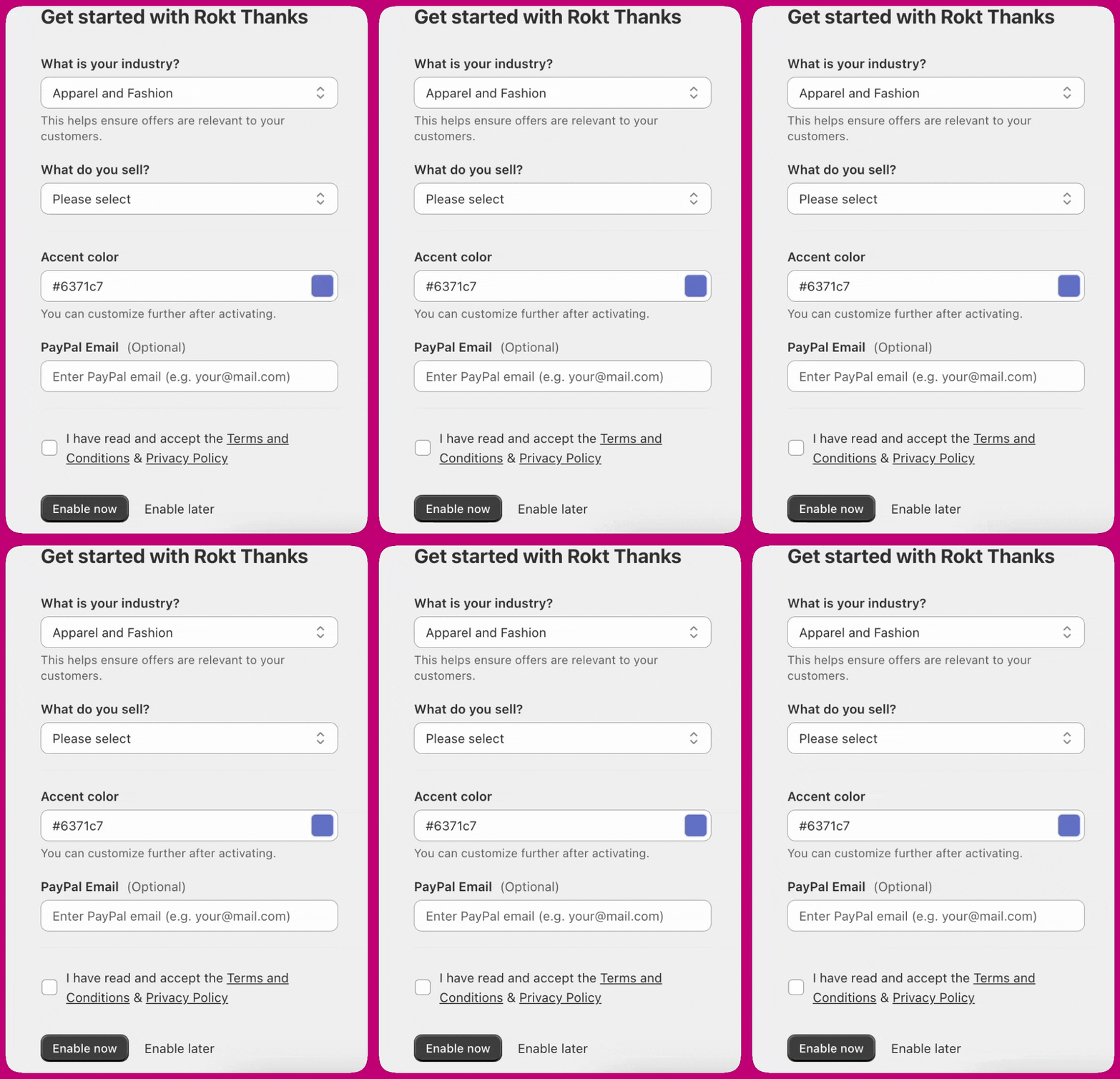 * Press **Enable now** to proceed.
***
## **Step 3: Activate Free Plan**
Following the Terms and Conditions:
* You will be prompted to accept the **Aftersell Free Plan (Rokt Ads)**.
* Click **Approve** to complete the activation.
* Press **Enable now** to proceed.
***
## **Step 3: Activate Free Plan**
Following the Terms and Conditions:
* You will be prompted to accept the **Aftersell Free Plan (Rokt Ads)**.
* Click **Approve** to complete the activation.
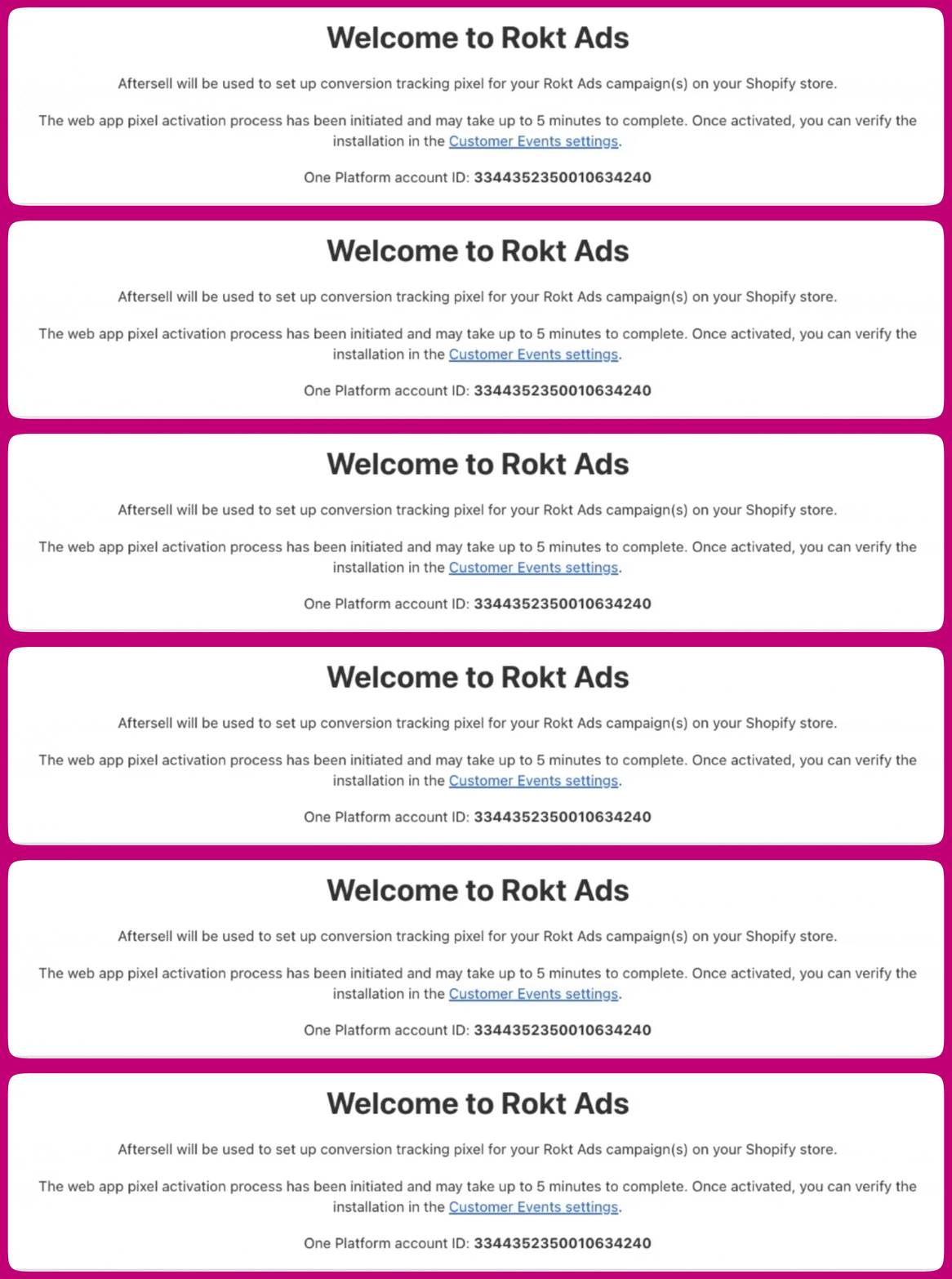
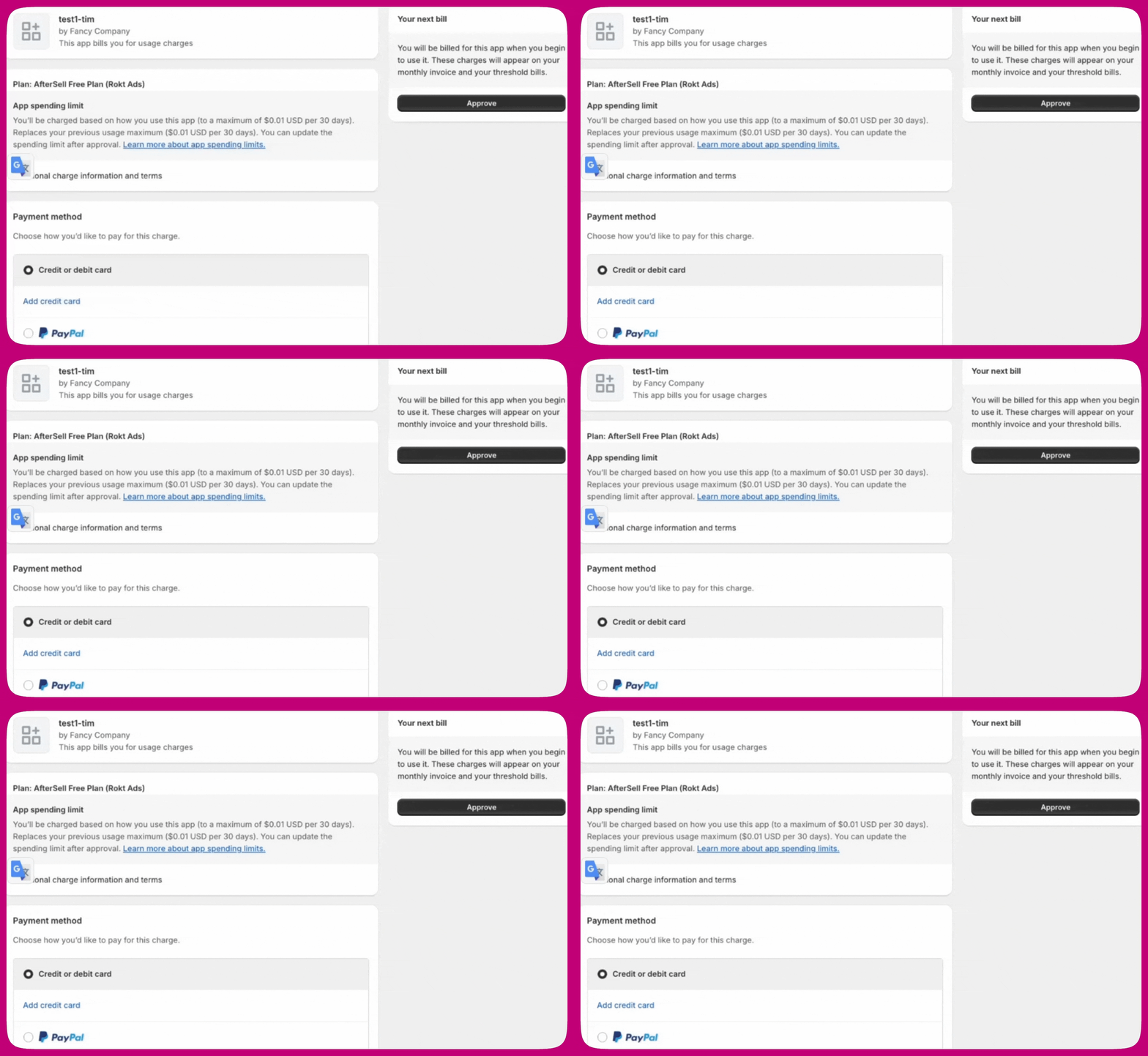 * Once approved, your onboarding is complete, and you will be redirected to the Rokt Ads dashboard, where you will see your newly created **Rokt Account ID**.
 ***
## **Step 4: Web Pixel Activation**
After completing onboarding, the Web Pixel installation will be triggered automatically.
Please allow up to **5 minutes** for the activation to complete.
***
## **To Verify Pixel Activation:**
1. On the Rokt Ads page (inside Aftersell), click the link labeled Customer Events Settings. This will take you directly to the right page in your Shopify Admin.
2. Alternatively:\
Navigate manually to Shopify Admin → Settings → Customer Events.
3. Once there:\
Under App Pixels, look for "Aftersell".\
Ensure the status is listed as Connected.
***
## **Step 4: Web Pixel Activation**
After completing onboarding, the Web Pixel installation will be triggered automatically.
Please allow up to **5 minutes** for the activation to complete.
***
## **To Verify Pixel Activation:**
1. On the Rokt Ads page (inside Aftersell), click the link labeled Customer Events Settings. This will take you directly to the right page in your Shopify Admin.
2. Alternatively:\
Navigate manually to Shopify Admin → Settings → Customer Events.
3. Once there:\
Under App Pixels, look for "Aftersell".\
Ensure the status is listed as Connected.
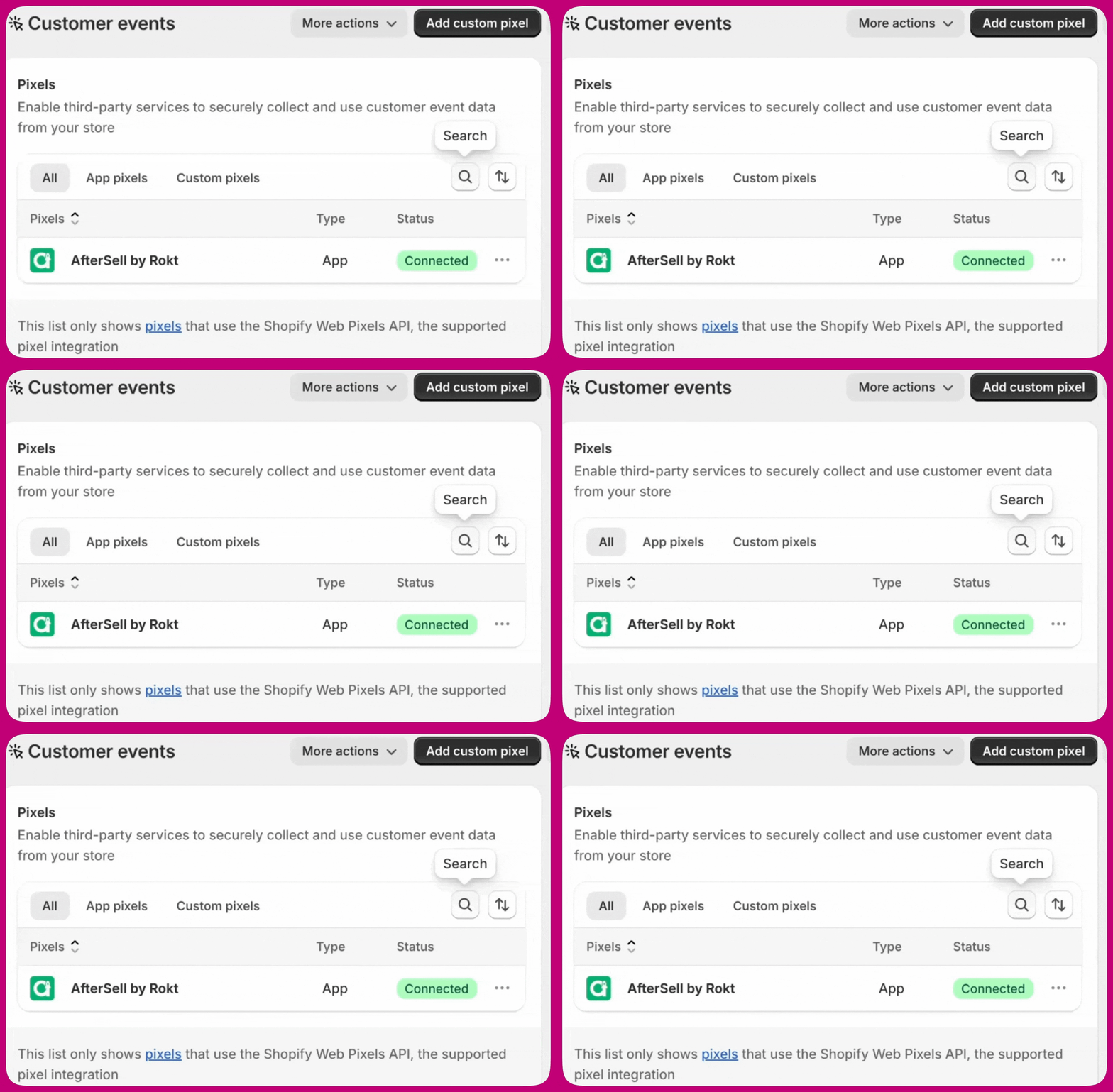 If the pixel does not appear immediately or shows "Disconnected," it may still be processing. Please wait a few minutes and refresh the page.
***
## **Additional Notes:**
This activated web pixel does two things:
1. Adds a cookie when a customer lands on your site from one of your Rokt campaigns. Rokt will automatically add the “rtid” query parameter to the URL of the landing page.
2. Records conversions. If the customer has a cookie from step i) then the conversion will be attributed to your Rokt campaign.
The following settings will be applied automatically by the web pixel app.
1. *Permission: Required > Marketing and Analytics*. These are the default settings for new pixels. This is most relevant for customers in the EU and UK. To learn more, see [Shopify’s documentation here](https://help.shopify.com/en/manual/promoting-marketing/pixels/custom-pixels/manage#customer-privacy).
2. *Data sale: Data collected does not qualify as data sale.* Conversion data is collected to optimize and monitor advertising campaigns and is not sold by Rokt.
3. For details on the Web Pixels API, see [Shopify’s developer documentation here](https://shopify.dev/docs/api/web-pixels-api).
If the pixel does not appear immediately or shows "Disconnected," it may still be processing. Please wait a few minutes and refresh the page.
***
## **Additional Notes:**
This activated web pixel does two things:
1. Adds a cookie when a customer lands on your site from one of your Rokt campaigns. Rokt will automatically add the “rtid” query parameter to the URL of the landing page.
2. Records conversions. If the customer has a cookie from step i) then the conversion will be attributed to your Rokt campaign.
The following settings will be applied automatically by the web pixel app.
1. *Permission: Required > Marketing and Analytics*. These are the default settings for new pixels. This is most relevant for customers in the EU and UK. To learn more, see [Shopify’s documentation here](https://help.shopify.com/en/manual/promoting-marketing/pixels/custom-pixels/manage#customer-privacy).
2. *Data sale: Data collected does not qualify as data sale.* Conversion data is collected to optimize and monitor advertising campaigns and is not sold by Rokt.
3. For details on the Web Pixels API, see [Shopify’s developer documentation here](https://shopify.dev/docs/api/web-pixels-api).